
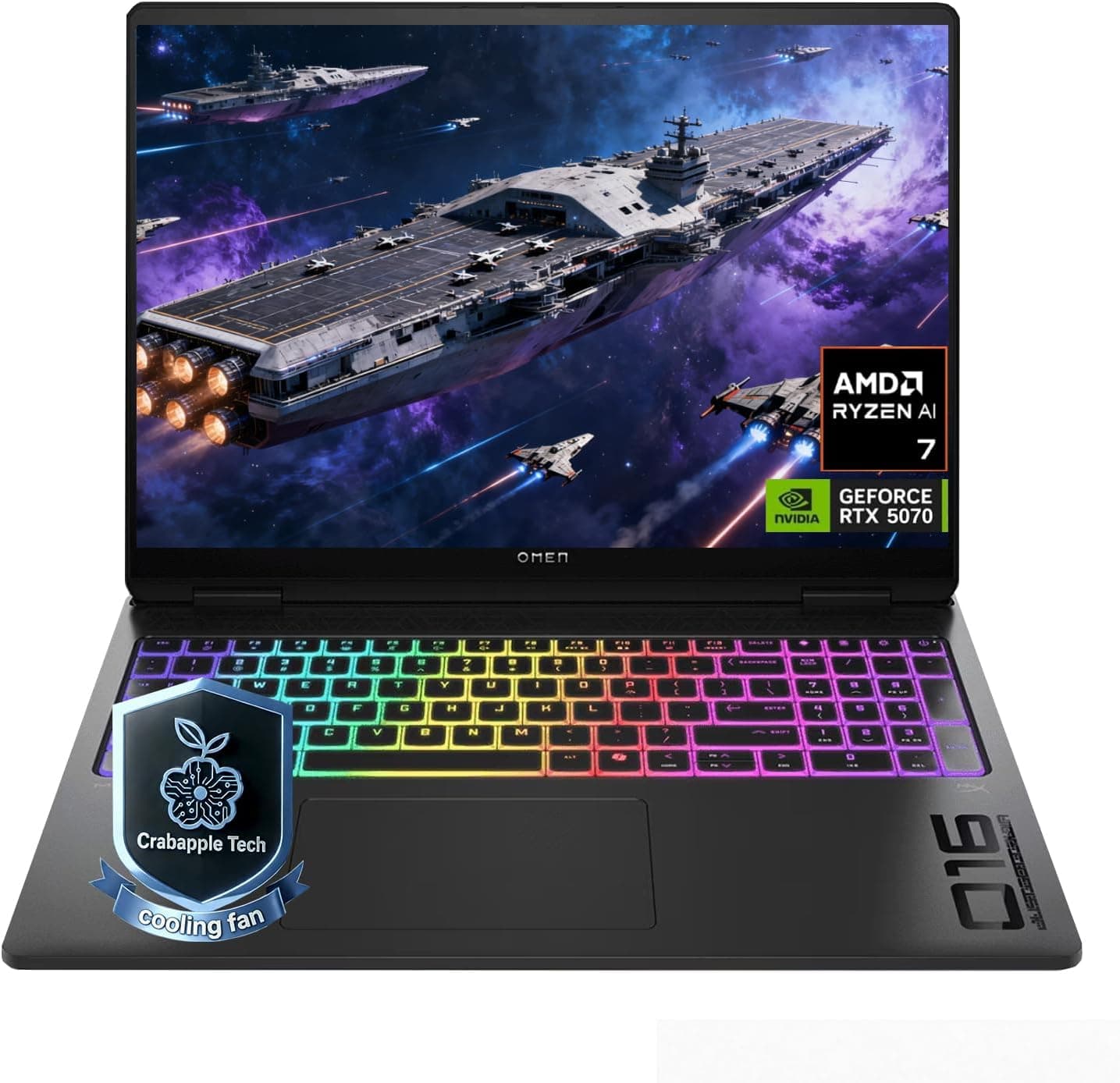
HP Gaming Laptop Guide 2026: Omen vs Victus Explained + Best Picks
Navigate this article
Introduction
If you are staring at HP's 2026 gaming laptop lineup and feeling completely lost, you picked a genuinely exciting but chaotic time to upgrade. The new RTX 50 series laptop GPUs are here, AMD's Ryzen 8000 series is pushing efficiency further, and Intel's latest mobile chips are competing hard for the performance crown. But with four distinct sub-brands Victus, Omen, Omen Transcend, and the all-new Omen Max HP's product stack is harder than ever to navigate.
This guide cuts through all of it. We have pulled the real specs on the exact models available to buy right now, flagged the known hardware issues you need to know about before you order, and laid out a clear recommendation for every type of gamer and budget. Let's get into it.
1. HP Omen Max 16: The Desktop Replacement Tier
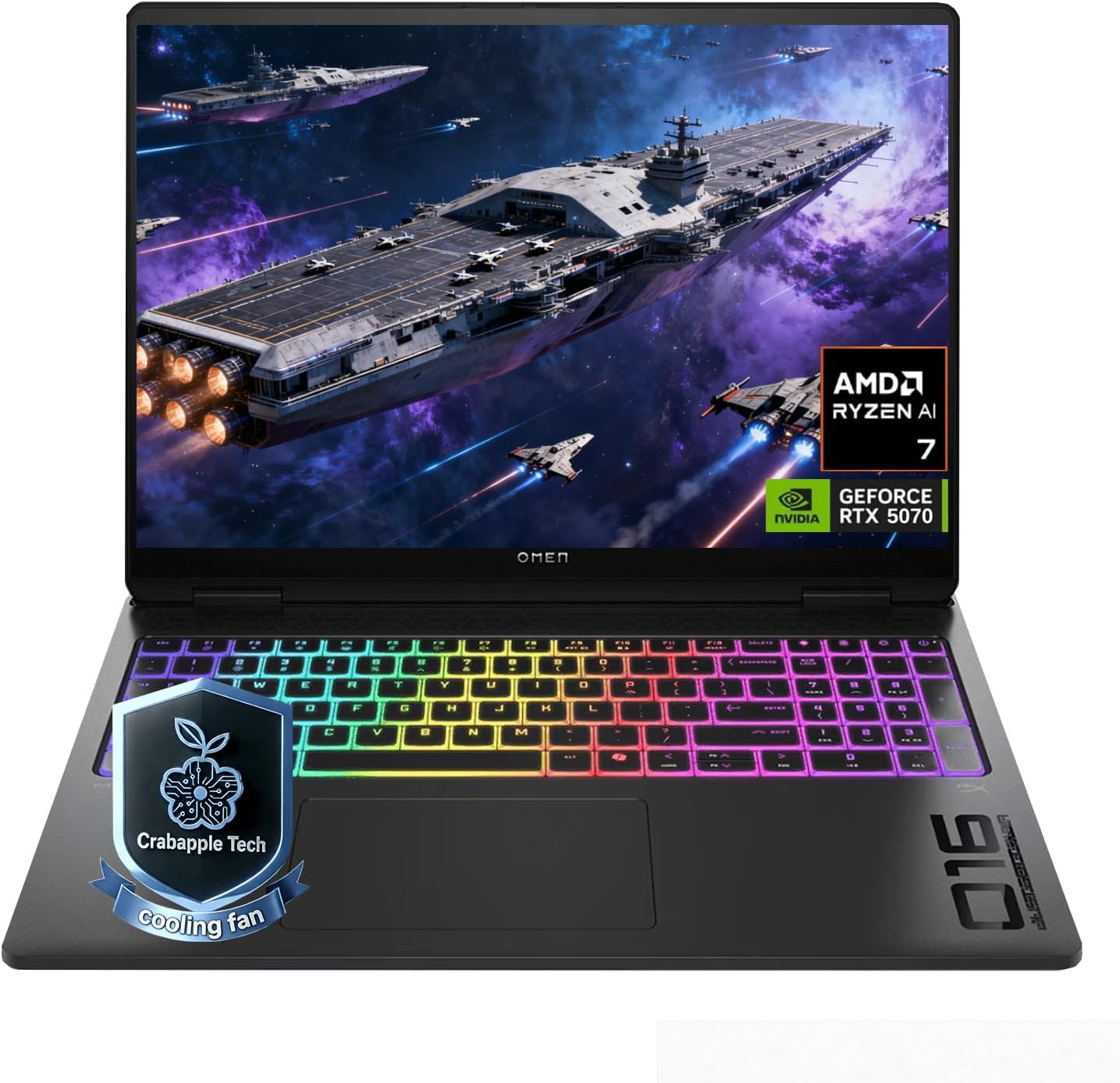
| Component | Specification |
|---|---|
| CPU | AMD Ryzen AI 9 (Model 350) 8 cores, up to 5.0 GHz boost |
| GPU | NVIDIA GeForce RTX 5070 (GDDR7) |
| RAM | 32 GB DDR5 (Upgradeable to 64 GB) |
| Storage | 2 TB SSD |
| Display | 16-inch IPS, 2560 x 1600 (WQXGA), 240Hz |
| Battery | 83 Wh lithium-ion |
View on Amazon
Performance and What to Expect
The Omen Max 16 is HP's first true desktop-replacement tier laptop. The RTX 5070 paired with GDDR7 memory and AMD's Ryzen AI 9 at up to 5 GHz makes this machine genuinely capable of running demanding modern titles at the native 2560x1600 resolution on high to ultra settings. The 240Hz refresh rate on that IPS panel means competitive games feel exceptionally fluid, and the high-resolution display gives single-player titles a noticeably sharper look than the standard 1920x1200 configurations found on lower models.
The Omen Gaming Hub's Unleashed Mode pushes total platform power significantly beyond the default limits, letting the GPU and CPU run at higher sustained TDP figures for longer. If you are running something like Cyberpunk 2077 with path tracing enabled or a heavy simulation game, Unleashed Mode is where the Max 16 pulls away from the standard Omen.
Battery and Portability
Portability Warning The Omen Max 16 has an 83 Wh battery rated for roughly 5 hours of light use. Under gaming loads, expect significantly less. This laptop is not built for all-day portability, it belongs on a desk near a wall outlet. The power brick required to run it at full performance is large. Factor this into your purchase decision if you travel frequently.
Who Should Buy the Omen Max 16?
- Gamers who want high-refresh 2K gaming without building a desktop
- Anyone who plays a mix of competitive and graphically demanding single-player titles
- Buyers who will primarily use it at a desk and want the top of HP's laptop line without paying for an RTX 5080/5090 configuration
MSI Gaming Laptop Guide 2026: Titan vs Raider vs Stealth vs Katana Explained
MSI has completely overhauled their 2026 lineup, pruning the chaos to focus on Titan, Raider, Stealth, and Katana. This guide cuts through the marketing fluff to reveal the raw performance hubs.
Read article →
2. HP Omen 16: The Practical Powerhouse
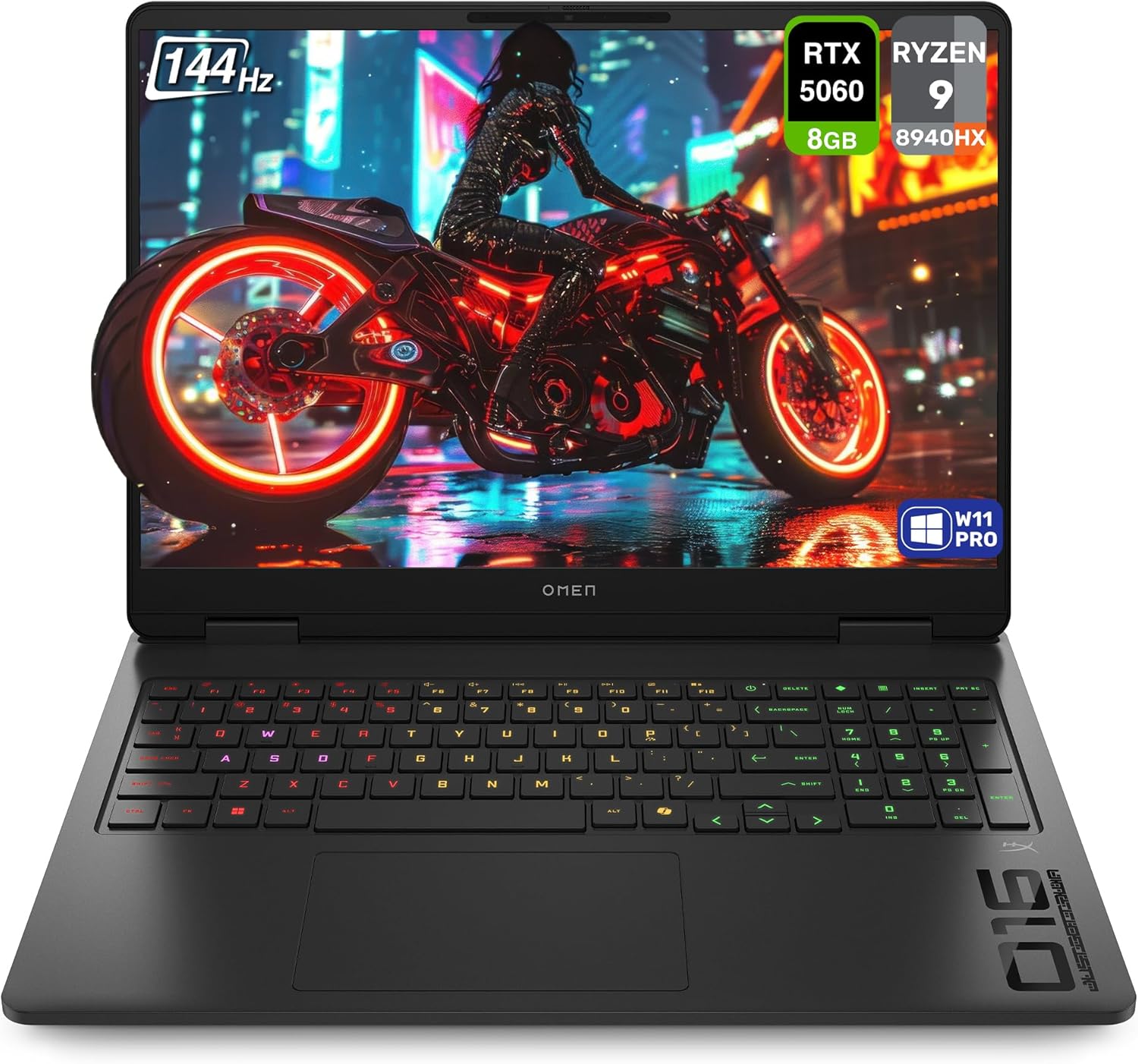
| Component | Specification |
|---|---|
| CPU | AMD Ryzen 9 8940HX 16 cores, up to 5.3 GHz boost |
| GPU | NVIDIA GeForce RTX 5060 (Dedicated) |
| RAM | 32 GB DDR5 (Upgradeable to 64 GB) |
| Storage | 1 TB PCIe x4 NVMe SSD |
| Display | 16-inch IPS, 1920 x 1200 (2K), 144Hz |
| Battery | 45 Wh |
View on Amazon
Performance
The Ryzen 9 8940HX is a proper high-performance mobile chip with 16 cores and a 5.3 GHz boost clock; this CPU handles heavy multitasking, streaming, and content creation without breaking a sweat alongside gaming. The RTX 5060 is well-matched to the 1920x1200 display and handles 1080p and soft-1200p gaming with ease. Popular esports titles will run at well over 144 fps on the 144Hz panel with headroom to spare. Demanding AAA titles run at medium-high settings comfortably.
The port selection on this model is genuinely excellent. Five USB-A ports, HDMI, DisplayPort, and Ethernet built in means you can connect a full desktop peripheral setup without needing a hub. This is a practical advantage the thinner Transcend models simply cannot match.
The Hall Sensor Issue: Known Hardware Defect The standard Omen 16 chassis has a documented design flaw that has affected multiple generations of this laptop. HP placed the magnetic Hall sensor (which tells Windows when the lid is closed) directly next to the heatsink exhaust. Over time, heat from heavy gaming causes this sensor to warp or fail. When it fails, the laptop incorrectly registers the lid as closed mid-session: the screen goes black, the keyboard stops responding, but audio continues playing.
Workaround: Change Windows power settings to 'do nothing on lid close' or physically disconnect the sensor cable. We recommend buying with an extended warranty.
One more spec worth flagging: the 45 Wh battery is noticeably smaller than every other model in this guide. Do not expect more than 3-4 hours of real-world use away from a charger. The Victus 15 with AMD gets nearly double the screen-on time on its larger 52.5 Wh cell.
Who Should Buy the Standard Omen 16?
- Buyers who prioritize port selection above everything else (8 ports is class-leading)
- Power users who need the Ryzen 9 8940HX's 16-core CPU performance for streaming or content work alongside gaming
- Anyone buying with HP's extended Care Pack warranty included for peace of mind on the Hall sensor issue
ASUS Gaming Laptops Explained (2026): ROG vs TUF Complete Buying Guide
Confused by the ASUS gaming laptop lineup? Learn the differences between ROG Zephyrus, Strix, and TUF and find the perfect model for your needs.
Read article →
3. HP Omen Transcend 14: The Premium Portable
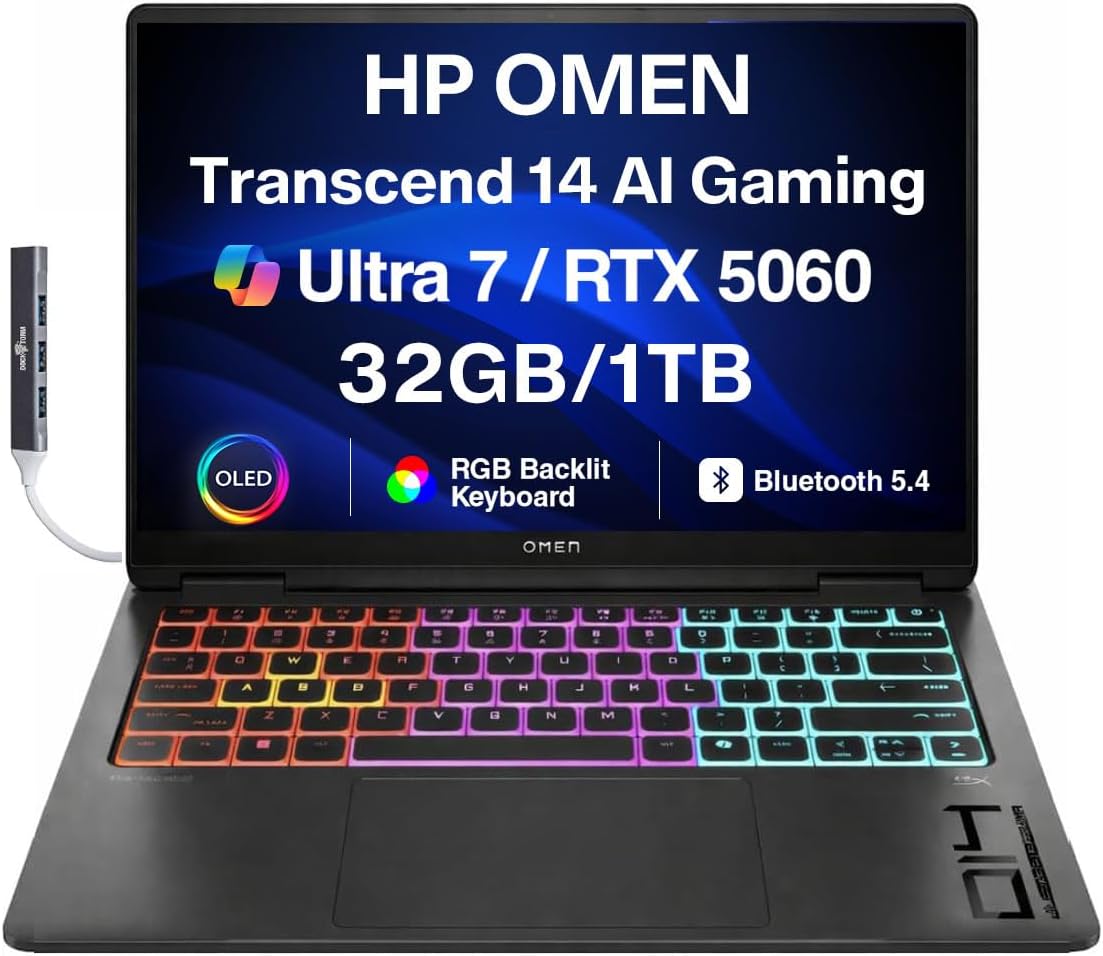
| Component | Specification |
|---|---|
| CPU | Intel Core Ultra 7-255H (16 cores, up to 5.1 GHz boost) |
| GPU | NVIDIA GeForce RTX 5060 8GB (GDDR7) |
| RAM | 32 GB LPDDR5X (Soldered) |
| Storage | 1 TB SSD |
| Display | 14-inch OLED, 2880 x 1800 (3K), 120Hz |
| Ports | Thunderbolt 4, USB-A x2, HDMI 2.1 |
View on Amazon
Why This Laptop Stands Apart
The Omen Transcend 14 solves a problem that most gaming laptops completely ignore: what do you do if you need a machine that works in an office meeting in the morning, a lecture hall in the afternoon, and can run games in the evening? The Transcend 14 is that laptop.
The 3K OLED display is the star of the show. At 2880x1800 with 500 nits brightness and the deep blacks inherent to OLED technology, this screen makes games look extraordinary and handles professional color work (photo editing, video review) better than any IPS panel on this list. The 120Hz refresh rate is not the 144Hz or 240Hz you get on thicker gaming laptops, but OLED's near-instantaneous pixel response time makes motion look cleaner than many IPS screens at higher refresh rates.
The RTX 5060 with 8GB of GDDR7 is a capable gaming GPU. In a thin chassis, it operates at a reduced power limit compared to the same GPU in a thicker Omen or Victus, which means framerates will be lower than a direct spec comparison suggests. This is the physics of cooling in a thin body, entirely expected and worth it for the portability gain.
Included Accessory Worth Noting
This model ships with a DKZ USB hub, which partially compensates for the limited built-in port selection of a thin 14-inch chassis. The Thunderbolt 4 port also means you can connect an external GPU enclosure or high-bandwidth dock if your desk setup demands it.
Who Should Buy the Omen Transcend 14?
- Students carrying a laptop across campus every day who also game in the evening
- Content creators who need accurate color on an OLED display for photo or video work
- Professionals who cannot show up to meetings with a thick, loud gaming laptop
- Gamers who are willing to trade peak framerates for premium portability
What to Look for When Buying a Gaming Laptop (2026 Buyers Guide)
The gaming laptop market right now is an absolute minefield. Find out what you need to look for when buying a gaming laptop in 2026.
Read article →
4. HP Victus 15: The Budget King
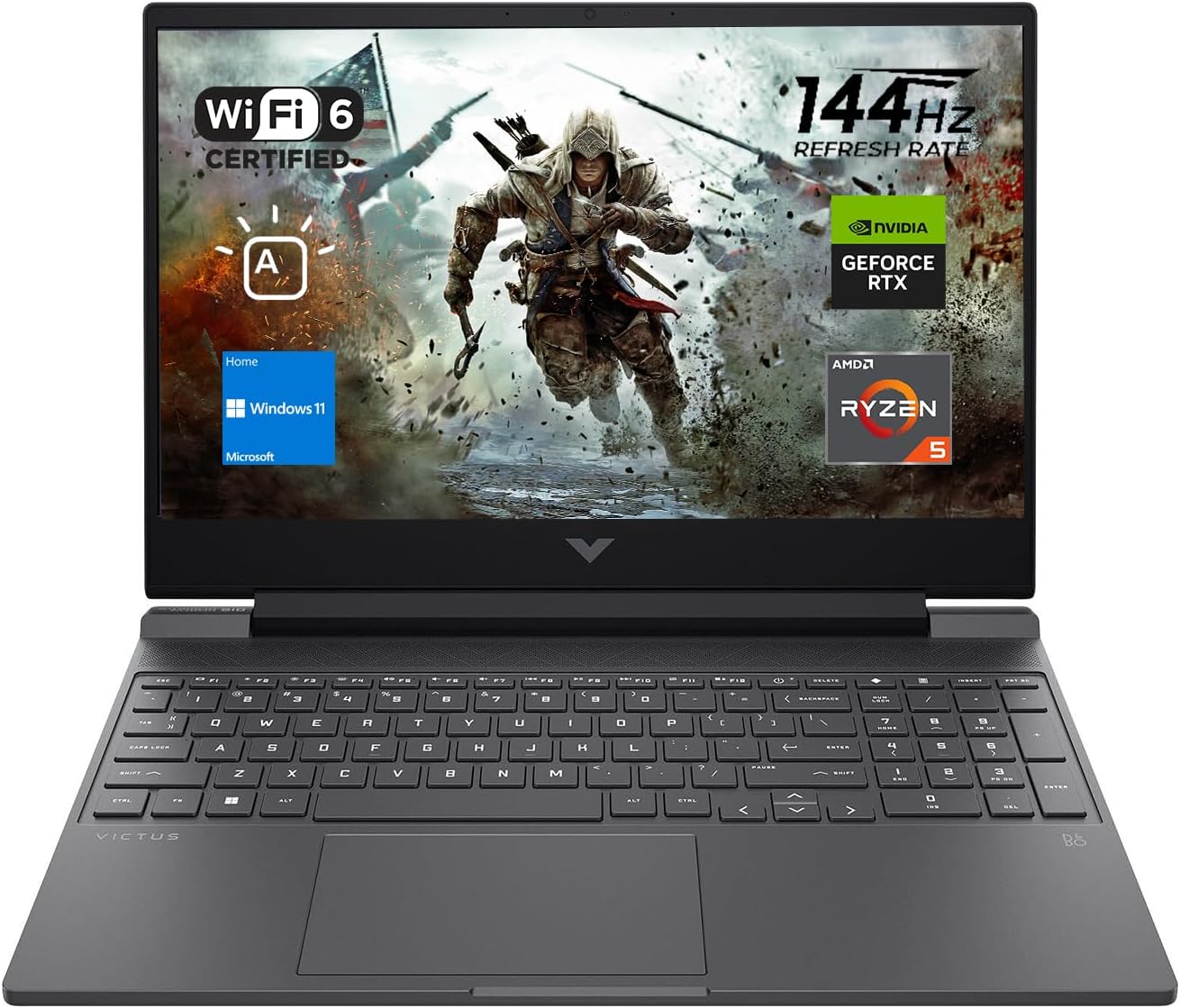
| Component | Specification |
|---|---|
| CPU | AMD Ryzen 5 7535HS, 6 cores, up to 4.55 GHz boost |
| GPU | NVIDIA GeForce RTX 2050 4GB GDDR6 |
| RAM | 16 GB DDR5 (Not expandable) |
| Storage | 512 GB PCIe x4 NVMe SSD |
| Display | 15.6-inch IPS, 1920 x 1080 (FHD), 144Hz |
| Battery | 52.5 Wh |
View on Amazon
What the Victus 15 Gets Right
For around 800 dollars, the Victus 15 gets you a genuine 6-core AMD processor from the Ryzen 7000 series, a 144Hz anti-glare display, and an RTX 2050 that handles 1080p gaming at medium-to-high settings in less demanding titles. Esports staples like Valorant, Fortnite, and Minecraft run well above 60 fps with room to spare. The 144Hz screen makes those higher framerates feel noticeably smoother than a standard 60Hz laptop.
The Ryzen 5 7535HS is power-efficient, and paired with the 52.5 Wh battery, the Victus 15 can stretch to 7-8 hours of light productivity use. This is the best battery life on any laptop in this guide, a genuine advantage for students and everyday users.
Where HP Made the Cuts
The RTX 2050 with only 4 GB of GDDR6 VRAM is the most significant compromise on this machine. This is a budget-tier GPU from an earlier generation, it will struggle with graphically demanding modern titles at high settings and will start showing its limits in games that push VRAM above 4 GB. It is not a card for playing Cyberpunk 2077 or Alan Wake 2 at maximum detail. It is a card for esports, older titles, and games that prioritize framerate over visual fidelity.
The 512 GB SSD fills up faster than you expect with modern games. Call of Duty, for example, takes over 100 GB on its own. Budget for an external drive or plan to manage storage carefully.
Hinge Fragility Warning The Victus 15's all-plastic chassis and hinge covers have a documented history of cracking under stress. Open the lid from the center near the webcam, never from the corners. If you travel frequently and your bag gets thrown around, the plastic hinge may not survive years of that treatment. One user in the Amazon review thread reported a cracked hinge after less than a week of use. Treat it gently and it will last; abuse it and you will be looking at a repair bill.
Who Should Buy the Victus 15?
- First-time PC gamers on a strict budget who primarily play esports titles
- Students who need a light productivity laptop that can also run games in the evening
- Casual gamers playing Minecraft, Roblox, Fortnite, or older single-player titles
- Anyone who cannot stretch past 900 dollars and wants genuine gaming capability
Best RTX 5050 Gaming Laptops Under $1000 in 2026: Blackwell Budget Kings
The HP Victus is one of the best value RTX 5050 machines this year. See how it stacks up against the competition in our full budget laptop roundup.
Read article →Best Gaming Laptops at Every Budget $900 to $3000 for 2026 Guide
Buying a gaming laptop in 2026 is an absolute minefield. We review the six absolute best gaming laptops spanning budget to enthusiast tiers.
Read article →
Lenovo Gaming Laptop Guide 2026: Legion vs LOQ Explained + Best Models for Every Gamer
Lenovo continues to absolutely dominate the gaming laptop space in 2026. We break down the differences between the Legion Pro, Legion, and LOQ series to help you find the perfect rig.
Read article →
Head-to-Head: Which One Should You Actually Buy?
At $800-$900: Victus 15
There is nothing else at this price point from HP. The Victus 15 with its Ryzen 5 7535HS and RTX 2050 is your only option, and it is a reasonable one for casual and esports gaming. Just manage your expectations on the GPU and storage front.
At $1,000-$1,300: Standard Omen 16
The Omen 16's Ryzen 9 8940HX with 16 cores and the RTX 5060 at this price range is genuinely strong value for the spec sheet. The 8 ports including Ethernet are a practical advantage. But the Hall sensor issue and the 45 Wh battery are real concerns. Buy with the HP Care Pack or be ready to do the sensor workaround.
At $1,300-$1,800: Omen Transcend 14
If portability and display quality matter as much as raw framerates, the Transcend 14 wins decisively. The 3K OLED, the thin chassis, and the Intel Core Ultra 7 make this the best all-rounder HP makes right now for students and creator-gamers. The soldered RAM and reduced GPU TDP are the only real compromises.
$2,000+ : Omen Max 16
The Max 16 with RTX 5070 and GDDR7 is for buyers who want the absolute best HP offers and do not mind treating it as a portable desktop. The 2560x1600 IPS panel at 240Hz with GDDR7-backed GPU performance justifies the premium if your budget allows it.
Frequently Asked Questions
What is the main difference between HP Omen and HP Victus?
The Omen lineup uses premium aluminum chassis construction, more advanced cooling, higher-tier GPUs (RTX 5060 through RTX 5070 in current models), and targets mainstream-to-enthusiast gamers. The Victus uses polycarbonate plastic construction, more basic cooling, and stays within budget GPU territory (RTX 2050 currently) to hit lower price points.
Does the HP Victus 15 overheat?
Under sustained load the Victus 15 does get warm, but HP's firmware limits thermal output to keep it within safe operating ranges. Using a laptop cooling pad and elevating the rear of the chassis with a stand significantly improves airflow. It is not a laptop designed for extended sessions of graphically intense games; it manages heat by throttling performance before hitting dangerous temperatures.
Can I upgrade the RAM in any of these laptops?
The Omen Max 16 and Omen 16 both use SODIMM slots and support upgrades up to 64 GB. The Omen Transcend 14 uses soldered LPDDR5X RAM capped at 32 GB; it cannot be upgraded. The Victus 15 uses DDR5 RAM with a maximum of 16 GB; check before purchasing whether the slot is accessible on the specific configuration you buy.
What is Omen Unleashed Mode?
Unleashed Mode is a software feature in the Omen Gaming Hub that removes the default power limits on supported models like the Omen Max 16, allowing the laptop to draw significantly more power across the CPU and GPU simultaneously. It delivers the highest sustained performance but also produces more heat and fan noise.
Is the Hall sensor issue fixed on 2026 Omen 16 models?
HP has stated they updated the thermal architecture for newer Omen 16 revisions, but the internal chassis layout remains fundamentally similar to affected models. Until there is widespread evidence from 2026 buyers that the issue no longer occurs, we recommend treating it as an ongoing risk and purchasing HP's extended warranty coverage accordingly.
Which HP gaming laptop has the best battery life?
The Victus 15 with the AMD Ryzen 5 7535HS is the clear winner at 7-8 hours of light use on its 52.5 Wh battery. The Omen Max 16's 83 Wh battery sounds large but the power-hungry RTX 5070 keeps real-world battery life around 5 hours of light use, far less under any gaming load. The standard Omen 16's 45 Wh battery is the smallest in the lineup and the most limiting.
You May Also Like
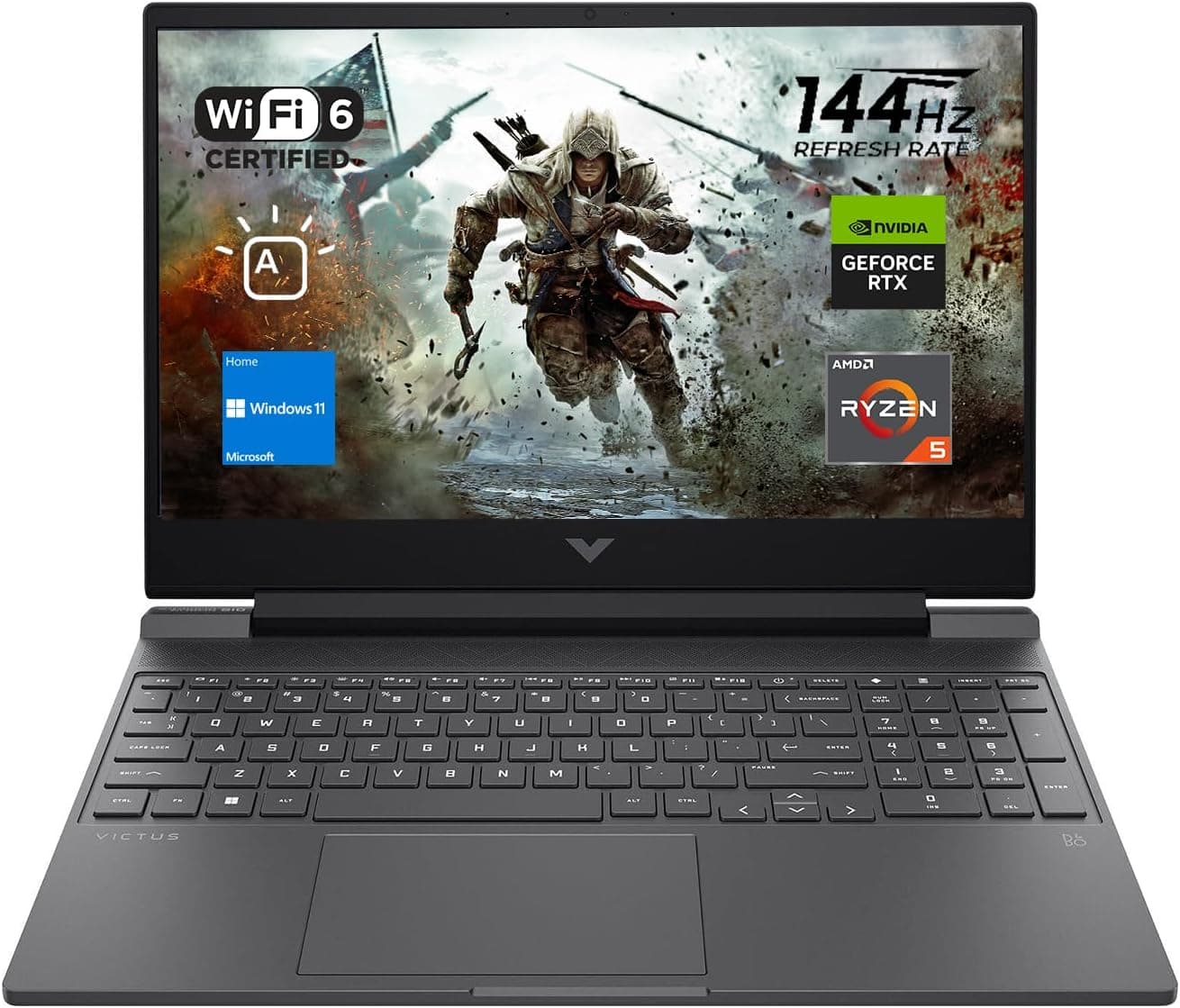
Best Gaming Laptops for College Students Under $1000 in 2026
Buying a gaming laptop for college is different from buying one purely for gaming. A college laptop needs to handle lectures, assignments, research, video calls, and productivity software during the day while still delivering solid gaming performance at night.

Best Games on Steam to Play While Working From Home
Best games on Steam to play while working from home, from cozy builders to smart card games that fit short breaks, easy pauses, and low stress sessions.
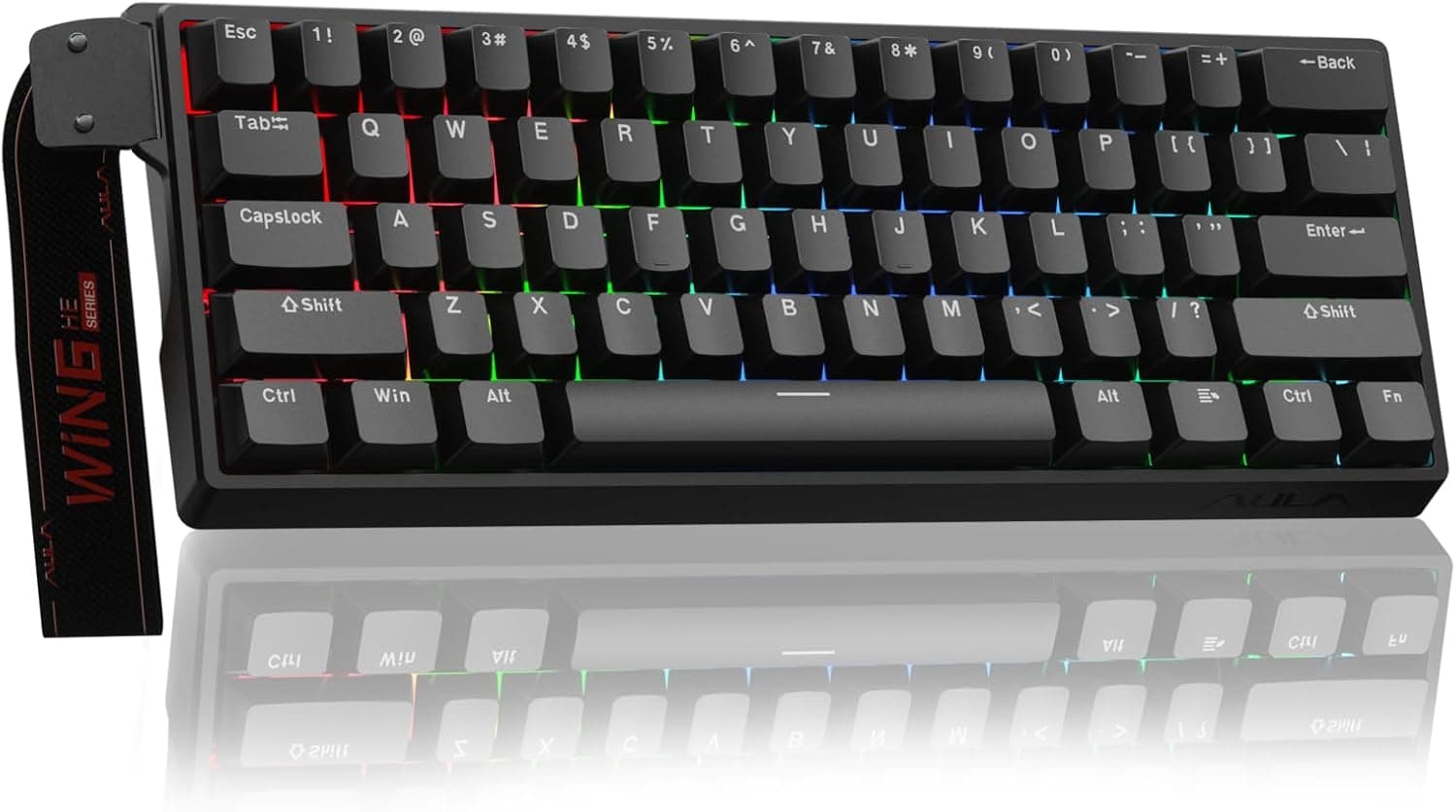
Best Budget Hall Effect Keyboards in 2026 (Under $50)
Discover the best budget Hall Effect keyboards under fifty dollars in 2026. Read our honest, in depth analysis of performance, build quality, and software features of the top six magnetic switch boards.