
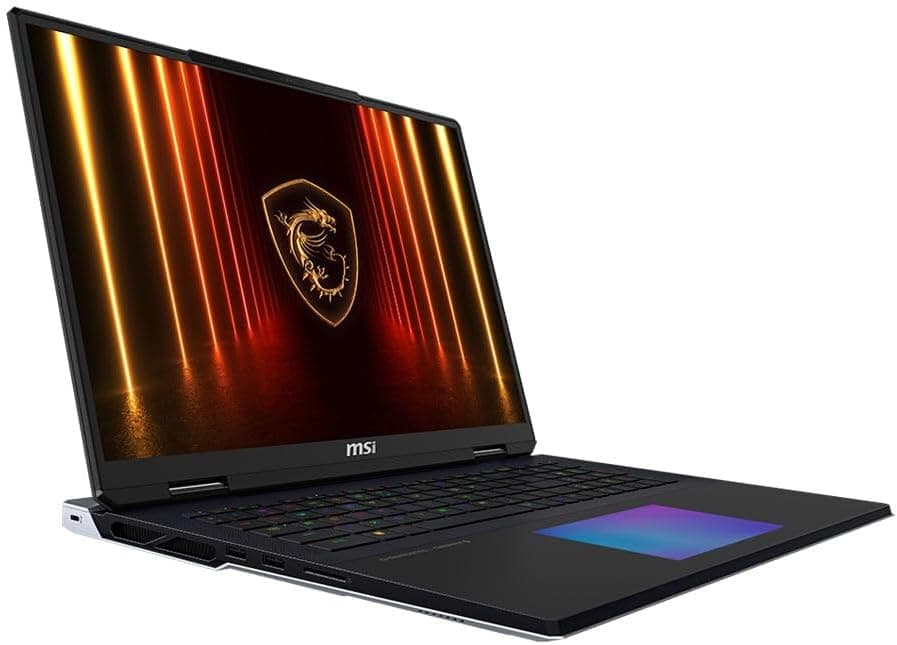
MSI Gaming Laptop Guide 2026: Titan vs Raider vs Stealth vs Katana Explained
Navigate this article
Introduction
Look, buying a gaming laptop has always been an incredibly frustrating experience. For years manufacturers have flooded the market with dozens of overlapping models featuring confusing names and spec sheets that hide the actual performance of the machine. You would walk into a physical store or browse Amazon and see a Leopard, a Pulse, a Sword, a Crosshair, and a Katana all sitting next to each other with nearly identical specs. It was a nightmare for the average buyer to figure out what they were actually paying for.
Thankfully MSI finally woke up and realized that too much choice is a bad thing. For the 2026 product cycle they took a massive step back, completely overhauled their strategy, and pruned their chaotic product stack. They retired confusing names like the Alpha, the Bravo, and the Sword. Instead the entire 2026 lineup revolves around a few core pillars that actually make sense.
The Titan remains the exorbitant massive desktop replacement. The Raider serves as the high wattage enthusiast flagship for hardcore gamers. The Stealth targets creators and professionals who need a premium thin chassis that does not look like a spaceship. The Crosshair acts as the mainstream performance bridge. Finally the Katana and the Cyborg hold down the budget entry level sector for college students and first time buyers.
But knowing the names is only half the battle. Just because a laptop has a fancy new Nvidia graphics card does not mean it will actually perform well. Thermal limits, chassis build quality, display accuracy, and long term reliability are what actually dictate a good gaming experience. This exhaustive guide is going to cut through the marketing fluff. We are going to look at the exact component power draws, user feedback, generational leaps in architecture, and the brutal truth about MSI build quality. By the end of this read you will know exactly which laptop fits your playstyle and your wallet.
Quick Picks
| Category | Recommended Model | Key Specifications | Amazon | Target Demographic |
|---|---|---|---|---|
| Best Desktop Replacement | MSI Titan 18 HX AI | Core Ultra 9 285HX, RTX 5090, 18 inch 4K Mini LED | Check Price | Uncompromising enthusiasts wanting extreme memory and desktop power. |
| Best Gaming Performance | MSI Raider A18 HX | Ryzen 9 9955HX3D, RTX 5080, 18 inch 4K LED 120Hz | Check Price | Competitive gamers wanting 3D V-Cache dominance. |
| Best Premium Crossover | MSI Stealth A16 AI Plus | Ryzen AI 9 HX 370, RTX 5070 Ti, 16 inch OLED 240Hz | Check Price | Creators and professionals needing thin aluminum and battery efficiency. |
| Best Mid-Range Value | MSI Crosshair 16 | Core Ultra 7 255HX, RTX 5070, 16 inch QHD+ 240Hz | Check Price | Mainstream buyers seeking a balanced high refresh rate machine. |
| Best Budget Sleeper | MSI Katana 15 HX | Core i9-14900HX, RTX 5070, 15.6 inch QHD 165Hz | Check Price | Students needing maximum processing power in a budget shell. |
1. MSI Titan 18 HX AI: The Desktop Replacement Behemoth
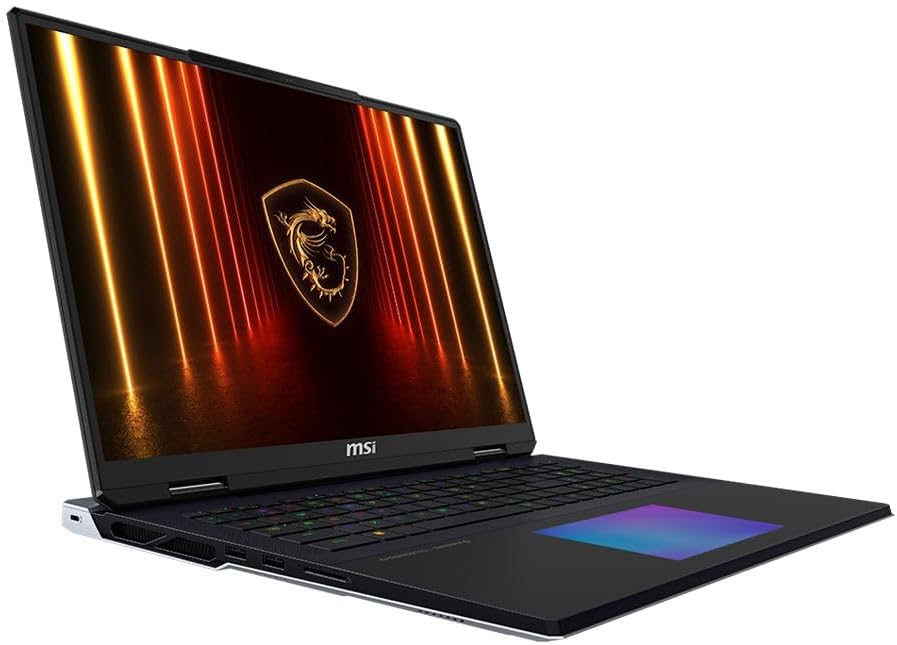
Let us kick things off with the absolute top of the mountain. The MSI Titan 18 HX AI A2XWJG is a product of pure unfiltered excess. I need to be totally clear right now. This is not designed to be a practical laptop for the average consumer. It exists strictly for buyers who demand absolute desktop equivalence in a form factor that can technically fit in a very large backpack.
Extreme Specifications and Thermal Design
Under the hood the Titan houses an Intel Core Ultra 9 285HX processor featuring 24 cores. That absolute monster of a CPU is paired alongside an Nvidia GeForce RTX 5090 laptop GPU packed with a staggering 24GB of GDDR7 memory. To accommodate the massive amount of heat generated by these top tier components the chassis utilizes an enormous vapor chamber cooling solution.
Unlike standard heat pipes that just move heat from one side to the other, a vapor chamber covers the entire motherboard in a vacuum sealed liquid chamber that vaporizes and condenses to spread heat evenly. This thermal mass is what allows the Titan to maintain peak clock speeds during extended 4K video rendering sessions or grueling marathon gaming nights.
The memory and storage support on this machine is equally ridiculous. The current flagship Amazon configuration offers 64GB of incredibly fast DDR5 RAM, but it can be maxed out to 96GB. It also features a mind blowing 4TB of NVMe SSD storage out of the box. You will not have to worry about uninstalling games to make room for new ones anytime soon.
The Visual and Tactile Experience
The defining feature of the Titan is its 18 inch 4K Mini LED display running at a 120Hz refresh rate. Mini LED technology is incredible. It provides thousands of local dimming zones right behind the pixels. This allows the screen to turn off specific zones completely to create exceptionally deep black levels while simultaneously achieving vastly superior peak brightness. The 3840 by 2400 resolution provides an enormous digital workspace.
Typing on the Titan feels unlike almost any other laptop on the market right now. MSI partnered with Cherry to include low profile Cherry MX mechanical switches under the keycaps. These switches provide a distinct tactile bump and a satisfying audible click that mimics a high quality desktop gaming keyboard. Below the keyboard sits a seamless glass RGB touchpad featuring haptic feedback.
Audio on the Titan is handled by a robust system featuring four 2W speakers and two 2W woofers. This provides significantly more depth and bass response than your average thin gaming laptop.
Flaws and Drawbacks of the Titan
If you buy the Titan you are accepting severe compromises in mobility and convenience. It measures 1.26 inches thick and comes with a very heavy charging brick. Taking this device on an airplane or to a coffee shop is highly impractical.
Furthermore the battery life is absolutely abysmal. The laptop features a 90 Watt Hour Lithium Ion battery, but with components this powerful it drains incredibly fast. If you try rendering a video or playing a game off the wall plug the battery life plummets to under an hour and your performance is cut in half anyway. This is a plug it in and leave it machine.
| Component | Specification |
|---|---|
| Processor | Intel Core Ultra 9 285HX (24 Cores) |
| Graphics | NVIDIA GeForce RTX 5090 (24GB GDDR7) |
| Memory | 64GB DDR5 (Upgradable to 96GB) |
| Storage | 4TB NVMe Gen 4 SSD |
| Display | 18 inch 4K Mini LED 120Hz |
View on Amazon
2. MSI Raider A18 HX: The AMD Enthusiast Dream
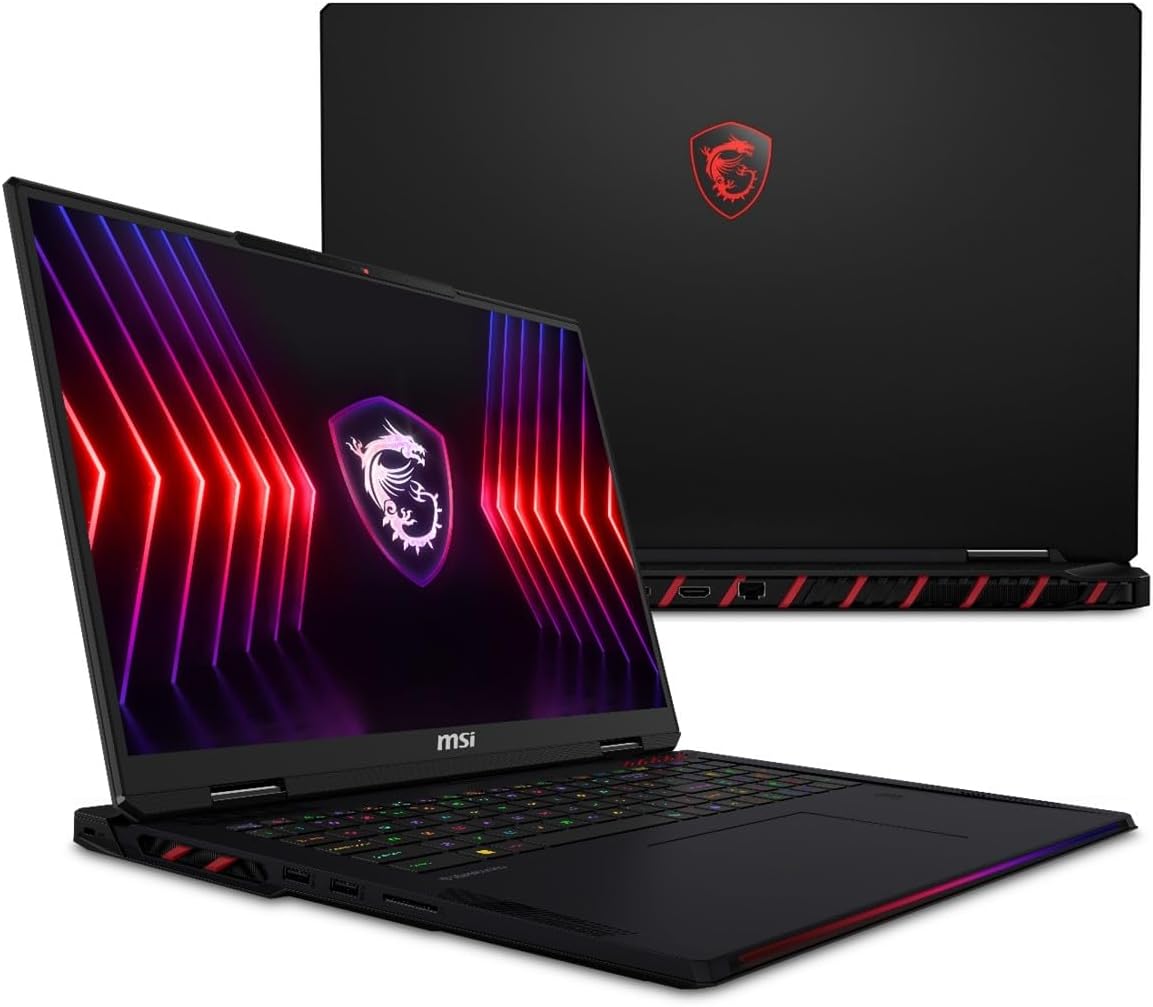
Okay, so what if you want flagship frame rates but you strongly prefer AMD architecture? That is where the newly redesigned Raider A18 HX A9WIG steps in. This laptop is a massive 18 inch powerhouse that proves you do not need to buy the Titan to get top tier gaming performance.
The Power of 3D V Cache
The standout technological achievement of this specific Raider model is its processor. It features the AMD Ryzen 9 9955HX3D with 16 cores. The 3D in the name refers to AMD stacking extra cache memory directly on top of the processor die. This massive pool of super fast memory sits right next to the processing cores, dramatically reducing the time it takes for the CPU to fetch game data. In heavily CPU bound games like flight simulators or massive open world RPGs, this processor absolutely obliterates the competition.
Graphically the Raider A18 HX is paired with an Nvidia GeForce RTX 5080 featuring 16GB of GDDR7 memory. While it is a step below the 5090 found in the Titan, the RTX 5080 is still an absolute monster that easily pushes modern games to their limits. This machine comes equipped with 32GB of DDR5 RAM running at 5600 MHz and a massive 2TB solid state drive.
Display and Connectivity
The Raider utilizes an 18 inch LED display with a stunning 3840 by 2400 resolution running at 120Hz. While it lacks the fancy Mini LED dimming zones of the Titan, it still provides an incredibly sharp, vibrant, and massive canvas for your games.
Connectivity is fantastic. The laptop features a total of nine ports, including five USB ports and HDMI out. It utilizes advanced WiFi 7 and Bluetooth technology for flawless wireless connections. The keyboard features premium gaming backlighting, making it easy to see your keys in dark environments.
The Catch
The Raider A18 HX is a massive, heavy machine. Weighing in at 7.9 pounds and measuring 1.26 inches thick, it is just as cumbersome as the Titan. You are also sacrificing the mechanical keyboard and the Mini LED screen to keep the price slightly more manageable. If you buy this laptop, you are buying it specifically for the raw gaming superiority of that Ryzen 3D V Cache processor.
| Component | Specification |
|---|---|
| Processor | AMD Ryzen 9 9955HX3D (16 Cores) |
| Graphics | NVIDIA GeForce RTX 5080 (16GB GDDR7) |
| Memory | 32GB DDR5 |
| Storage | 2TB NVMe Gen 4 SSD |
| Display | 18 inch 4K LED 120Hz |
View on Amazon
3. MSI Stealth A16 AI Plus: The Professional Crossover
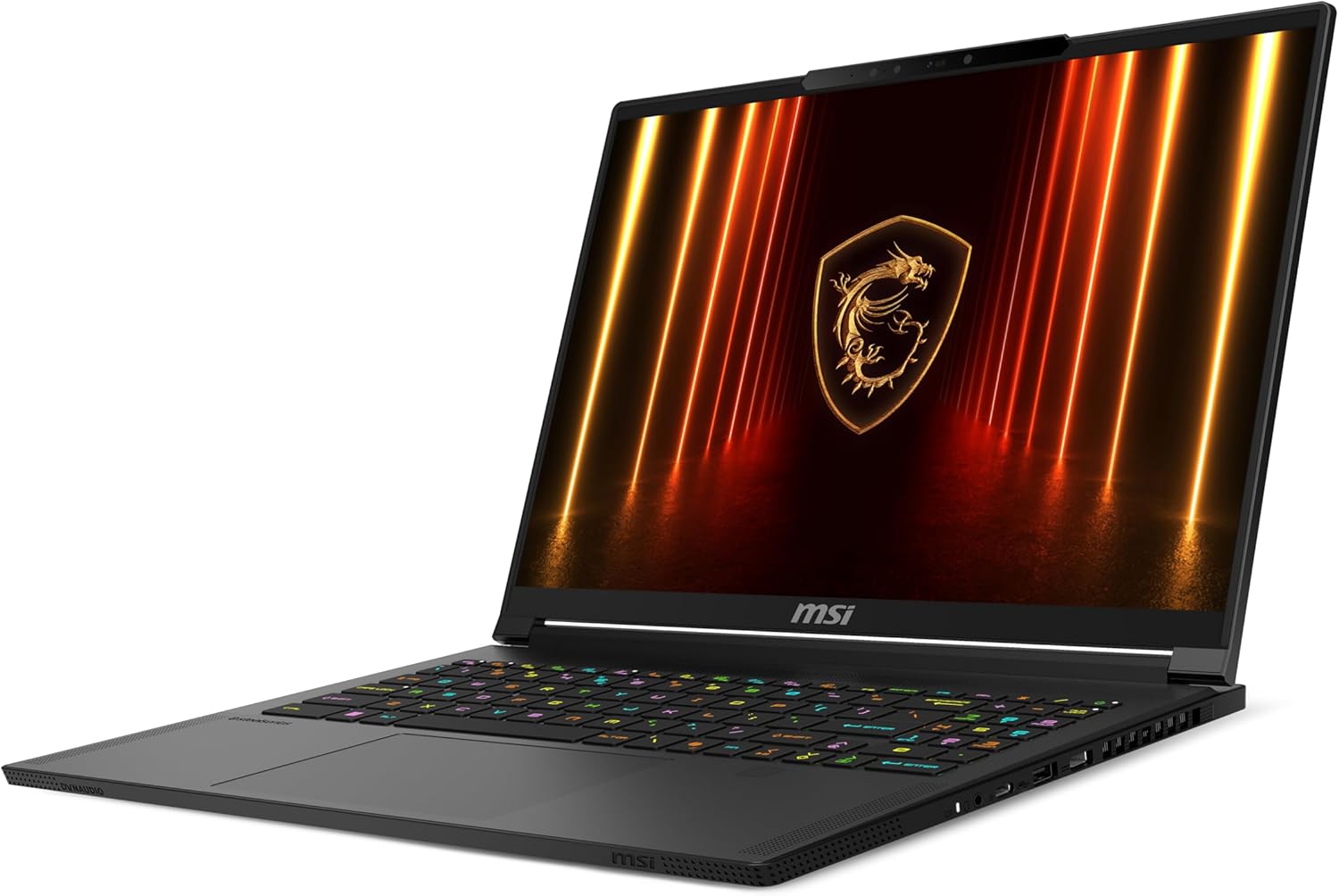
Let us pivot away from the thick loud gaming beasts and talk about the MSI Stealth A16 AI Plus A3XWHG. This laptop represents MSI directly targeting the lucrative premium creator demographic. It is designed for video editors, programmers, and students who require a laptop that looks appropriate in a corporate boardroom but still packs enough graphical horsepower to play AAA games at night.
Ryzen AI Efficiency and Sleek Aesthetics
The most significant distinction of the Stealth A16 AI Plus is the processor. It utilizes the AMD Ryzen AI 9 HX 370. This chip is highly optimized for power efficiency and neural processing. It allows the Stealth to house a massive 99.99 Watt Hour battery, the legal limit for flying on an airplane, and actually deliver highly respectable battery life during productivity tasks. You can take this laptop to work, browse the web, and attend Zoom meetings for hours without hunting for a wall outlet.
Aesthetically the Stealth completely abandons the aggressive edgy gamer tropes. The chassis is forged from a premium dark material measuring a remarkably thin 0.79 inches. It weighs just 4.6 pounds. Despite this incredibly thin profile MSI did not compromise on physical connectivity. You get a Thunderbolt port, Ethernet, HDMI, and fast WiFi 7. It even features a biometric fingerprint reader and facial recognition for secure enterprise logins.
Display Excellence and The Soldered RAM Compromise
Graphically the Stealth is an absolute joy to look at. It features a 16 inch OLED panel with a 2560 by 1600 resolution running at a blistering 240Hz refresh rate. OLED screens turn off individual pixels to create perfect infinite blacks. This provides incredible contrast ratios and instantaneous pixel response times.
Inside, the laptop houses an Nvidia GeForce RTX 5070 Ti with 12GB of GDDR6 memory, a massive 2TB SSD, and 32GB of LPDDR5 RAM running at an insanely fast 7500 MHz.
However there is a major catch you need to be aware of. Because the Stealth prioritizes a razor thin chassis and utilizes LPDDR5 memory, the RAM is permanently soldered directly to the motherboard. You cannot upgrade the memory down the line. What you buy today is what you are stuck with forever. While 32GB is plenty for modern gaming and editing, the lack of upgradability is a frustrating compromise for a premium machine.
| Component | Specification |
|---|---|
| Processor | AMD Ryzen AI 9 HX 370 (AI Enhanced) |
| Graphics | NVIDIA GeForce RTX 5070 Ti (12GB GDDR6) |
| Memory | 32GB LPDDR5 (Soldered) |
| Storage | 2TB NVMe Gen 4 SSD |
| Display | 16 inch OLED 2.5K 240Hz |
View on Amazon
4. MSI Crosshair 16: The Mid Range Bridge
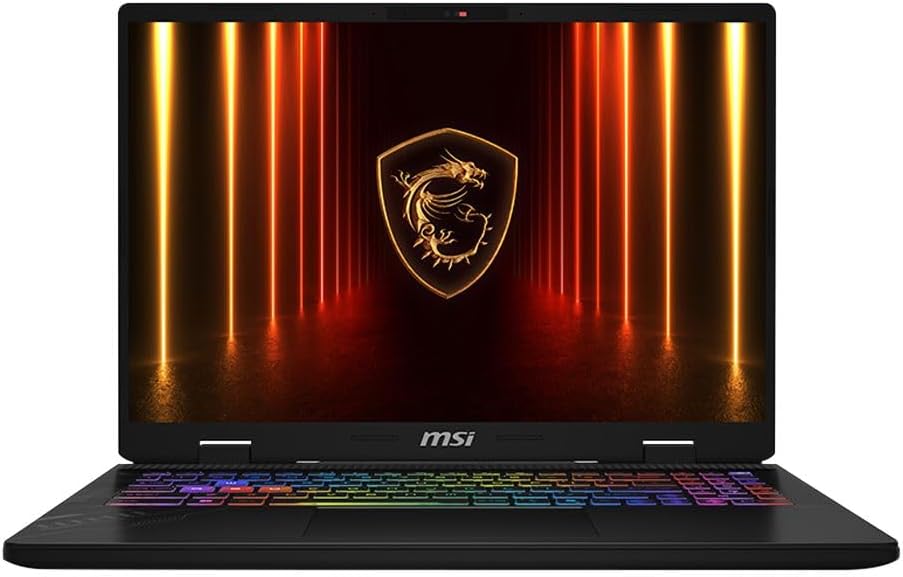
Sitting directly between the premium tier and the budget tier is the Crosshair 16 D221. The Crosshair series was designed to simplify the confusing middle tier of the market, offering fantastic performance without the massive price tag of the Raider or Stealth.
The Crosshair delivers a very balanced experience. It utilizes the highly capable Intel Core Ultra 7 255HX processor paired with an Nvidia GeForce RTX 5070 graphics card featuring 8GB of GDDR7 memory. It comes standard with 32GB of DDR5 RAM running at 5600 MHz and a 1TB SSD.
The best feature of the Crosshair is its display. It features a very sharp 16 inch QHD Plus LED screen with a 2560 by 1600 resolution and a massive 240Hz refresh rate. Getting a screen this fast and sharp on a mid tier laptop is a huge win for competitive gamers who play fast paced shooters like Valorant or Apex Legends.
Weighing in at a reasonable thickness of 1.1 inches, it is more portable than the Raider but thicker than the Stealth. It features all the standard connectivity you need, including WiFi 6E, Bluetooth, and HDMI. If you want a machine that does exactly what it says on the box without any massive compromises, the Crosshair 16 is the absolute sweet spot of the entire MSI lineup.
| Component | Specification |
|---|---|
| Processor | Intel Core Ultra 7 255HX |
| Graphics | NVIDIA GeForce RTX 5070 (8GB GDDR7) |
| Memory | 32GB DDR5 5600MHz |
| Storage | 1TB NVMe Gen 4 SSD |
| Display | 16 inch QHD+ LED 240Hz |
View on Amazon
5. MSI Katana 15 HX: The Sleeper Powerhouse
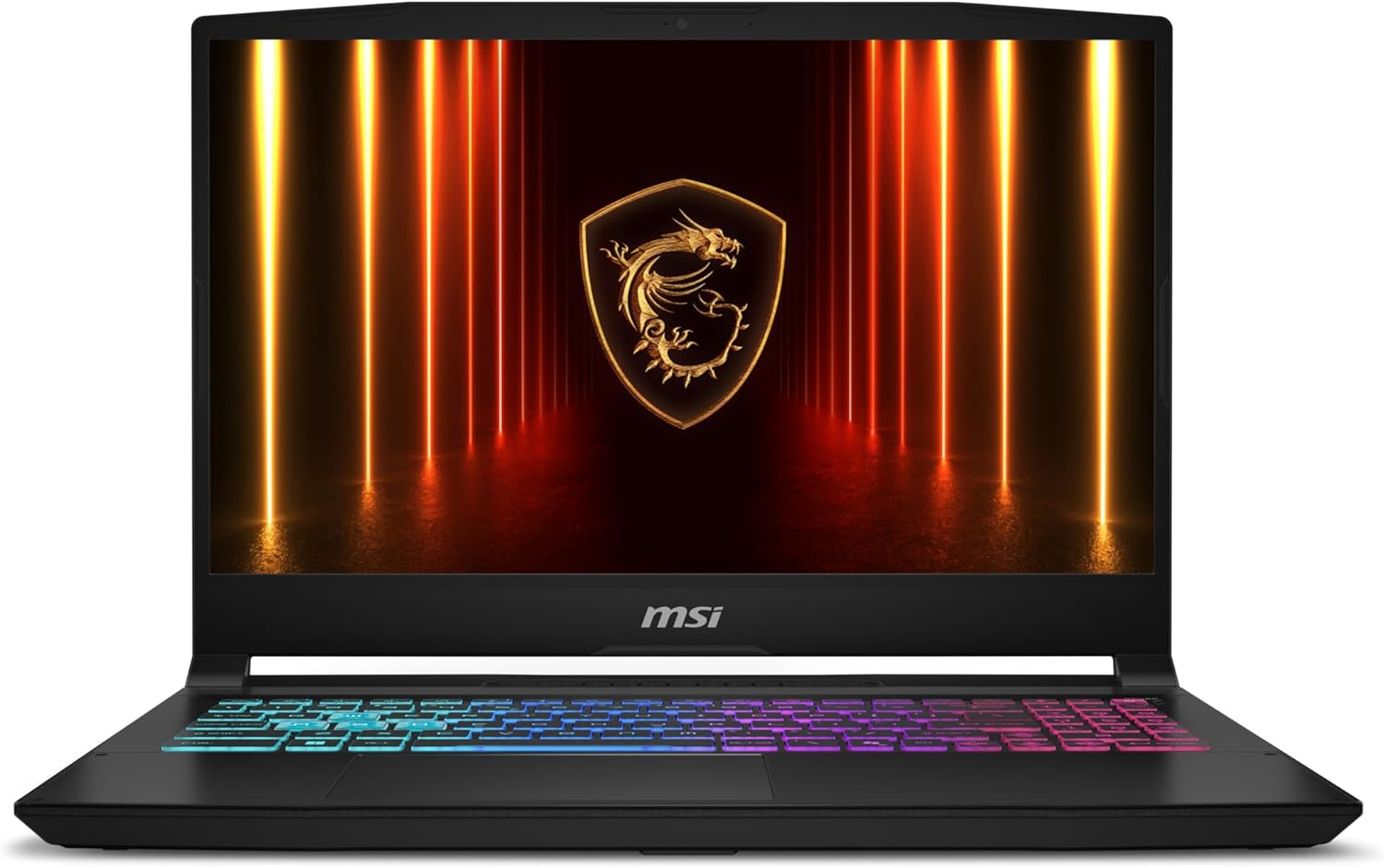
Now let us talk about the budget sector. Historically the Katana series was strictly for low end components. However for 2026 MSI has done something completely unhinged. The Katana 15 HX B14WGK is an absolute sleeper build. They have crammed incredibly high end, flagship level components into their entry level plastic chassis.
Insane Value and Raw Power
Priced aggressively, this specific Katana configuration pairs a monstrous Intel Core i9 14900HX processor with the Nvidia GeForce RTX 5070 GPU. It comes with 32GB of DDR5 RAM and a 1TB SSD.
Let me be clear. Putting an i9 processor and an RTX 5070 into a Katana is like putting a Ferrari engine into a Honda Civic. This laptop will effortlessly handle modern AAA titles at extremely high frame rates. The inclusion of the Core i9 HX processor is a massive advantage for power users. This CPU easily chews through heavy academic workloads, code compilation, and massive video editing tasks.
The display is also vastly improved over previous Katana models. It features a 15.6 inch LCD panel with a sharp 2560 by 1440 resolution and a very fast 165Hz refresh rate. It is an incredibly smooth experience.
The Cost of Affordability
However reaching this price point with these components requires heavy physical compromises. You need to know what you are sacrificing.
First, the chassis is constructed of standard plastics. It measures roughly one inch thick and weighs 4.96 pounds. It lacks the premium cold metal feel of the Stealth or the Raider. It easily attracts oily fingerprints and smudges.
Second, the battery life is very poor. It utilizes a small 75 Watt Hour battery. While it can survive basic web browsing for a few hours, the combination of an i9 processor and an RTX 5070 will drain that battery completely dead in under an hour if you try to play a game unplugged.
Finally the acoustic profile is highly disruptive. Because MSI put incredibly hot, high wattage components into a thinner plastic chassis, the cooling fans have to work overtime. During intense gaming sessions the cooling fans ramp up to extreme noise levels to keep the laptop from overheating. You will absolutely need to wear a noise isolating headset to enjoy game audio over the roar of the fans.
| Component | Specification |
|---|---|
| Processor | Intel Core i9-14900HX |
| Graphics | NVIDIA GeForce RTX 5070 |
| Memory | 32GB DDR5 |
| Storage | 1TB NVMe SSD |
| Display | 15.6 inch QHD 165Hz |
View on Amazon
The Elephant in the Room: Build Quality and Warranties
When evaluating MSI laptops we have to acknowledge the historical context of their build quality. Over the past five years MSI gained a very negative reputation on enthusiast forums for manufacturing fragile screen hinges on their budget models. The plastic molding around the hinge brackets on older Katanas would frequently snap under the stress of opening and closing the lid.
For the 2026 generation the community consensus indicates notable improvements, though caution remains advised depending on which tier you buy.
The premium Titan, Raider, and Stealth models utilize robust metal alloy materials that significantly reinforce the structural integrity of the display housing. The hinges on these premium machines feel exceptionally sturdy, inspiring a lot of long term confidence. You do not need to worry about these premium chassis falling apart.
However the Katana models still rely on plastics. While the 2026 Katana HX hinge feels smoother than previous iterations, long term durability requires you to handle the lid with care. Always open the laptop from the top center of the screen rather than pulling from the corners. Pulling from the corners places asymmetrical stress on the plastic joints and leads to cracking over time.
Customer service experiences directly through MSI are highly polarized. Some users report seamless free repairs handled efficiently. Others recount absolute nightmare scenarios where laptops were returned with missing screws or unresolved motherboard failures. My best advice for US buyers is to heavily consider buying the laptop from a reliable physical retailer or Amazon and utilizing their direct return policies if anything goes wrong in the first thirty days.
Detailed Matchups: Which One Should You Buy?
Titan 18 HX vs Raider A18 HX
If you are deciding between the absolute top tier 18 inch models, the choice comes down to your processor preference and budget. The Titan gives you Intel brute force, an incredible Mini LED screen, a mechanical keyboard, and double the RAM and storage. However it is insanely expensive. The Raider gives you the absolute best AMD gaming processor on the market with the 3D V Cache, a standard LED screen, and a slightly lower price tag. If you want the ultimate flex, buy the Titan. If you just care about maximizing frame rates with AMD, get the Raider.
Stealth A16 AI Plus vs Katana 15 HX
This is a battle of use cases. Both feature the RTX 5070 tier graphics and 32GB of RAM. The Katana is a sleeper build that gives you a massive i9 processor for less money, but you deal with a cheap plastic build, a screaming loud cooling system, and terrible battery life. The Stealth is significantly more premium. You are paying for the sleek metal chassis, the gorgeous OLED screen, the Ryzen AI battery efficiency, and the ability to take it to a professional office without looking like a teenager. If you just want raw power on a budget, buy the Katana. If you are a traveling professional, buy the Stealth.
Final Verdict
Choosing the right MSI laptop in 2026 requires an honest assessment of how the machine will be utilized daily. Chasing the highest numerical GPU does not always yield the best user experience if the chassis is too heavy to carry to class or if the battery dies in two hours.
MSI has done a fantastic job cleaning up their product line this year. The distinct separation between the desktop replacement Titan, the AMD powered Raider, the premium portable Stealth, the mainstream Crosshair, and the sleeper powerhouse Katana makes it much easier to find exactly what you need.
Figure out your budget, decide how important battery life and premium build materials are to your lifestyle, and make your choice.
Frequently Asked Questions
What is the difference between the Intel Core Ultra processors and the AMD Ryzen processors used by MSI?
The Intel Core Ultra HX processors found in the Titan and Crosshair are high wattage CPUs designed for massive multicore brute force. They are incredible for heavy rendering and productivity. The AMD Ryzen 9 9955HX3D found in the Raider utilizes 3D V Cache, placing memory directly on the chip for unparalleled gaming frame rates. The AMD Ryzen AI 9 HX 370 found in the Stealth prioritizes extreme power efficiency, giving that laptop much longer battery life.
Do MSI laptops still suffer from hinge breaking issues?
Historically budget MSI laptops suffered from fragile plastic hinge mounts that would crack over time. The 2026 premium models like the Stealth, Raider, and Titan use durable metals, largely eliminating this issue. The 2026 Katana features improved plastic hinge designs, but budget buyers should still exercise caution and open the lid from the center to avoid stress fractures.
Can I upgrade the RAM in the MSI Stealth A16 AI Plus?
No. Because the Stealth prioritizes a very thin and light chassis, it utilizes LPDDR5 memory which is permanently soldered directly to the motherboard. You cannot upgrade it later. Fortunately the standard configuration comes with 32GB of RAM, which is plenty for modern gaming and editing tasks.
Is the Katana 15 HX actually good for gaming?
Yes, the specific Katana 15 HX B14WGK configuration is an absolute sleeper powerhouse. MSI crammed a high end Intel Core i9 processor and an RTX 5070 into their budget plastic chassis. It will play modern games flawlessly, but because of the plastic build and high end parts, the cooling fans will run extremely loud to keep it from overheating.
Why does the RTX 5090 have GDDR7 memory?
The new Nvidia RTX 50 series laptops, including the 5080 and 5090, utilize the new GDDR7 memory standard. This provides vastly superior memory bandwidth and speed compared to older GDDR6 memory, allowing the graphics card to load massive high resolution textures almost instantly without stuttering.
ASUS Gaming Laptops Explained (2026): ROG vs TUF Complete Buying Guide
Desktop-level gaming experiences are now genuinely available in form factors that easily slip into a standard backpack. ASUS has positioned its massive 2026 portfolio to dominate every specific consumer demographic and price point.
Read article →
Lenovo Gaming Laptop Guide 2026: Legion vs LOQ Explained + Best Models for Every Gamer
Lenovo continues to absolutely dominate the gaming laptop space in 2026. We break down the differences between the Legion Pro, Legion, and LOQ series to help you find the perfect rig.
Read article →HP Gaming Laptop Guide 2026: Omen vs Victus Explained + Best Picks
HP's 2026 gaming laptop lineup features the new RTX 50 series GPUs and advanced Ryzen AI processors. This guide breaks down the Omen and Victus models to help you find the right fit.
Read article →
What to Look for When Buying a Gaming Laptop (2026 Buyers Guide)
The gaming laptop market right now is an absolute minefield. Find out what you need to look for when buying a gaming laptop in 2026.
Read article →
Affiliate Disclosure: At Chronic Reload, we meticulously test and review the latest gaming hardware. When you purchase through our retail links, we may earn a small commission at no additional cost to you. This helps support our independent research and deep-dive technical analysis.
You May Also Like
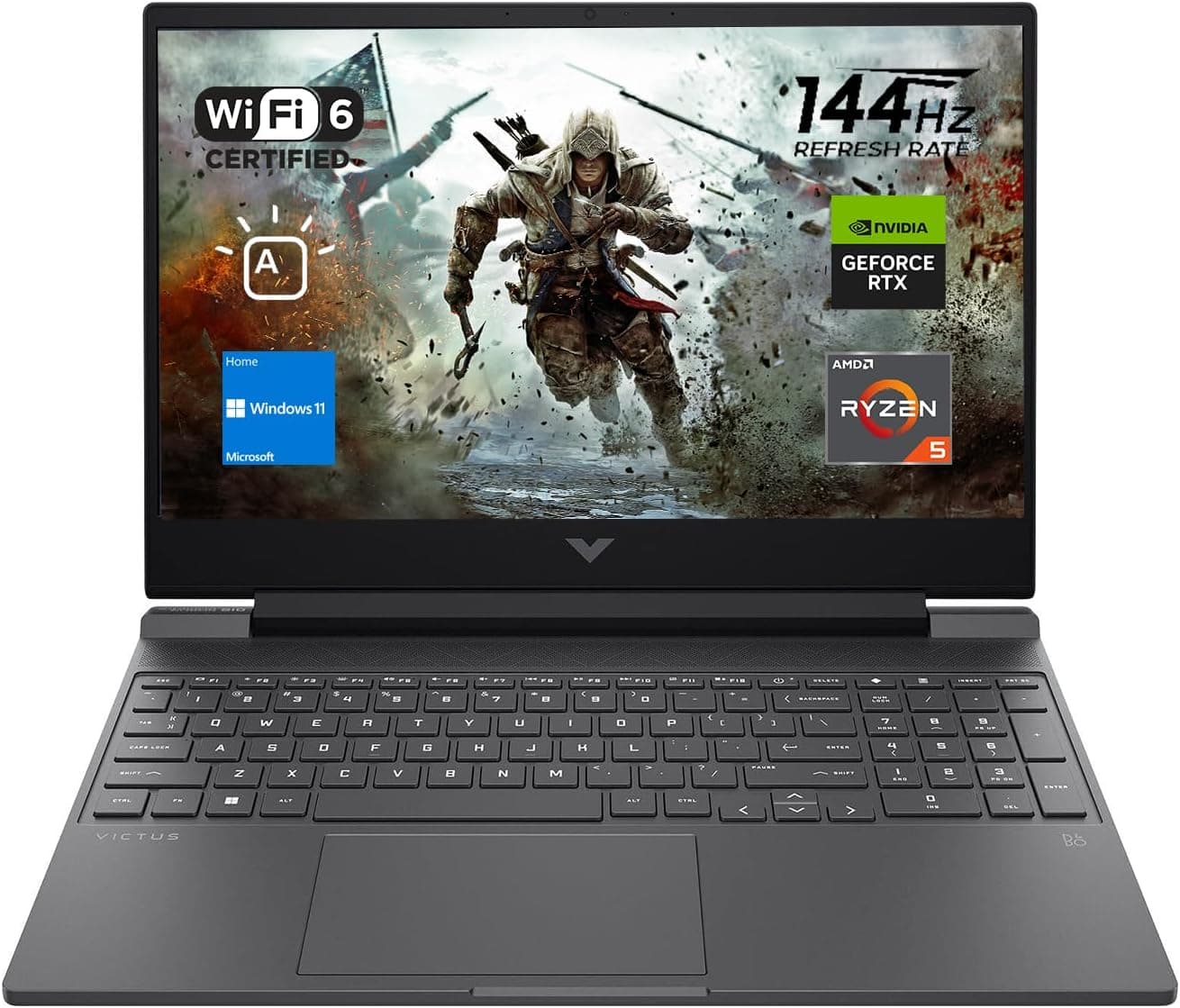
Best Gaming Laptops for College Students Under $1000 in 2026
Buying a gaming laptop for college is different from buying one purely for gaming. A college laptop needs to handle lectures, assignments, research, video calls, and productivity software during the day while still delivering solid gaming performance at night.

Best Games on Steam to Play While Working From Home
Best games on Steam to play while working from home, from cozy builders to smart card games that fit short breaks, easy pauses, and low stress sessions.
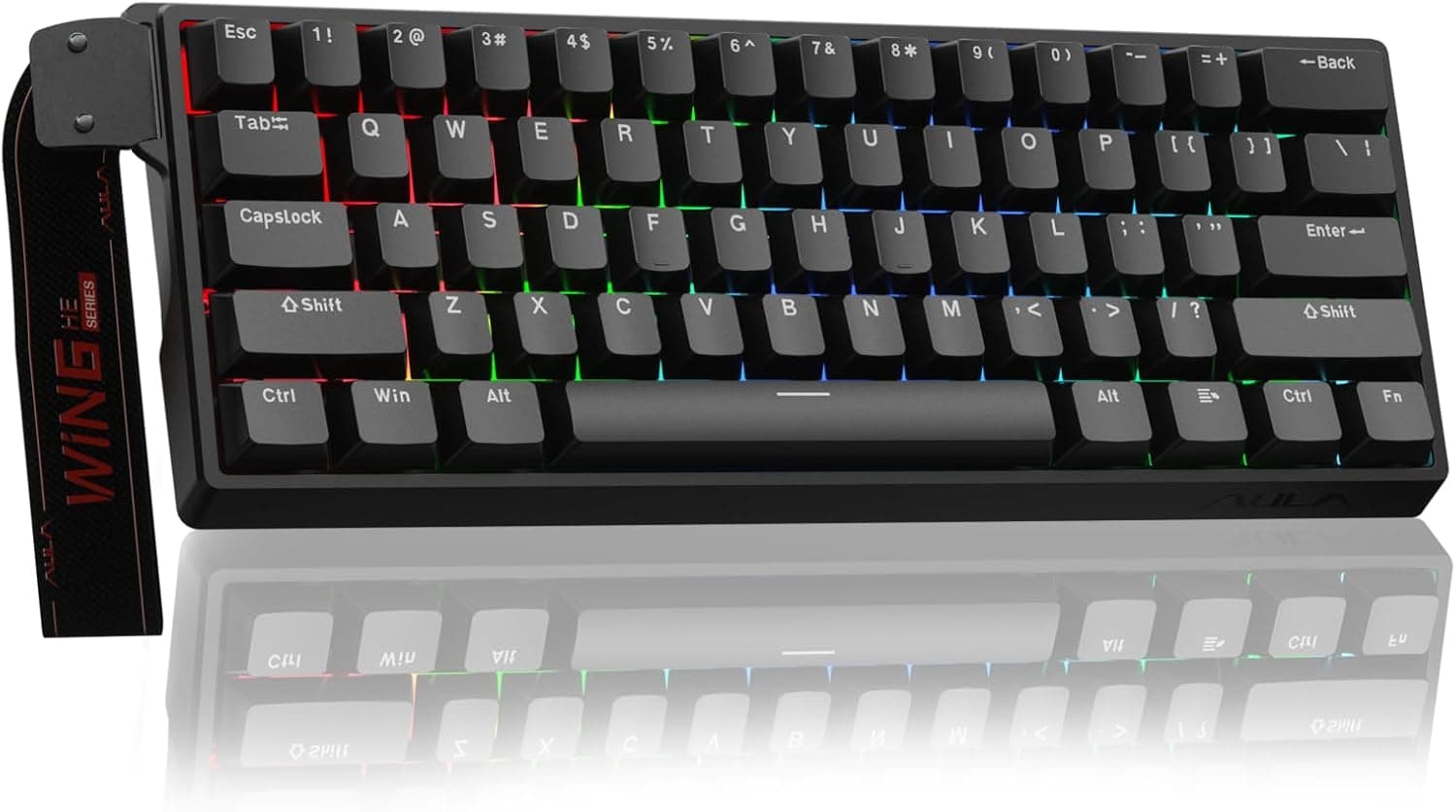
Best Budget Hall Effect Keyboards in 2026 (Under $50)
Discover the best budget Hall Effect keyboards under fifty dollars in 2026. Read our honest, in depth analysis of performance, build quality, and software features of the top six magnetic switch boards.