
Best Gaming Laptops at Every Budget $900 to $3000 for 2026 Guide
Introduction
Let us be honest. Buying a gaming laptop in 2026 is an absolute minefield.
With the release of Nvidia Blackwell architecture graphics chips and a barrage of new processors from AMD and Intel, spec sheets look more like rocket science than consumer tech.
But do not worry. We have rolled up our sleeves, scanned the actual listings on Amazon, and compiled a comprehensive guide to the six absolute best gaming laptops you can buy right now.
Whether you have a strict budget of seven hundred dollars or you are ready to drop over three thousand dollars on a colossal desktop replacement, we have got you covered.
No corporate fluff, no filler, just pure, honest tech breakdown of the hardware you are actually buying, complete with their real world flaws.
Remember, in most modern laptops, the processor, memory, and graphics cards are soldered directly to the motherboard, so whatever you buy today is what you are stuck with for the next few years.
Let us make sure you choose correctly.
What to Look for When Buying a Gaming Laptop (2026 Buyers Guide)
The gaming laptop market right now is an absolute minefield. Find out what you need to look for when buying a gaming laptop in 2026.
The Budget Tier: Under 1000 Dollar Esports Champions
If you want to get into PC gaming without surviving on instant noodles for the next year, this budget tier is your sweet spot.
Budget laptops in 2026 are highly capable, but you have to accept a few surgical cuts to the build quality and screen color accuracy to keep the price down.
1. Acer Nitro V 16 AI
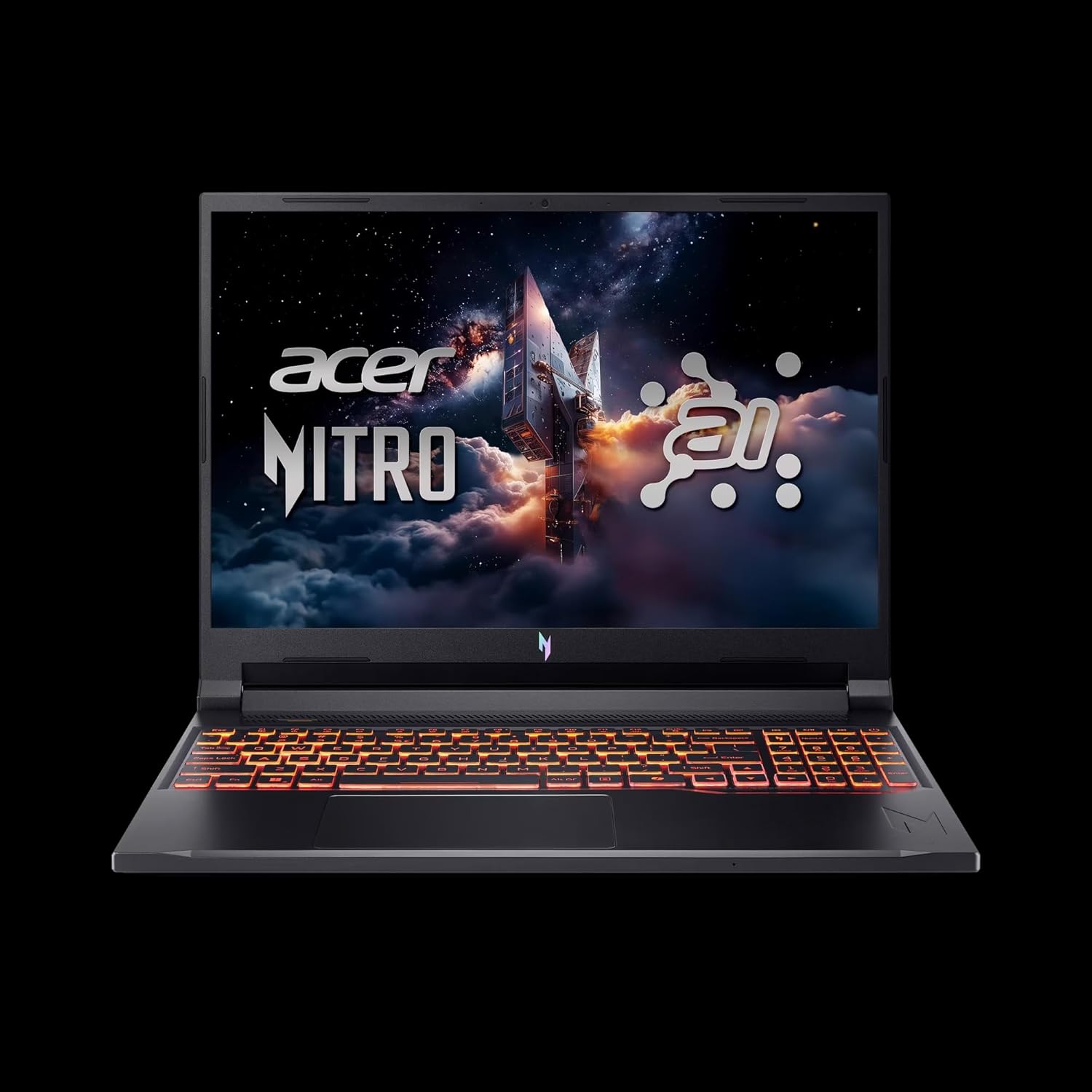
Acer has historically ruled the budget gaming space, and this modern Nitro V 16 AI machine proves why.
Typically retailing between 750 and 900 dollars, this laptop punches well above its weight by pairing a capable AMD Ryzen processor with dedicated Nvidia Blackwell graphics.
| Component | Specification |
|---|---|
| Processor | AMD Ryzen 5 240 (6 Cores, 4.3 GHz base speed, up to 5 GHz maximum boost) |
| Graphics | Dedicated NVIDIA GeForce RTX 5050 (8GB GDDR6 VRAM) |
| Memory | 16GB DDR5 RAM |
| Storage | 512GB NVMe SSD |
| Display | 16 inch WUXGA (1920 by 1200) IPS LED, 180Hz refresh rate |
| Connectivity | WiFi 6E, 3 x USB A 3.2 ports, 1 x USB C 4, 1 x HDMI 2.1, 1 x RJ45 Gigabit Ethernet, microSD Card Reader |
| Operating System | Windows 11 Home |
| Weight | 5.38 pounds |
| Dimensions | 10.9 inches long by 14.2 inches wide by 0.96 inches thick |
Best RTX 5050 Gaming Laptops Under $1000 in 2026: Blackwell Budget Kings
Looking for a budget beast? We've rounded up the top RTX 5050 laptops that deliver incredible 1080p performance without breaking the bank.
Pros
- The Ryzen 5 240 processor features six fast cores that handle daily multitasking and homework with absolute ease.
- Pairing it with the dedicated NVIDIA GeForce RTX 5050 and a generous 8GB of VRAM means you can run popular esports games like Valorant, League of Legends, or Counter Strike 2 at the native 1200p resolution, easily hitting the limits of the smooth 180Hz screen.
- The inclusion of a high speed USB C 4 port and a dedicated microSD card reader is a fantastic touch for student creators.
Cons
- The 512GB SSD is incredibly small for modern gaming, so after installing a couple of heavy titles, you will be out of space and looking for external storage.
- To meet this aggressive price point, Acer used an IPS panel with mediocre color gamut coverage, meaning colors can look slightly washed out compared to premium OLED displays.
- Additionally, the plastic touchpad feels rough under your fingers, making an external gaming mouse an absolute necessity.
The Midrange Tier: 1000 to 1800 Dollars
This midrange tier is where you transition from basic budget compromises to serious desktop grade power, high resolution screens, and far better build materials.
2. Lenovo Legion 5 Gen 10
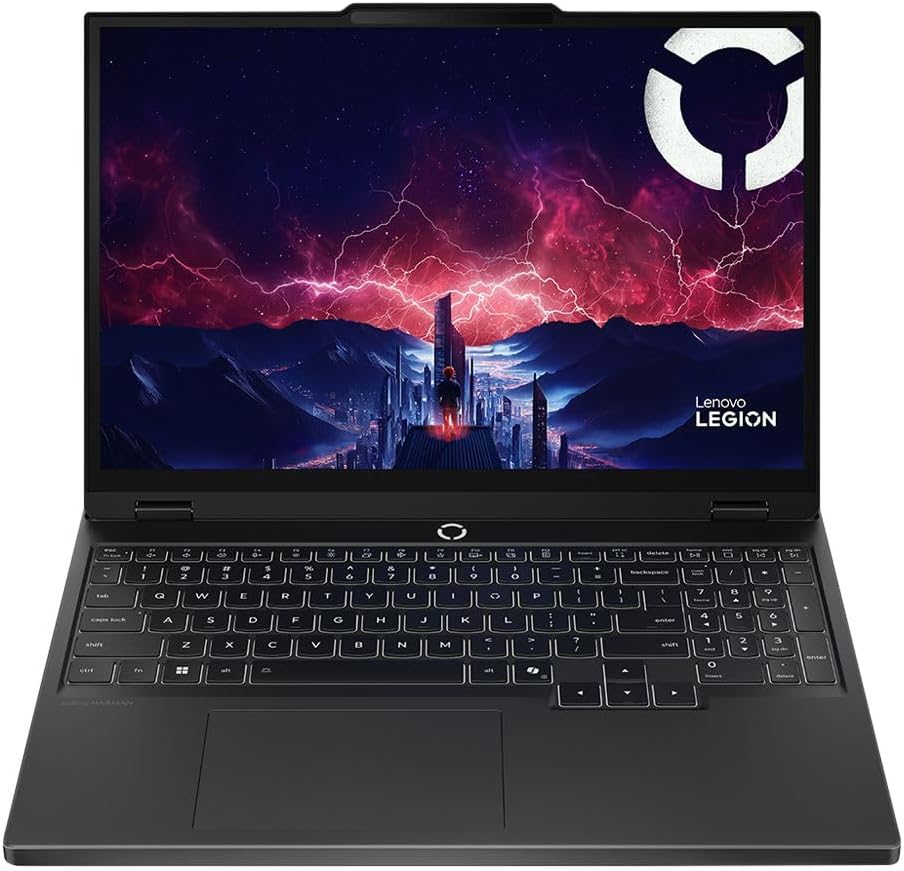
Lenovo's Legion line has a legendary reputation for solid cooling and great keyboards, and the Legion 5 Gen 10 AMD configuration keeps that streak alive.
It targets gamers who want premium features without crossing into enthusiast prices.
| Component | Specification |
|---|---|
| Processor | AMD Ryzen 7 260 (8 Cores, 16 Threads, 3.8 GHz base, up to 5.1 GHz maximum boost) |
| Graphics | NVIDIA GeForce RTX 5060 (8GB GDDR7 VRAM, 115W TGP, Boost Clock 2497MHz, 572 AI TOPS) |
| Memory | 16GB DDR5 5600MHz RAM (Single 16GB stick configuration) |
| Storage | 512GB M.2 PCIe 4.0 x4 NVMe SSD |
| Display | 15.3 inch WUXGA (1920 by 1200) IPS LCD, 16:10 aspect ratio, 165Hz, 300 nits brightness, 100 percent sRGB, Dolby Vision, Anti glare coating, G SYNC support |
| Connectivity | WiFi 6, Bluetooth 5.2, 5 Total ports including HDMI and DisplayPort |
| Operating System | Windows 11 Home |
| Weight | 5.4 pounds |
| Dimensions | 14 inches long by 1 inch thick by 10 inches wide |
Lenovo Gaming Laptop Guide 2026: Legion vs LOQ Explained + Best Models for Every Gamer
Lenovo continues to absolutely dominate the gaming laptop space in 2026. We break down the differences between the Legion Pro, Legion, and LOQ series to help you find the perfect rig.
Pros
- The Legion 5 Gen 10 is an absolute gaming workhorse.
- The star of the show is the NVIDIA GeForce RTX 5060 running at its full 115W Total Graphics Power, which utilizes fast GDDR7 memory and delivers 572 AI TOPS for advanced DLSS frame generation.
- This full power GPU easily handles modern AAA games at high settings, and the 15.3 inch screen features 100 percent sRGB color gamut coverage, making it spectacular for photo and video editing.
- The keyboard is Lenovo's famous backlit design, which offers excellent tactile feedback for typing or gaming.
Cons
- Shipping this laptop with a single 16GB stick of RAM means it runs in single channel mode out of the box, which can bottle up your CPU performance in fast paced games.
- You should budget for a second 16GB stick of DDR5 5600MHz RAM immediately to unleash its dual channel potential.
- The 512GB SSD is also too tight for a machine at this price point, and the chassis is a bit thick at a full inch, meaning it will take up substantial room in your backpack.
3. Alienware 16 Aurora Gaming Laptop (LAC16250)
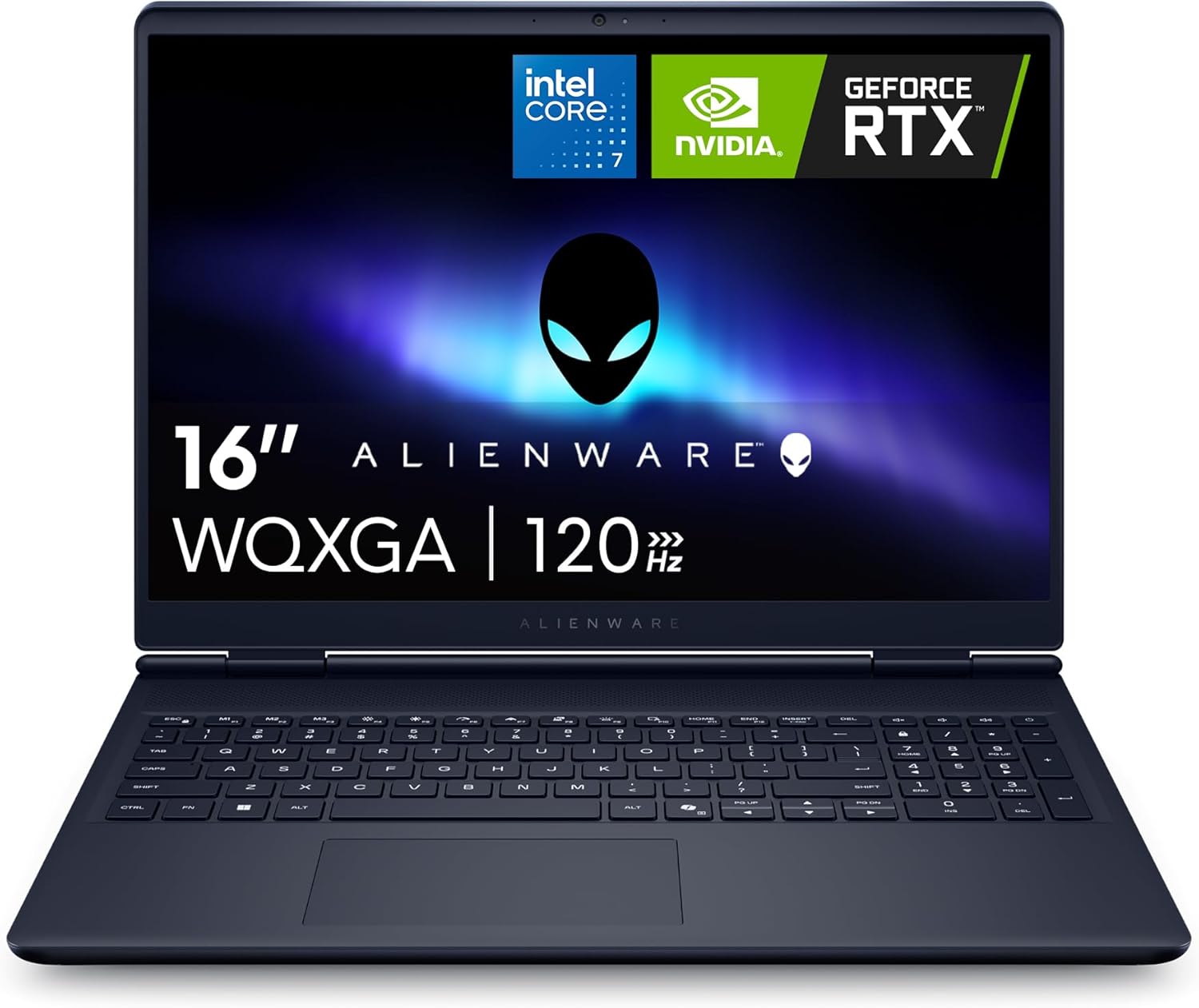
If you want a laptop that looks like a spacecraft and feels incredibly premium, the Alienware 16 Aurora in its gorgeous Blue finish is designed to turn heads.
It serves as a sleek desktop replacement for style conscious gamers.
| Component | Specification |
|---|---|
| Processor | Intel Core i7 240H (Series 2, 10 Cores, 1.8 GHz base, up to 5.2 GHz maximum boost) |
| Graphics | Dedicated NVIDIA GeForce RTX 5050 (8GB GDDR7 VRAM) |
| Memory | 16GB DDR5 5600MHz RAM (Upgradable to 32GB, 2 slots available) |
| Storage | 1TB NVMe SSD |
| Display | 16 inch WQXGA (2560 by 1600) LED, 120Hz refresh rate, 300 nits, Matte anti glare finish |
| Cooling | Cryo Chamber structure focusing airflow directly to core components |
| Battery | 6 cell, 96 Watt Hours battery |
| Connectivity | WiFi 7, Bluetooth 5.4, HDMI, USB Type C, 6 Total ports |
| Operating System | Windows 11 Home |
| Weight | 5.49 pounds |
| Dimensions | 10.45 inches long by 14.06 inches wide by 0.73 inches thick |
Pros
- Alienware's redesigned Cryo Chamber cooling structure is highly effective.
- By channeling focused airflow directly to the core components, they managed to keep the laptop slim, measuring just 0.73 inches thick, without needing a massive rear thermal shelf.
- The massive 96 Watt Hour battery is a rare gem in a gaming laptop, giving you genuine unplugged runtime for web browsing and office tasks.
- It also features modern WiFi 7 connectivity for lightning fast downloads and a spacious 1TB SSD out of the box.
Cons
- Alienware paired a high resolution WQXGA 1600p display with an entry level NVIDIA GeForce RTX 5050 graphics card.
- While the screen is sharp and gorgeous for streaming movies, the RTX 5050 will struggle to play demanding modern games at native 1600p resolution unless you aggressively lower your settings and turn on DLSS upscaling.
- Additionally, the screen's 120Hz refresh rate is noticeably slower than the 165Hz or 180Hz panels found on cheaper budget systems.
The Premium and Creator Gamer Tier: 1800 to 2500 Dollars
This tier is designed for creators, professional developers, and gamers who demand top tier graphics, high end materials, and spectacular OLED or IPS displays.
4. ASUS ROG Strix G16 (2025)
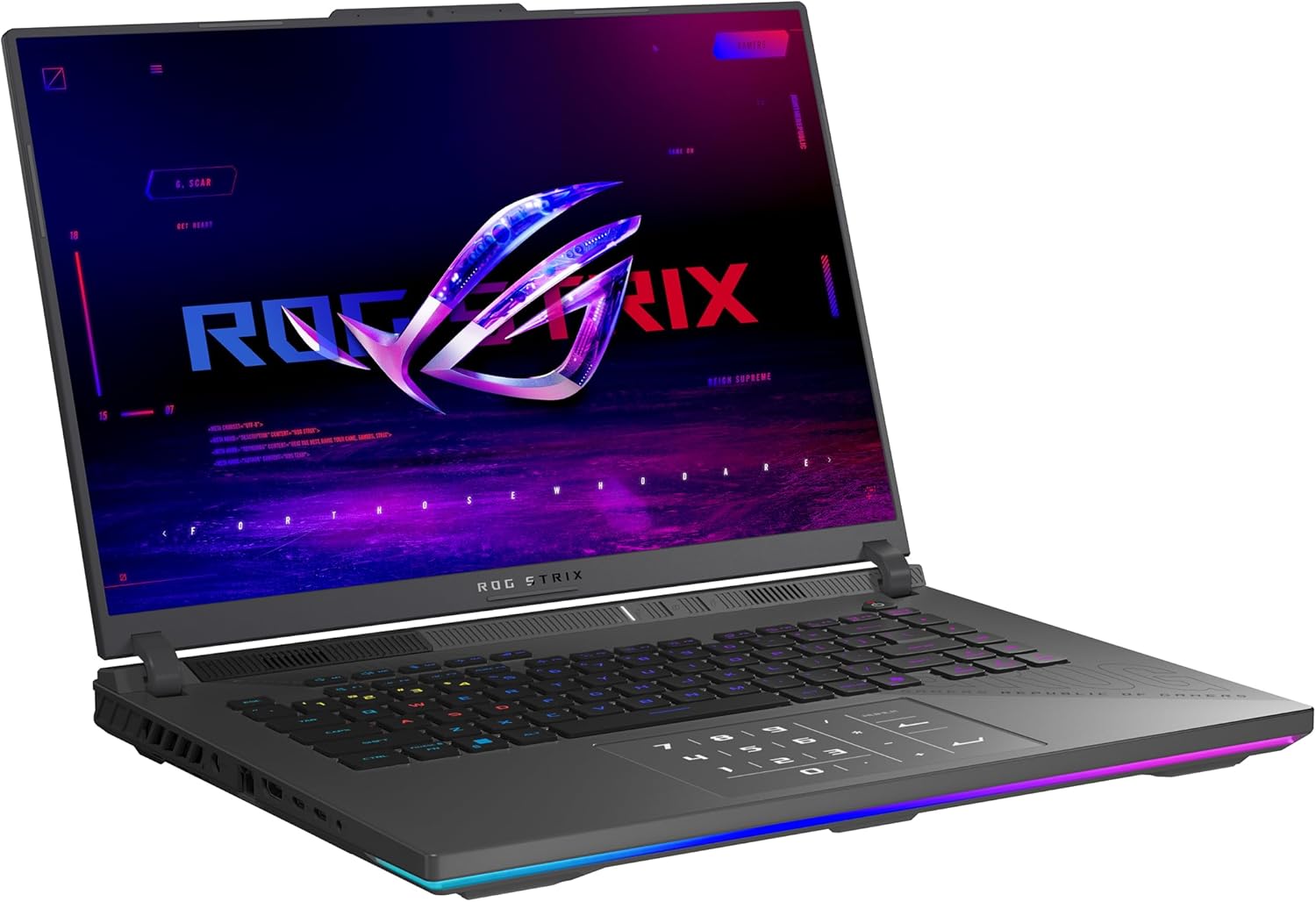
The ASUS ROG Strix G16 is built for pure, unadulterated performance.
This Eclipse Gray beast is configured with a high end AMD 3D V Cache processor and a powerful graphics card to deliver blistering frame rates in competitive gaming.
| Component | Specification |
|---|---|
| Processor | AMD Ryzen 9 9955HX3D (16 Cores, 5.4 GHz maximum speed) |
| Graphics | NVIDIA GeForce RTX 5070 Ti (12GB VRAM, featuring DLSS 4 and Max Q technologies) |
| Memory | 32GB DDR5 5600MHz RAM (2 slots total) |
| Storage | 1TB PCIe Gen 4 SSD |
| Display | 16 inch ROG Nebula IPS Display, 2.5K (2560 by 1600) resolution, 240Hz refresh rate, 3ms response time, 500 nits brightness, 16:10 aspect ratio, advanced ACR glare reducing film |
| Cooling | ROG Intelligent Cooling, tri fan technology, Conductonaut extreme liquid metal on CPU |
| Aesthetics | Customizable RGB light bar syncing with keyboard and peripherals, Stealth Mode |
| Connectivity | WiFi 6E, Bluetooth, MUX Switch with Advanced Optimus |
| Battery | 90 Watt Hour battery |
| Operating System | Windows 11 Home |
| Weight | 5.51 pounds |
| Dimensions | 13.94 inches long by 10.39 inches wide by 0.89 inches thick |
ASUS Gaming Laptops Explained (2026): ROG vs TUF Complete Buying Guide
Confused by the ASUS gaming laptop lineup? Learn the differences between ROG Zephyrus, Strix, and TUF and find the perfect model for your needs.
Pros
- If your primary goal is maximizing gaming frame rates, this is your weapon of choice.
- The AMD Ryzen 9 9955HX3D processor features 3D V Cache technology, which dramatically slashes memory latency to feed the GPU faster, yielding massive performance gains in games like Far Cry, Rust, or Microsoft Flight Simulator.
- The 12GB NVIDIA GeForce RTX 5070 Ti is incredibly future proof and shreds through ray traced games with ease.
- The 16 inch ROG Nebula screen is a gorgeous 500 nit panel, and the advanced ACR film does an outstanding job of cutting reflections while boosting visual contrast.
Cons
- While the tri fan cooling system and liquid metal keep components from throttling, the fans get incredibly loud under heavy loads.
- The chassis is relatively bulky, and the gamer focused design, complete with a wraparound RGB light bar, might look a bit too loud in a professional office or classroom unless you enable Stealth Mode to turn off all the bling.
5. MSI Stealth A16 AI+ (A3XWHG-079US)
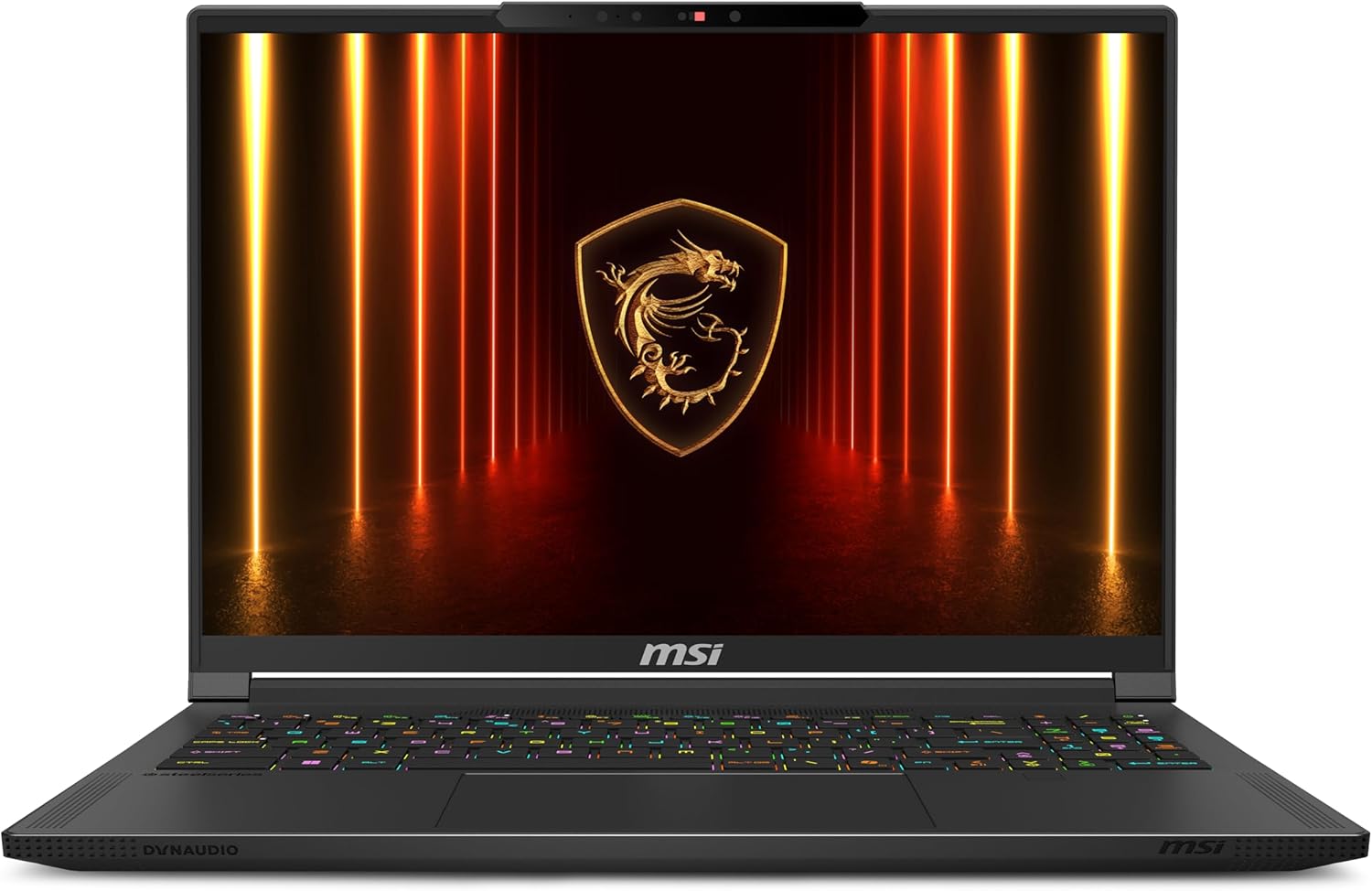
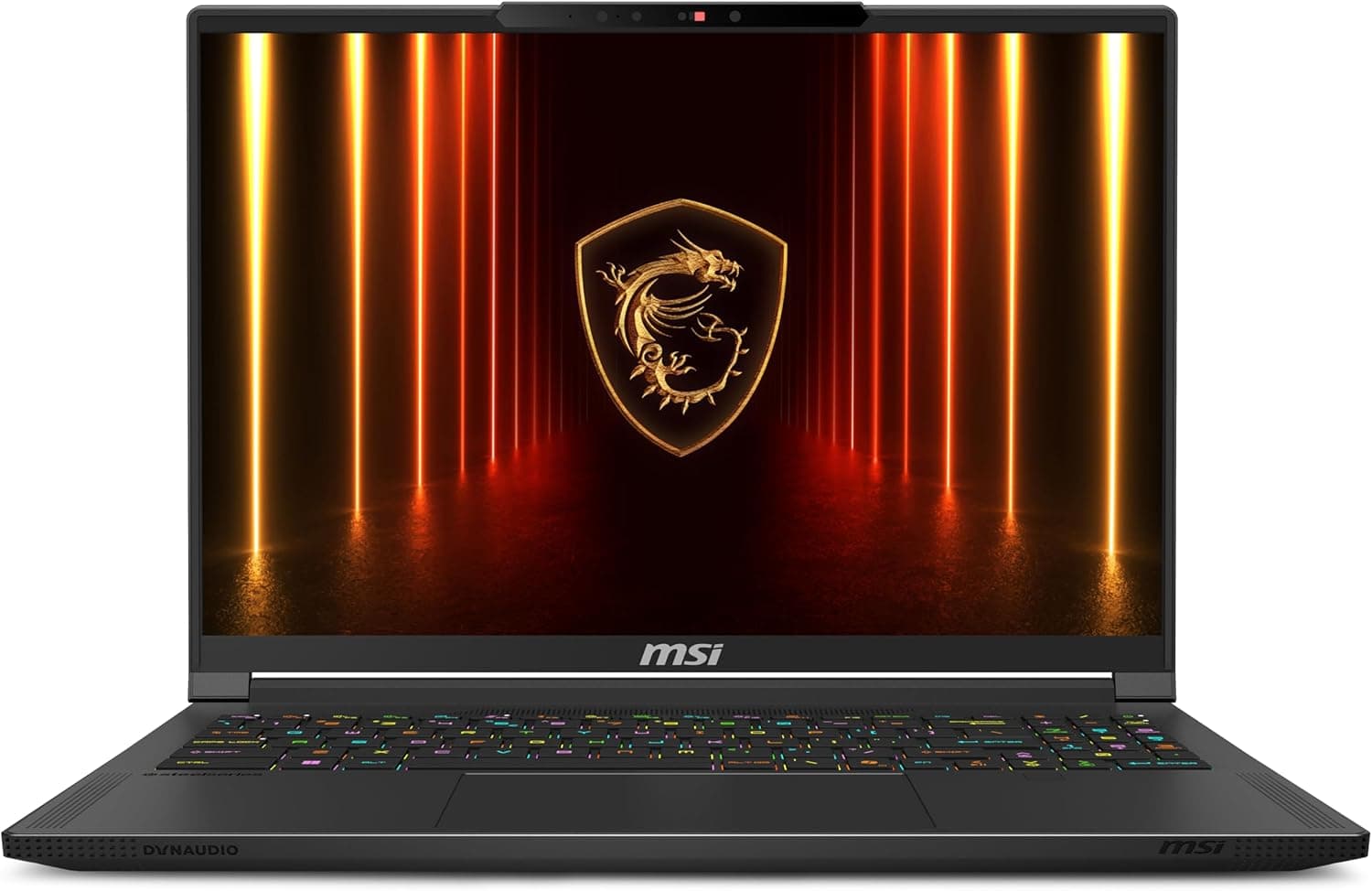
If you want a sleek, lightweight chassis that looks like a stealthy office laptop but secretly hides enthusiast gaming power, the MSI Stealth A16 AI+ is a masterpiece.
It is a Copilot+ certified laptop designed to easily transition between professional business environments and high end gaming.
| Component | Specification |
|---|---|
| Processor | AMD Ryzen AI 9 HX 370 (12 Cores, 24 Threads, up to 5.1 GHz boost, Copilot+ PC with over 50 NPU TOPS) |
| Graphics | NVIDIA GeForce RTX 5070 Ti (12GB GDDR7 VRAM) |
| Memory | 32GB LPDDR5 RAM (7500 MHz high speed memory) |
| Storage | 2TB NVMe SSD |
| Display | 16 inch QHD+ (2560 by 1600) OLED display, 240Hz refresh rate, VESA DisplayHDR True Black 600, Glossy finish |
| Audio | Six speaker setup (2 x 2W speakers and 4 x 2W woofers) co developed with Dynaudio |
| Security | Face Recognition IR webcam, Fingerprint Reader |
| Battery | 99.99 Watt Hours battery (Maximum permissible size for US air travel) |
| Connectivity | WiFi 7, Bluetooth 5.4, Ethernet, HDMI, USB A, USB C, Thunderbolt 1 port |
| Operating System | Windows 11 Pro |
| Weight | 4.63 pounds |
| Dimensions | 14 inches long by 10.24 inches wide by 0.79 inches thick |
MSI Gaming Laptop Guide 2026: Titan vs Raider vs Stealth vs Katana Explained
MSI has completely overhauled their 2026 lineup, pruning the chaos to focus on Titan, Raider, Stealth, and Katana. This guide cuts through the marketing fluff to reveal the raw performance hubs.
Pros
- MSI absolutely nailed the screen and audio on this machine.
- The 16 inch 240Hz QHD+ OLED display is breathtaking, delivering infinite contrast, ink like blacks, and VESA DisplayHDR True Black 600 certification.
- It is paired with an incredibly deep six speaker sound system featuring four dedicated woofers, producing the best audio quality in this entire guide.
- The AMD Ryzen AI 9 HX 370 processor is a multitasking beast, and the NPU delivers over 50 TOPS for local AI tasks.
- At just 4.63 pounds and under 0.8 inches thick, it packs a massive 2TB SSD and a huge 99.99 Watt Hour battery, making it a spectacular companion for creators on the move.
Cons
- However, MSI made a major blunder with port placement. The power plug, a USB A port, and the headphone jack are located right in the middle of the right side of the chassis.
- This means the bulky power cable sits exactly where right handed gamers would normally move their mouse, creating constant clutter and ergonomic frustration.
- The gorgeous glossy OLED screen is also highly reflective, meaning you will struggle to see dark game environments if you are sitting near a bright window.
- Lastly, the LPDDR5 memory is soldered to the motherboard, so you cannot upgrade it down the road.
The Enthusiast Frontier: 2500 to 3000+ Dollars
For gamers who refuse to compromise and want the absolute best hardware available, this enthusiast tier offers uncompromising desktop grade power in a portable frame.
6. ASUS ROG Strix SCAR 18 (2025) (G835LW-XS97)
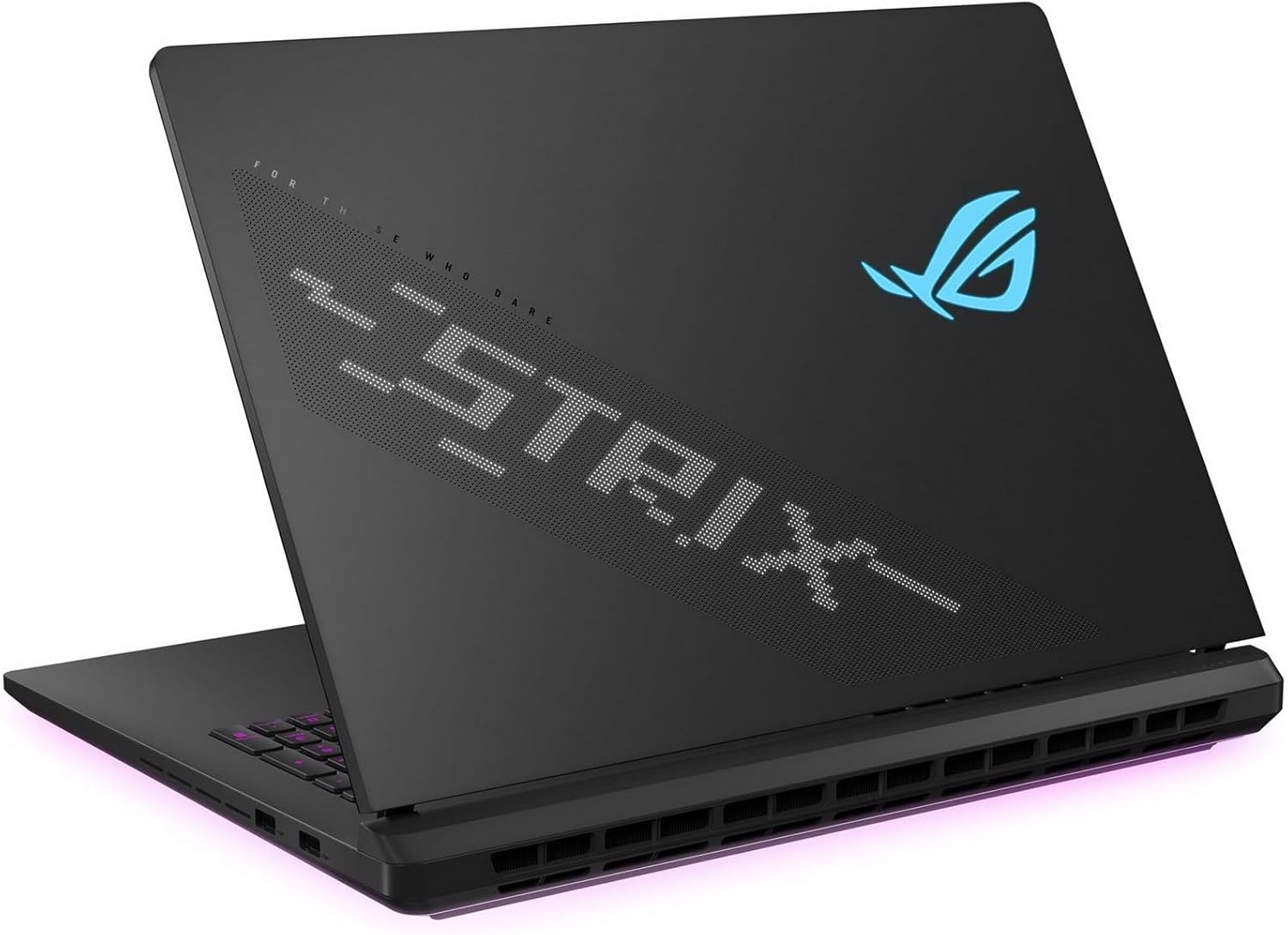
The ASUS ROG Strix SCAR 18 is a premier desktop replacement.
It features an enormous 18 inch screen and a massive power budget to let its top-tier Intel CPU and high-TGP RTX 5080 graphics run at maximum speed.
| Component | Specification |
|---|---|
| Processor | Intel Core Ultra 9 275HX (Series 2, 24 Cores, 8 Performance Cores and 16 Efficient Cores, up to 5.4 GHz maximum boost, 36MB Cache) |
| Graphics | NVIDIA GeForce RTX 5080 Laptop GPU (16GB GDDR7 VRAM, up to 175W with Dynamic Boost, Boost Clock up to 1550MHz) |
| Memory | 32GB DDR5 5600MHz RAM (2 slots, upgradable to 64GB) |
| Storage | 2TB PCIe Gen 4 SSD (Throughput up to 7000MB/s) |
| Display | 18 inch ROG Nebula HDR Display, 2.5K (2560 by 1600) resolution, 16:10 aspect ratio, Mini LED technology, 240Hz, 3ms response, 2000 plus dimming zones, 100 percent DCI P3 color, 500 nits brightness, dual ACR glare reducing layers, G SYNC support |
| Cooling | End to end vapor chamber, tri fan technology, Conductonaut extreme liquid metal on the chipset |
| Connectivity | WiFi 7, Bluetooth 5.4, 2.5G Ethernet LAN, 2 x Thunderbolt 5, 3 x USB 3.2 Gen 2 Type A, 1 x HDMI 2.1 |
| Upgradability | Tool free access via bottom sliding latch for RAM, SSD, and fan maintenance |
| Battery | 90 Watt Hour battery |
| Operating System | Windows 11 Pro |
| Weight | 6.28 pounds |
| Dimensions | 15.71 inches long by 11.73 inches wide by 0.93 inches thick |
Pros
- The ROG Strix SCAR 18 is an absolute unit of a gaming machine.
- The combination of the 24 core Intel Core Ultra 9 275HX and the massive 16GB NVIDIA GeForce RTX 5080 running at a monstrous 175W yields mind blowing gaming performance that matches high end desktop gaming rigs.
- The 18 inch Mini LED screen is a visual masterpiece, using over 2000 local dimming zones to offer incredibly bright highlights and rich contrast for HDR gaming.
- The chassis includes a brilliant tool free upgrade system, allowing you to easily slide a latch on the bottom to upgrade your memory or clean out the fans without hunting for a screwdriver.
- You also get dual Thunderbolt 5 ports, ensuring your setup is prepared for next generation ultra high bandwidth accessories.
Cons
- But let us be realistic about the trade offs. This is not a laptop you will comfortably use on an airplane tray table or carry around college campus all day.
- At 6.28 pounds and measuring over 15.7 inches long, it is a heavy, thick machine that requires a massive power adapter brick to run at full speed.
- The cooling fans are incredibly loud under load, sounding like a mini jet engine when running in Turbo mode.
- Additionally, despite the premium price tag, the webcam is only 1080p, and the glossy display finish is highly prone to catching reflections in bright environments.
Strategic Buyer's Guide and Technical Analysis
Making a smart, long term investment in a gaming laptop requires looking past basic marketing claims.
This section breaks down the critical technical details that determine a system's actual real world usability.
Understanding GPU Total Graphics Power (TGP)
The graphics processor is the most important component in determining the performance and lifespan of your gaming laptop.
However, identical GPU models can perform very differently depending on the laptop's power settings and cooling design.
Laptop manufacturers configure the Total Graphics Power of the GPU to match the physical limits of the chassis.
For instance, the NVIDIA GeForce RTX 5060 in the Lenovo Legion 5 is configured at its maximum 115W TGP, allowing it to easily outperform an RTX 5070 that is restricted to a lower power limit in an ultra thin, poorly cooled competitor.
Always look for the configured TGP alongside the GPU name.
Memory Configurations: Avoid Single Channel Performance Traps
While 8GB of system memory is completely obsolete for modern gaming, even 16GB can be a bottleneck if configured poorly.
The background footprint of Windows 11, resource heavy web browsers, and integrated AI tasks can quickly saturate smaller memory pools, causing stuttering and system lag.
For 2026, 16GB of RAM is the absolute baseline, while 32GB is highly recommended for running demanding open world games and multitasking.
Furthermore, you must pay attention to how the RAM is installed.
Laptops configured with a single RAM stick (such as the Lenovo Legion 5 out of the box) operate in single channel mode, which restricts memory bandwidth.
Whenever possible, ensure your laptop runs a dual channel configuration (such as two 16GB sticks) to maximize your CPU's data throughput.
Display Selection Matrix: IPS vs. OLED vs. Mini LED
Choosing the right screen technology directly impacts both your gaming immersion and competitive response times:
- IPS Panels: Found on the Acer Nitro, Lenovo Legion 5, and ASUS ROG Strix G16. They offer great color accuracy, wide viewing angles, and reliable value. They are excellent for high refresh rate competitive gaming, but lack the deep contrast ratios of OLED.
- OLED Panels: Found on the MSI Stealth A16 AI+. These screens use self lit pixels to deliver near infinite contrast, deep black levels, and near instant pixel response times. They are perfect for dark, cinematic games and professional creative work, though their glossy screens are highly reflective.
- Mini LED Panels: Found on the ASUS ROG Strix SCAR 18. This tech bridges the gap by offering extreme peak brightness alongside direct lit local dimming zones. They deliver spectacular HDR performance and are bright enough to combat heavy glare, though you may see minor glowing artifacts around bright text on dark backgrounds.
What to Look for When Buying a Gaming Laptop (2026 Buyers Guide)
The gaming laptop market right now is an absolute minefield. Find out what you need to look for when buying a gaming laptop in 2026.
Best RTX 5050 Gaming Laptops Under $1000 in 2026: Blackwell Budget Kings
Looking for a budget beast? We've rounded up the top RTX 5050 laptops that deliver incredible 1080p performance without breaking the bank.
FAQ
Is 16GB of RAM truly enough for modern gaming in 2026?
Yes, 16GB of RAM is the baseline for modern gaming, but it is quickly becoming the absolute minimum.
Demanding games, high resolution textures, and background operating system tasks easily consume over 12GB of system memory.
If your laptop runs out of physical RAM, it is forced to swap data to the SSD, which causes noticeable stuttering and major frame rate drops.
For future proofing and playing open world games or streaming, upgrading to 32GB is highly recommended.
What is the real world gaming impact of DLSS 4 and Multi Frame Generation?
Nvidia's DLSS 4 with Multi Frame Generation uses advanced AI models to generate entire additional frames, which can double your perceived smoothness in demanding games.
This technology is highly effective at making heavy ray traced games playable on mid range and budget GPUs.
However, frame generation does introduce a tiny amount of input latency, so it should ideally be used in games that already run at a baseline of 50 to 60 FPS before the technology is turned on.
Is a heavy desktop replacement laptop better than a custom built desktop PC?
It depends on your lifestyle. A desktop replacement like the ASUS ROG Strix SCAR 18 offers incredible, portable power that you can easily pack up and move to a LAN party, college dorm, or a different room in your house.
However, desktops remain cheaper to build, run much cooler and quieter, and allow you to upgrade individual components like the graphics card or motherboard down the road.
What is the advantage of WiFi 7 over WiFi 6E on these laptops?
WiFi 7 operates on wider frequency bands with advanced data encoding, which drastically reduces latency and signal interference in crowded household networks.
If you live in an apartment with dozens of active routers nearby, WiFi 7 ensures your wireless multiplayer connection remains rock solid, while significantly speeding up massive game downloads.
Conclusion
To help finalize your purchasing decision, use these simplified paths based on your primary priorities:
For Budget-Minded Gamers: Choose the Acer Nitro V 16 AI for reliable entry level 1200p performance under 1000 dollars.
For Balanced Midrange Performance: Choose the Lenovo Legion 5 Gen 10 for full power RTX 5060 gaming, but make sure to add a second stick of RAM to enable dual channel speeds.
For Sleek Styling and Great Battery: Choose the Alienware 16 Aurora for premium aluminum chassis design and a massive 96 Watt Hour battery.
For Competitive High-FPS Esports: Choose the ASUS ROG Strix G16 (2025) to exploit its massive 3D V Cache processor and buttery smooth 240Hz ROG Nebula screen.
For Premium Portability and Creation: Choose the MSI Stealth A16 AI+ for its breathtaking 240Hz OLED screen, massive storage, and lightweight magnesium alloy frame.
For Uncompromised Enthusiast Power: Choose the ASUS ROG Strix SCAR 18 for a giant 18 inch Mini LED display, a monstrous RTX 5080 GPU, and easy tool free upgrade access.
You May Also Like

Best PC Games for 8GB RAM in 2026 (Low Spec PCs)
Is 8GB of RAM enough for gaming in 2026? Discover the best PC games that run smoothly on 8GB RAM rigs, from indie masterpieces to optimized AAA titles and competitive shooters.
Best Creamy Keyboards in 2026 (From Budget to Premium Picks)
Best creamy keyboards in 2026 ranked from budget to premium. Discover smooth, quiet mechanical keyboards with the best sound, switches, and performance for gaming and typing.
Best Budget "Thocky" Mechanical Keyboards (UNDER 70 $) in 2026
Looking for that deep, satisfying "thock" without spending hundreds? In 2026, budget friendly mechanical keyboards from Aula, Epomaker, Keychron, and Akko deliver premium sound and feel under $70. This guide breaks down the best options, and essential mods to unlock the thockiest experience.