
Lenovo Gaming Laptop Guide 2026: Legion vs LOQ Explained + Best Models for Every Gamer
Navigate this article
Introduction
Welcome back to another deep dive into the state of mobile PC gaming. If you are shopping for a new laptop in 2026, you have probably noticed that the market is entirely different than it was just a few years ago. We are currently dealing with severe global memory shortages because artificial intelligence data centers are buying up all the silicon. Prices are creeping up, and the days of finding a flawless budget machine for under seven hundred dollars are mostly behind us. At the same time, the arrival of the Nvidia RTX 50 series graphics cards has completely revolutionized what a portable machine can do. You no longer have to compromise on frame rates just because you want to take your PC in a backpack.
Lenovo continues to absolutely dominate this space. If you browse any forum or watch any tech review channel, Lenovo is consistently recommended as the go to brand for reliable performance. But their lineup has become incredibly confusing. They have the premium Legion series, the mid tier models, the budget friendly LOQ series, and now a stripped down LOQ Essential line. Trying to figure out exactly what you are paying for, and what corners were cut to reach those prices, requires a magnifying glass.
Let us decode the Lenovo hierarchy and find out which machine actually deserves your hard earned money.
Quick Picks
| Category | Recommended Model | Key Specifications | Amazon | Target Demographic |
|---|---|---|---|---|
| Best Overall Performance | Legion Pro 7i Gen 10 | Core Ultra 7 255HX, RTX 5070 Ti, 4K OLED 240Hz | Check Price | Hardcore enthusiasts and professionals seeking a true desktop replacement. |
| Best Value Sweet Spot | Legion 5i | Core i7 14700HX, RTX 5070, 1600p OLED 165Hz | Check Price | Students and gamers who need high performance in a portable chassis. |
| Best Budget Mid-Range | Lenovo LOQ | Core i7 13650HX, RTX 4060, 1080p 144Hz | Check Price | Budget-conscious gamers looking for reliable 1080p performance. |
| Best Entry Level | LOQ Essential | Core i5 12450HX, RTX 4050, 1080p 144Hz | Check Price | Casual gamers and students on the absolute tightest budgets. |
Decoding the Lenovo Naming Scheme
Before we talk about specific graphics cards and processors, we need to understand how Lenovo categorizes their machines. A lot of buyers get tricked into buying the wrong laptop simply because they misread a single letter in the product name.
Lenovo splits its gaming catalog into two main families. The Legion family is the premium tier. These laptops get the best materials, the brightest screens, and the most advanced cooling technology Lenovo engineers can dream up. The LOQ family, which is pronounced like the word lock, is the budget tier. LOQ laptops replace the old IdeaPad Gaming line. They use cheaper plastic chassis materials and less sophisticated cooling pipes to bring the price down to an affordable level.
Within these families, you will see a bunch of numbers and letters. The number generally dictates the chassis tier. A Legion 7 is more premium than a Legion 5. If you see the letter i at the end of the number, like Legion 7i, it means the laptop has an Intel processor inside. If you see the letter a at the end, like Legion 7a, it means it is running an AMD processor. Lenovo finally updated this naming convention to make it easier to tell the chips apart at a glance.
Finally, we have the Pro designation. A Legion Pro laptop is thicker, heavier, and built strictly for maximum performance. Non Pro models are slightly thinner and prioritize portability over raw frame rates. If you want a desktop replacement that sits on a desk and churns out massive power, you buy a Pro. If you need to carry it to college classes every day without breaking your back, you look at the standard models.
Lenovo Legion Pro 7i
| Feature | Specifications |
|---|---|
| Processor | Intel Core Ultra 7 255HX (Up to 5.2GHz) |
| Graphics | Nvidia GeForce RTX 5070 Ti 12GB GDDR7 |
| RAM | 32GB DDR5 6400 MT/s |
| Storage | 2TB M.2 PCIe Gen5 SSD |
| Display | 16" 4K OLED (3840 x 2160), 240Hz, 500 nits, DCI-P3 100% |
| Battery | 99.9Wh with Super Rapid Charge |
| Weight | 5.65 lbs (2.56 kg) |
View on Amazon
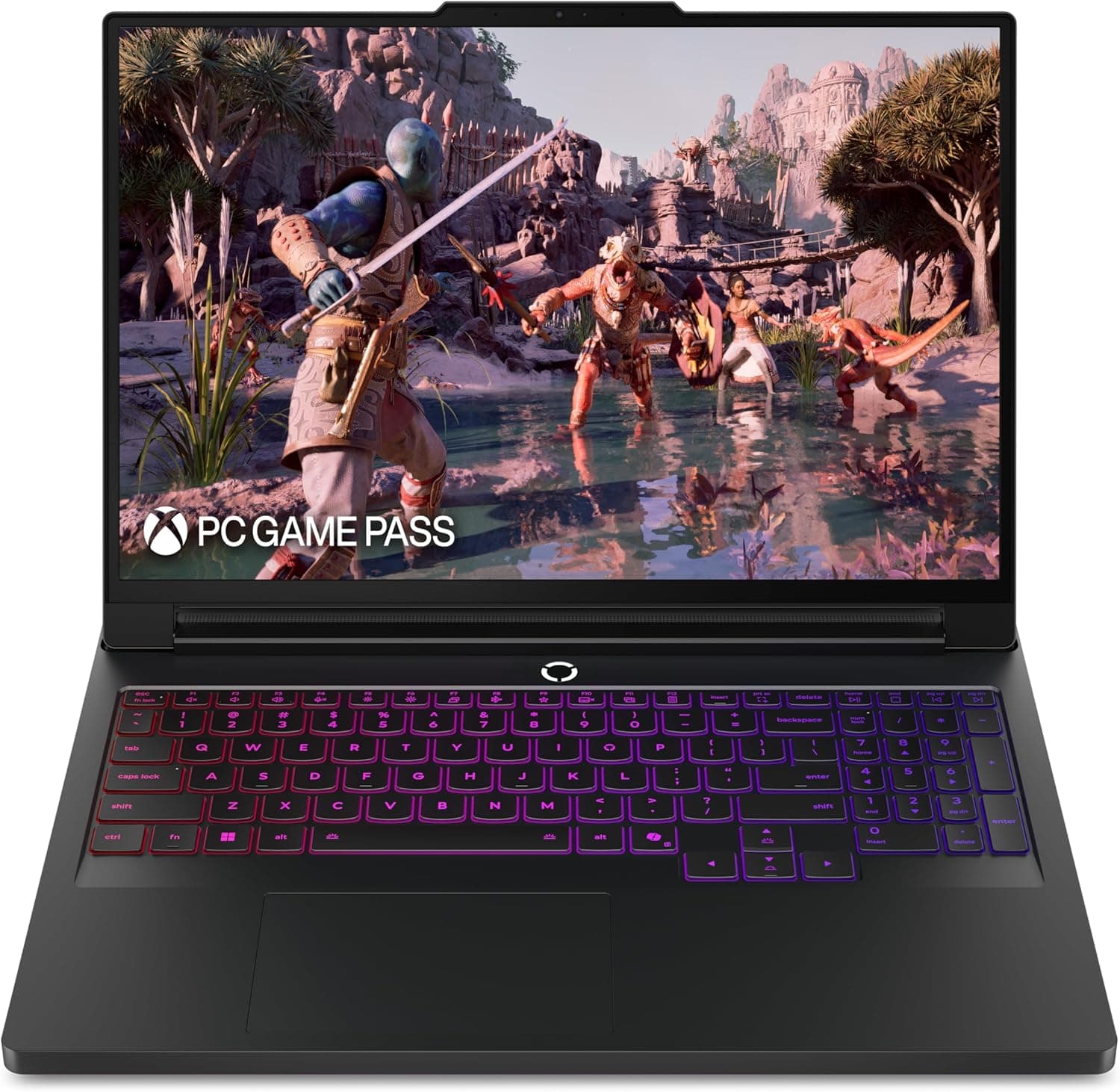
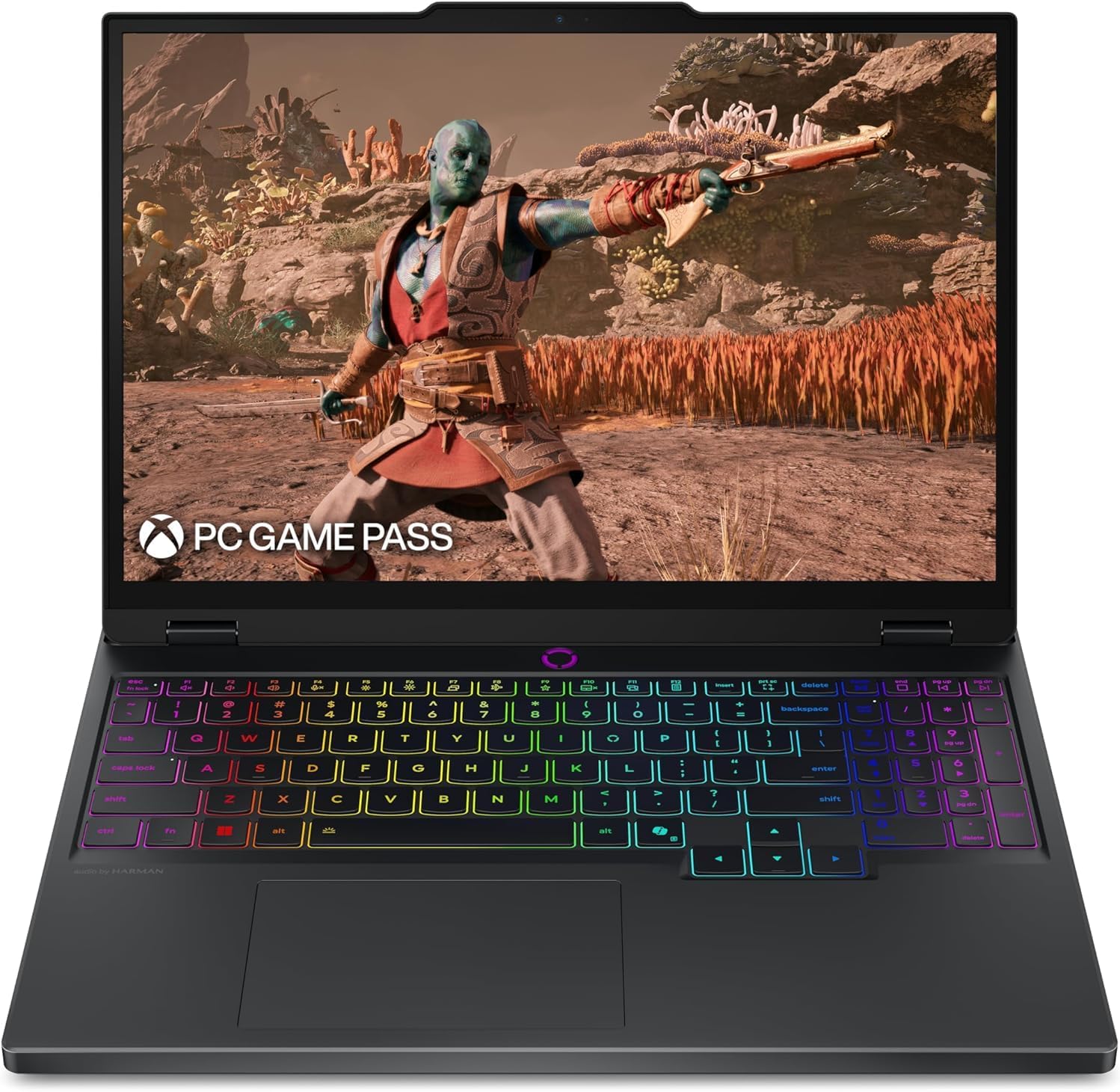
If you have a massive budget and you refuse to compromise on visual fidelity or frame rates, the Lenovo Legion Pro 7i Gen 10 is the apex predator of the 2026 lineup. We are looking specifically at the configuration with the Intel Core Ultra 7 processor and the RTX 5070 Ti graphics card. This machine is a masterclass in brute force engineering, but it comes with some serious physical caveats.
Pure Unadulterated Performance
The heart of this laptop is the Intel Core Ultra 7 255HX processor. This is essentially a desktop processor crammed into a laptop chassis. It features a mix of performance and efficiency cores that boost up to 5.2 gigahertz, chewing through video rendering and intense physics calculations without dropping a sweat. Paired with this CPU is the Nvidia GeForce RTX 5070 Ti laptop GPU with 12 gigabytes of GDDR7 video memory.
What makes the Legion Pro 7i special is not just the components, but the power limits. Lenovo allows the graphics card to pull massive amounts of wattage. Many competing laptops restrict their graphics cards to keep the heat down, leaving potential performance on the table. The Legion Pro 7i lets the GPU stretch its legs completely.
In real world gaming, this translates to flawless performance. You can load up heavy titles like Cyberpunk, turn on full ray tracing, enable DLSS 4 frame generation, and easily stay well above 60 frames per second. For competitive titles like Valorant or Counter Strike, you will see frame rates easily soaring into the hundreds, fully saturating the high refresh rate monitor. The inclusion of 32 gigabytes of high speed DDR5 memory ensures that you can stream, use Discord, and have multiple browser tabs open in the background without any stuttering.
The Glorious and Glossy 4K OLED Display
For years, gamers begged Lenovo to put an OLED screen on the Legion Pro series. In 2026, they finally delivered. This specific model features a stunning 16 inch OLED panel with a massive 4K resolution of 3840 by 2160 and a blisteringly fast 240 hertz refresh rate. The pixel response time is practically instantaneous, meaning fast motion leaves zero ghosting or blur trails behind.
Because it is an OLED panel, every single pixel emits its own light. When a pixel needs to show black, it simply turns off. This creates an infinite contrast ratio that makes horror games and dark sci fi environments look absolutely incredible. The screen hits 500 nits of peak brightness and covers 100 percent of the DCI P3 color space, making it just as good for professional video editors as it is for gamers.
However, we need to talk about the glossy finish. Unlike older IPS panels that used a matte anti glare coating, this OLED screen is highly reflective. If you play games in a room with a bright window behind you, or if you have strong overhead lights, you are going to see your own reflection staring back at you during dark loading screens. It is a necessary trade off to get those popping OLED colors, but you must be aware of your room lighting before buying this laptop.
Thermals, Noise, and the Heavy Reality
Cooling a high wattage graphics card and a power hungry Intel processor requires serious hardware. Lenovo uses their ColdFront Vapor Chamber technology. Instead of normal copper pipes, a vapor chamber is a large vacuum sealed plate containing liquid that vaporizes and condenses to move heat incredibly fast. Combined with liquid metal thermal paste, this system is a triumph. The laptop rarely thermal throttles, even during hours of continuous heavy gaming.
But physics always demands a price. To push all that hot air out of the chassis, the internal fans spin at furious speeds. On the maximum performance preset, the Legion Pro 7i is incredibly loud. You will absolutely need a good pair of noise isolating gaming headphones to play immersive story games without the fan noise ruining the atmosphere.
Furthermore, this laptop is hilariously heavy. The laptop itself weighs 5.65 pounds. But the real issue is the power brick. To feed this monster, Lenovo includes a massive power adapter that is roughly the size of a masonry brick. Carrying this laptop and its charger in a backpack is a miserable experience.
Battery life is also terrible. The Intel HX series processors draw massive amounts of power even when idling on the desktop. Despite having the maximum legal battery size of 99.9 watt hours, you will be lucky to get three to four hours of basic web browsing. If you try to play a game on battery power, the laptop will die in under an hour and the frame rates will be awful. This is a portable desktop, not a true mobile laptop.
Lenovo Legion 5i
| Feature | Specifications |
|---|---|
| Processor | Intel Core i7 14700HX |
| Graphics | Nvidia GeForce RTX 5070 8GB GDDR7 |
| RAM | 16GB DDR5 5600 MT/s |
| Storage | 1TB M.2 PCIe Gen4 SSD |
| Display | 15.1" WQXGA OLED (2560 x 1600), 165Hz, 500 nits |
| Weight | 4.4 lbs (2.0 kg) |
View on Amazon
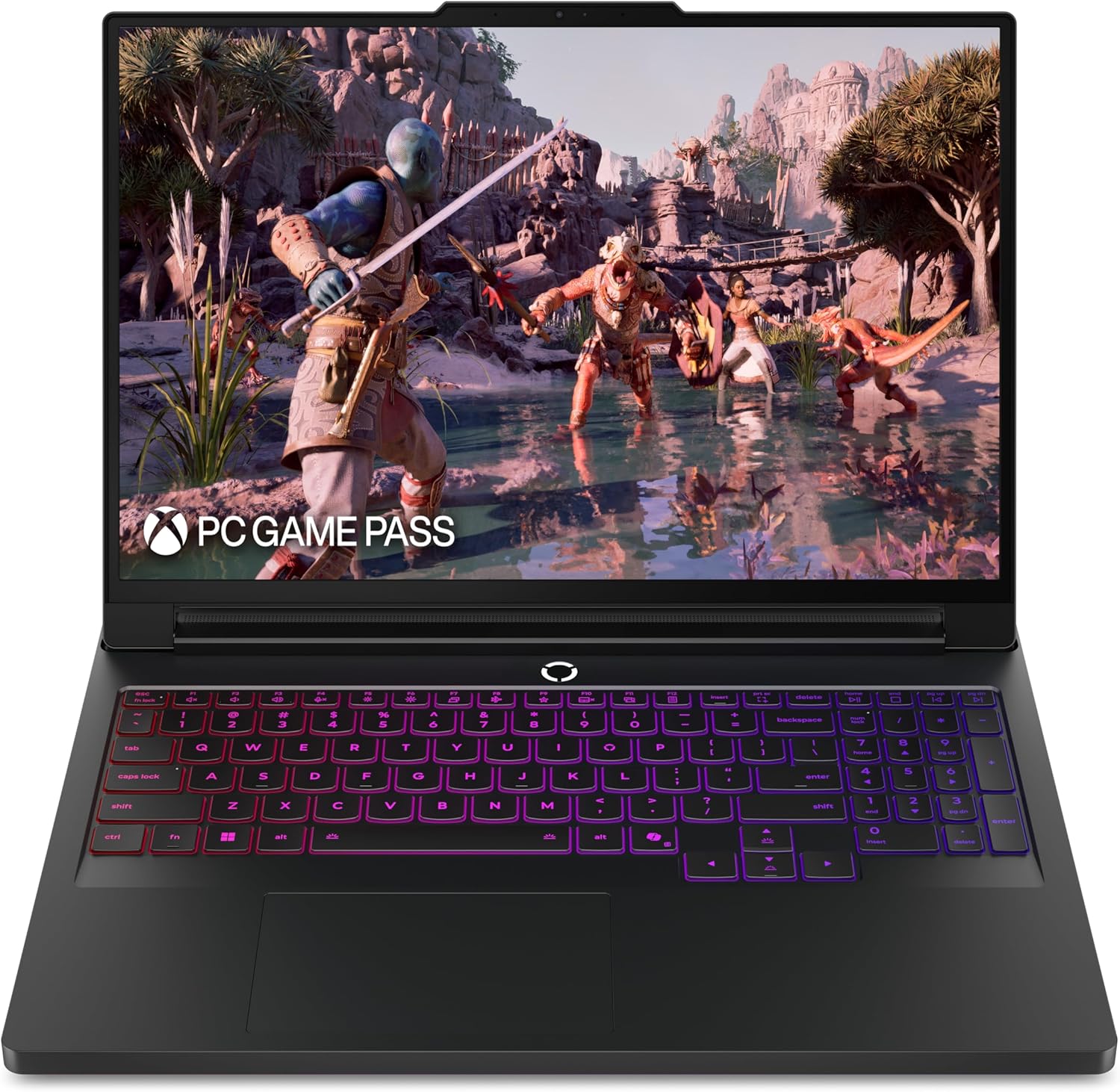
If the Pro 7i is a little too heavy and expensive for your blood, the standard Lenovo Legion 5i is the ultimate sweet spot. Looking specifically at the configuration with the Intel Core i7 14700HX and the RTX 5070, this laptop offers the best balance of portability and performance on the entire market.
Hitting the Portability Sweet Spot
The Legion 5i gives you incredible hardware without the flagship premium tax or the massive weight penalty. The laptop slims down significantly, weighing in at a highly manageable 4.4 pounds. This makes it an actual viable option for students or professionals who need to carry their machine to campus or the office every single day.
In real world performance, the RTX 5070 features 8 gigabytes of ultra fast GDDR7 video memory. For 1600p gaming, this is fantastic power. You will easily handle modern releases on high settings, and the incredibly fast GDDR7 memory ensures you have plenty of bandwidth for high resolution texture packs.
Display and Build Quality
The display on this model is a gorgeous 15.1 inch OLED panel pushing a 2560 by 1600 resolution at 165 hertz. While it lacks the 4K sharpness and 240 hertz speed of the Pro 7i, it still delivers the exact same infinite contrast, perfect perfect blacks, and 500 nits of brightness that make OLED screens so desirable.
The keyboard experience is legendary. Lenovo laptops have the best keyboards in the business, featuring satisfying key travel and a great tactile bump. Audio quality is one area where the 5i cuts corners. The speakers sound slightly hollow and lack bass. While they get reasonably loud for watching YouTube videos, any serious gaming requires a headset to get decent directional audio.
Just like its bigger brother, the Legion 5i suffers from poor battery life. The 80 watt hour battery simply cannot keep up with the demands of the HX series processor and the OLED display. You will be constantly hunting for wall outlets in the lecture halls.
Lenovo LOQ
| Feature | Specifications |
|---|---|
| Processor | Intel Core i7 13650HX |
| Graphics | Nvidia Dedicated GPU with GDDR7 |
| RAM | 16GB DDR5 |
| Storage | 1TB M.2 PCIe SSD |
| Display | 15.6" Full HD IPS (1920 x 1080), 144Hz |
| Weight | 5.28 lbs (2.4 kg) |
View on Amazon
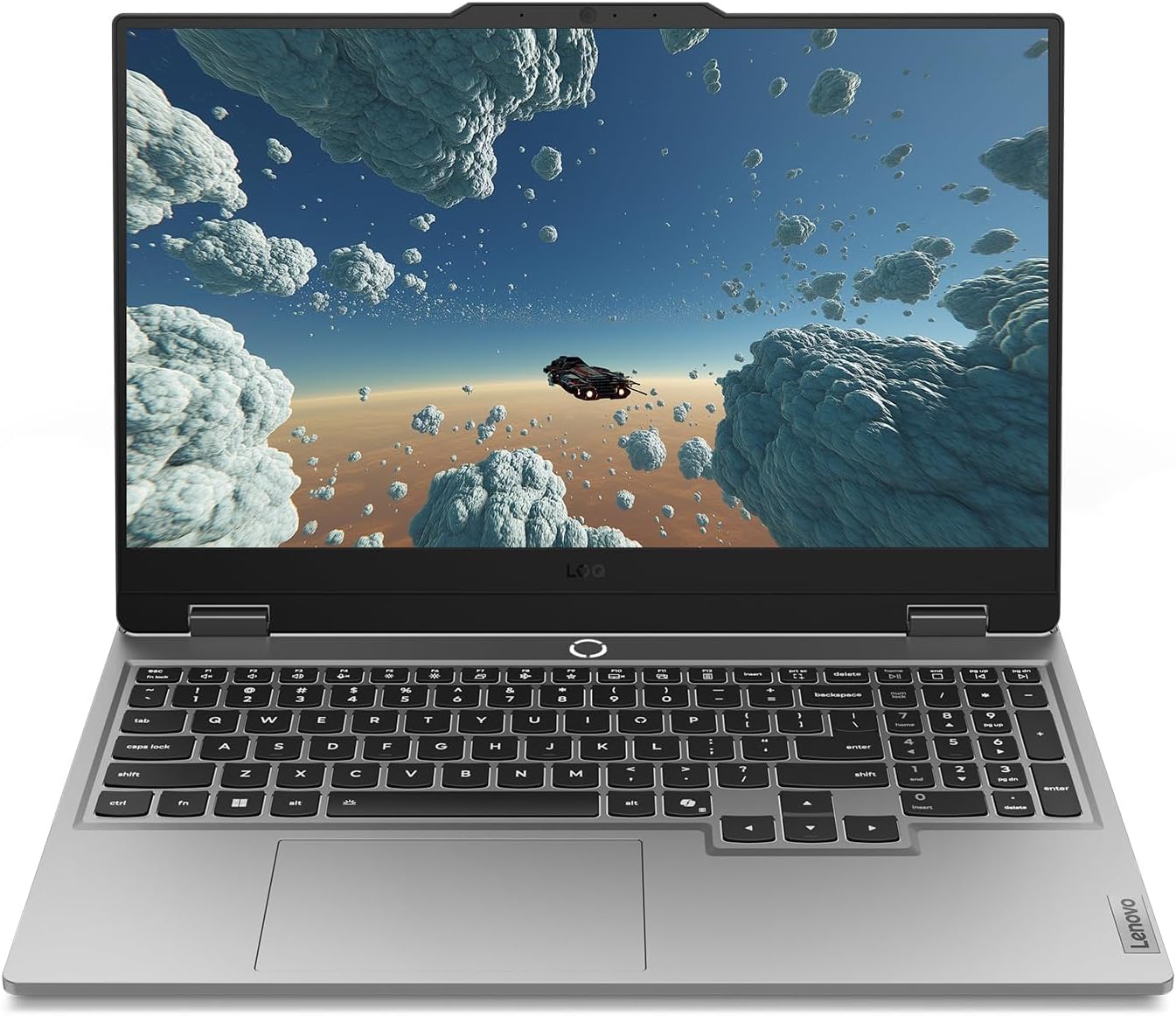
Now we step down into the budget territory. The Lenovo LOQ is designed for buyers who want high frame rates but simply cannot justify spending massive amounts of money on a PC. Looking at the model with the Intel Core i7 13650HX and 16GB of DDR5 RAM, you are looking at an excellent value proposition.
Punching Above Its Weight Class
The LOQ takes the essential philosophy of the Legion series and applies it to a cheaper plastic shell. The Intel Core i7 13650HX is an older processor, but it still packs 14 cores and delivers fantastic multi tasking performance. The real genius of the LOQ lies in how Lenovo configured the dedicated Nvidia graphics card, which utilizes modern GDDR7 memory.
The screen is a standard 15.6 inch IPS panel running at 1920 by 1080 resolution. It is a massive step down from the gorgeous OLED screens on the Legion models. The blacks look slightly gray, and the colors do not pop with the same intensity. However, Lenovo ensured that the panel covers a decent color space, and the 144 hertz refresh rate provides a perfectly smooth experience for multiplayer shooters.
The chassis is entirely plastic, and the design is surprisingly subtle. It lacks aggressive gamer aesthetics, meaning you can comfortably use it in a professional environment without drawing weird looks. However, weighing in at 5.28 pounds, it is noticeably heavier than the premium Legion 5i, making it a bit of a burden in a backpack.
Best RTX 5050 Gaming Laptops Under $1000 in 2026: Blackwell Budget Kings
The Lenovo LOQ is the undisputed performance leader for budget gamers. See our full breakdown of the best RTX 5050 laptops.
Read article →Best Gaming Laptops at Every Budget $900 to $3000 for 2026 Guide
Buying a gaming laptop in 2026 is an absolute minefield. We review the six absolute best gaming laptops spanning budget to enthusiast tiers.
Read article →
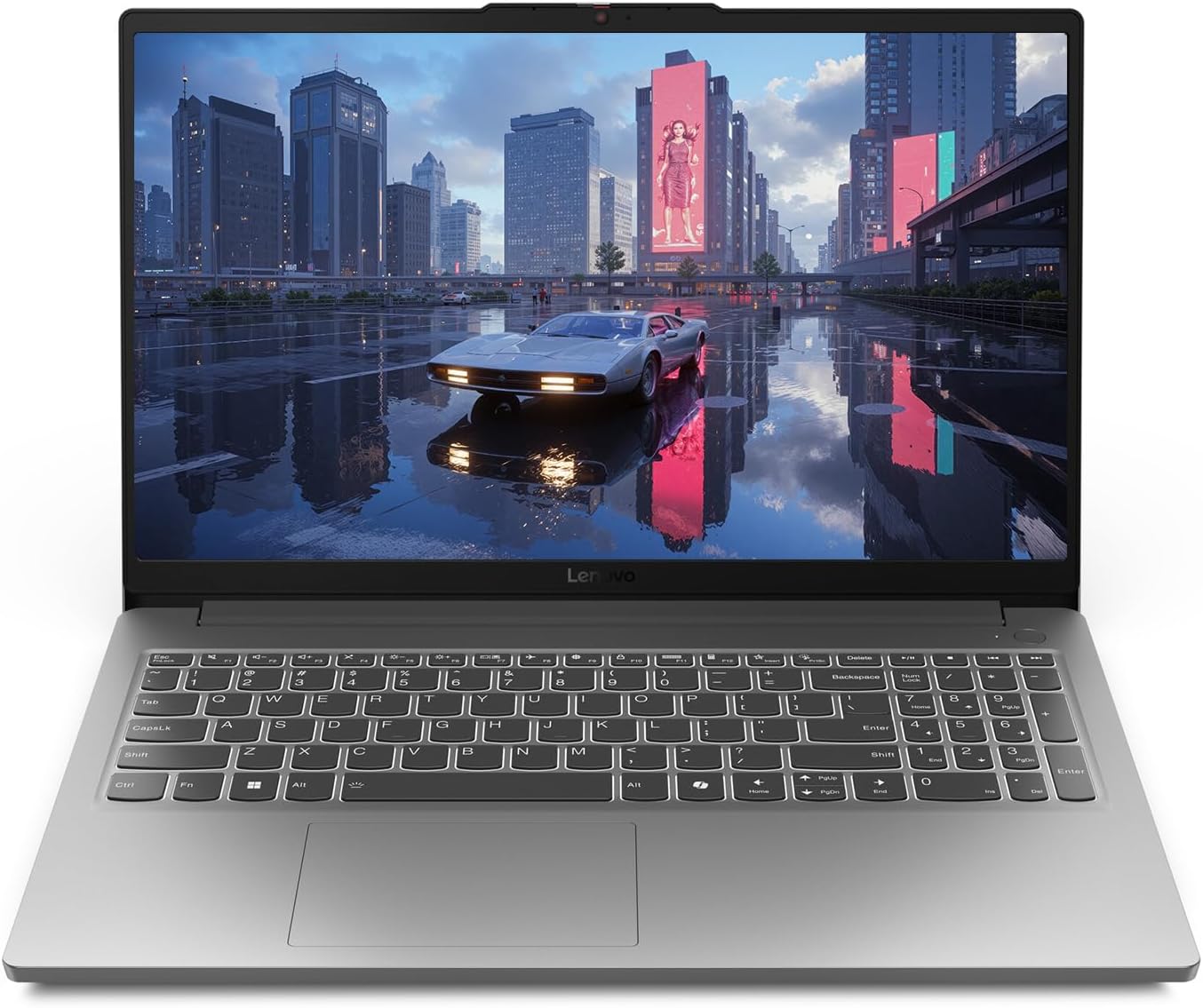
Lenovo LOQ Essential
| Feature | Specifications |
|---|---|
| Processor | Intel Core i5 12450HX |
| Graphics | Nvidia GeForce RTX 4050 8GB GDDR6 |
| RAM | 8GB DDR5 (Upgrade Recommended) |
| Storage | 512GB M.2 PCIe SSD |
| Display | 15.6" Full HD IPS (1920 x 1080), 144Hz |
| Weight | 4.2 lbs (1.9 kg) |
View on Amazon
For the absolute tightest budgets, Lenovo recently introduced the LOQ Essential line. Priced very aggressively, this laptop attempts to provide a gateway into PC gaming for college students and young gamers. However, examining the specifications reveals some brutal compromises that buyers need to understand.
The Cost of Cutting Corners
The LOQ Essential is powered by a much older Intel Core i5 12450HX processor and an entry level Nvidia RTX 4050 graphics card. Lenovo severely restricts the wattage to this graphics card to keep costs and temperatures low. You will struggle to maintain 60 frames per second in modern games unless you aggressively drop the visual settings to medium or low.
The compromises extend deep into the memory configuration. The most glaring flaw of this specific LOQ Essential model is that it only comes with 8 gigabytes of RAM out of the box. In 2026, 8 gigabytes of RAM is completely unacceptable for modern gaming. Background applications, Windows background processes, and modern game engines will instantly consume all available memory, leading to severe stuttering and massive frame rate drops. If you buy this laptop, you must immediately purchase and install a secondary stick of RAM to make the system usable.
With all these flaws, you might wonder why this laptop even exists. The truth is, the LOQ Essential is not designed for hardcore gamers. It is designed for students who need a cheap, reliable laptop for writing papers, browsing the web, and occasionally playing lightweight indie games or older competitive titles. Weighing only 4.2 pounds, it is incredibly easy to carry around campus. If you value portability and price over raw frame rates, it is an acceptable machine.
The Elephant in the Room: LOQ Motherboard Failures
We cannot talk about the Lenovo LOQ series without addressing a massive controversy that has taken over the community forums. Over the past two years, thousands of users have reported catastrophic motherboard failures on their LOQ laptops. The story is almost always the same. A user is playing a game or switching the laptop into dedicated GPU mode, the screen suddenly goes black, and the laptop never turns on again.
Lenovo claims to have released firmware updates to fix power delivery issues, but independent repair technicians tell a very different story. Technicians visiting homes to replace these dead motherboards in early 2026 report that the issue persists across all manufacturing batches. The root cause appears to be poor quality control and cheap power delivery components sourced from the factories. The HX series Intel processors draw sudden, massive spikes of power, and the budget motherboards simply fry under the pressure.
If you are buying a Lenovo LOQ or LOQ Essential, you must absolutely factor the cost of an extended warranty into your purchasing decision. Relying on the standard one year warranty is playing a dangerous game with your wallet. The premium Legion series does not suffer from these widespread failures, which is another reason to consider saving up for the higher tier models.
Software Ecosystem and Warranty Support
Every Lenovo gaming laptop comes preinstalled with their proprietary control software. For years, Lenovo Vantage has been widely considered the best software in the industry. It is clean, intuitive, and uses very few system resources. Through Vantage, you can easily monitor your CPU temperatures, switch between quiet and performance fan profiles, and toggle your graphics card settings.
Lenovo offers several tiers of warranty support, and understanding the differences can save you weeks of frustration. The standard base warranty requires you to mail your broken laptop to a repair center. This process can leave you without a computer for several weeks while you wait for parts and shipping.
For a little extra money, Lenovo offers an upgrade called Legion Ultimate Support. This tier provides next day onsite repair. If your motherboard fries or your screen dies, Lenovo will dispatch a certified technician directly to your house or dorm room with the replacement parts. The technician opens the laptop on your kitchen table and fixes it right in front of you. This minimizes downtime and ensures that you never lose physical possession of your hard drive and personal data. Purchasing this extended onsite warranty is practically a requirement for peace of mind.
Frequently Asked Questions
Did Lenovo fix the dead motherboard issues on the LOQ series in 2026?
According to independent technicians performing onsite repairs, the motherboard failure issue remains a serious risk across all recent manufacturing dates. The failures are linked to poor quality control and weak power delivery components that cannot handle the massive power spikes demanded by Intel HX series processors. While firmware updates have attempted to mitigate the problem, the hardware remains susceptible. If you buy a LOQ laptop, you should absolutely purchase an extended warranty with onsite repair.
Do I really need an OLED screen for gaming?
OLED screens offer infinite contrast ratios, perfect black levels, and incredibly fast pixel response times, making them visually superior to traditional IPS panels for gaming. Games with dark environments look spectacular because the black pixels actually turn off completely. However, OLED panels on the Legion series have glossy finishes, which cause severe glare in brightly lit rooms. If you use your laptop near sunny windows or harsh office lighting, the reflections will be highly distracting, and a matte IPS display might actually provide a better daytime viewing experience.
Is 8GB of RAM enough for a gaming laptop in 2026?
Absolutely not. 8 gigabytes of RAM is a severe bottleneck for modern gaming in 2026. Many newer titles, background applications, and game launchers will instantly consume all available memory. This leads to massive stuttering and poor frame rates. If you purchase a budget laptop like the LOQ Essential with 8 gigabytes of RAM, you must plan to immediately upgrade it to at least 16 gigabytes.
What is the difference between a Vapor Chamber and Heat Pipes?
A vapor chamber is a flat, vacuum sealed enclosure containing a small amount of liquid. As the processor and graphics card heat up, the liquid vaporizes, spreads rapidly across the entire chamber, dissipates the heat through the fans, and condenses back into a liquid. This process transfers heat much faster and more evenly than solid copper heat pipes. Laptops with vapor chambers, like the Legion Pro 7i, can run higher wattage components while keeping surface temperatures cooler. Laptops with heat pipes are cheaper to manufacture but run slightly hotter and louder under extreme loads.
MSI Gaming Laptop Guide 2026: Titan vs Raider vs Stealth vs Katana Explained
MSI has completely overhauled their 2026 lineup, pruning the chaos to focus on Titan, Raider, Stealth, and Katana. This guide cuts through the marketing fluff to reveal the raw performance hubs.
Read article →
ASUS Gaming Laptops Explained (2026): ROG vs TUF Complete Buying Guide
Confused by the ASUS gaming laptop lineup? Learn the differences between ROG Zephyrus, Strix, and TUF and find the perfect model for your needs.
Read article →
The Ultimate Gaming Laptop Buyers Guide 2026
Buying a gaming laptop in 2026 is a completely different experience than it was just two years ago. This guide covers everything from Blackwell GPUs to 3D V-Cache processors.
Read article →
Affiliate Disclosure: At Chronic Reload, we meticulously test and review the latest gaming hardware. When you purchase through our retail links, we may earn a small commission at no additional cost to you. This helps support our independent research and deep-dive technical analysis.
You May Also Like
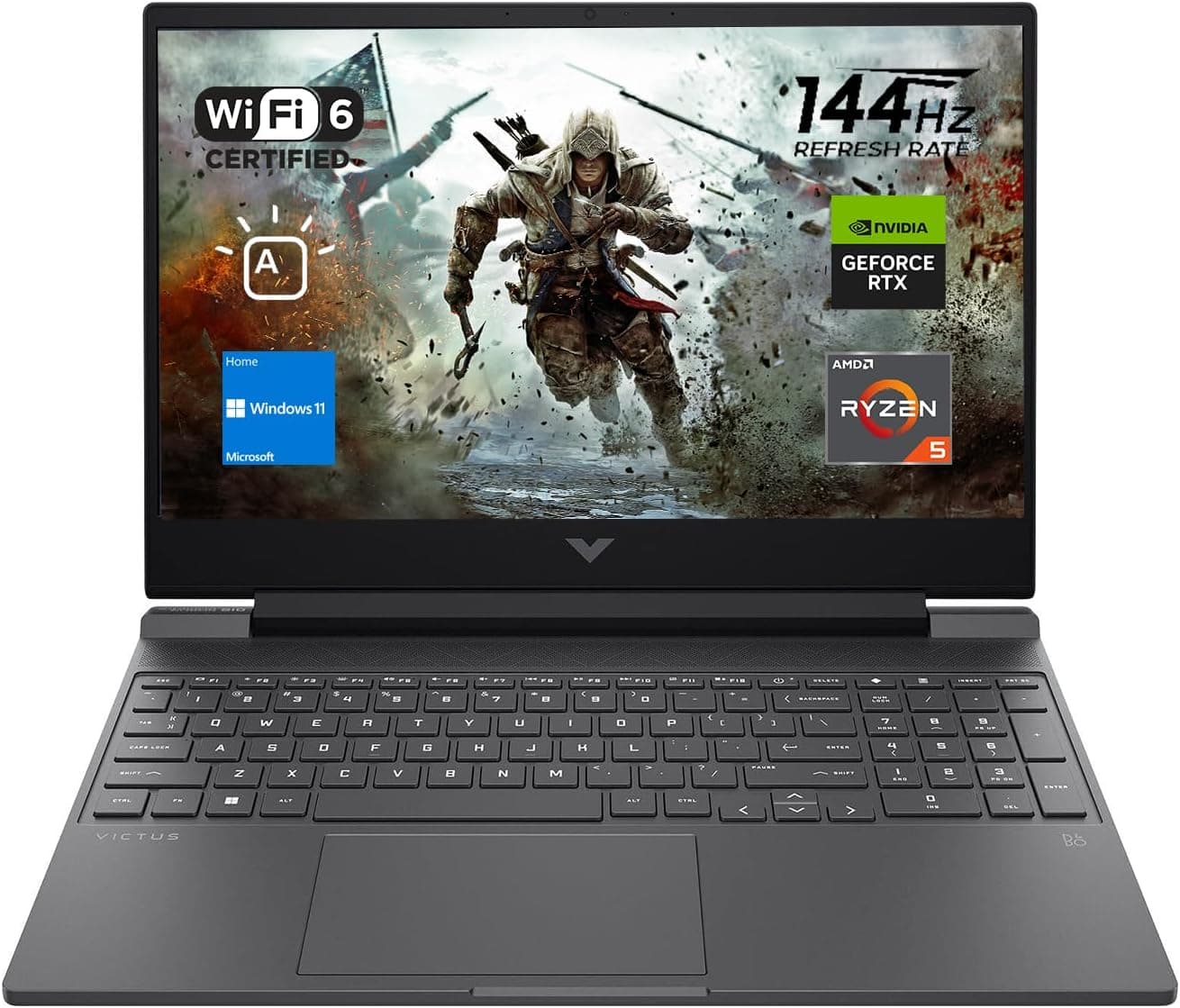
Best Gaming Laptops for College Students Under $1000 in 2026
Buying a gaming laptop for college is different from buying one purely for gaming. A college laptop needs to handle lectures, assignments, research, video calls, and productivity software during the day while still delivering solid gaming performance at night.

Best Games on Steam to Play While Working From Home
Best games on Steam to play while working from home, from cozy builders to smart card games that fit short breaks, easy pauses, and low stress sessions.
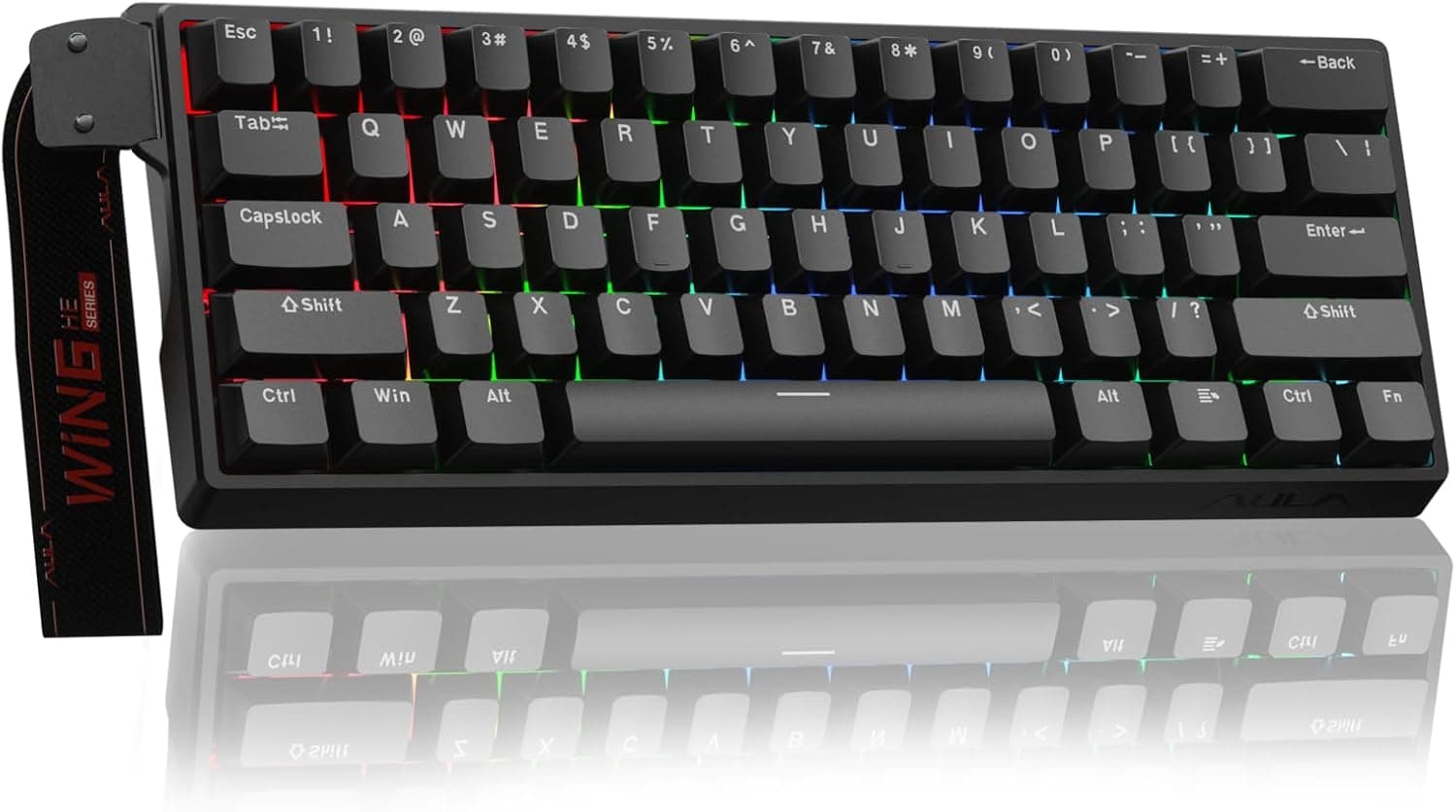
Best Budget Hall Effect Keyboards in 2026 (Under $50)
Discover the best budget Hall Effect keyboards under fifty dollars in 2026. Read our honest, in depth analysis of performance, build quality, and software features of the top six magnetic switch boards.