
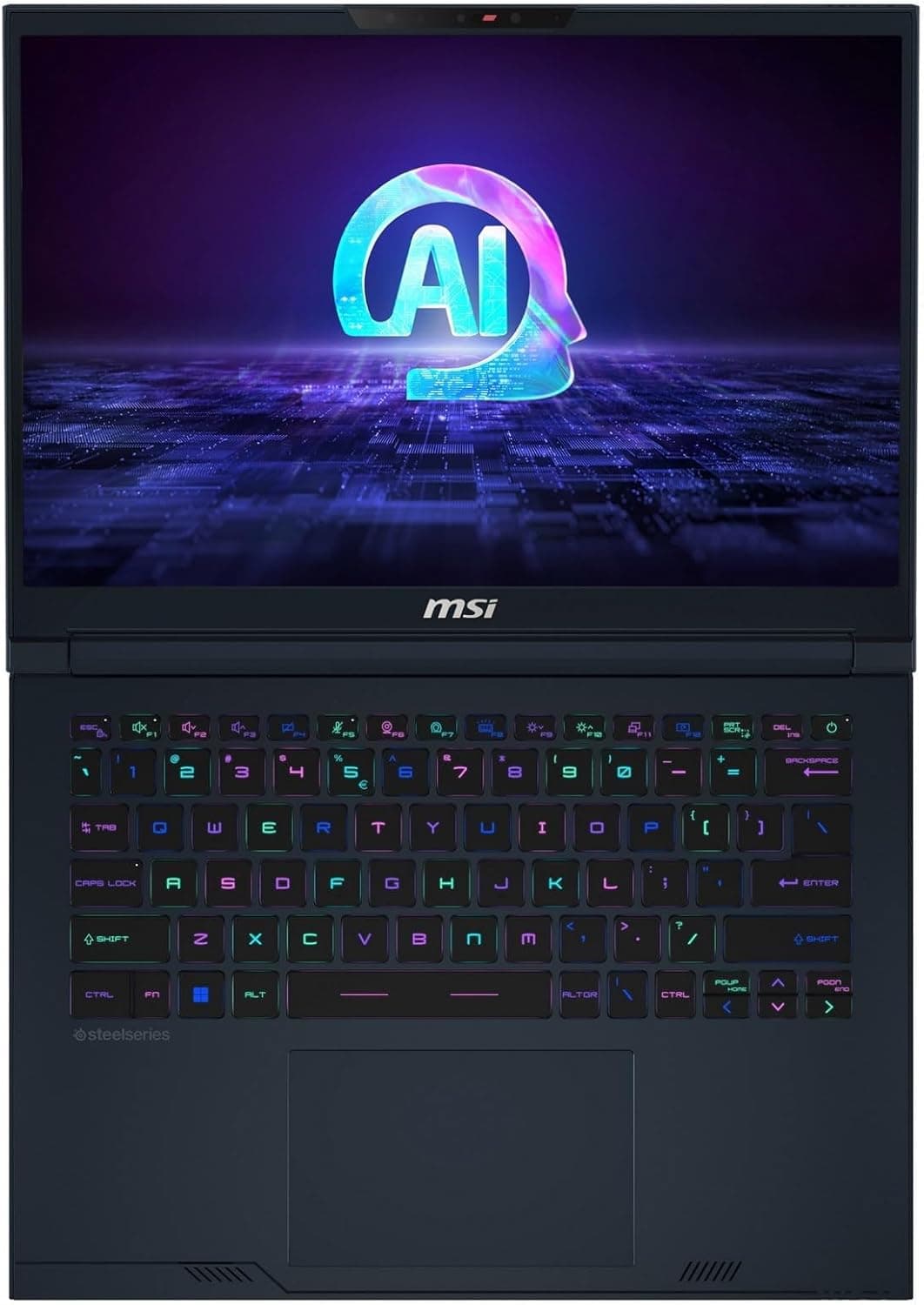
What to Look for When Buying a Gaming Laptop (2026 Buyers Guide)
Introduction
The gaming laptop market right now is an absolute minefield. If you are reading this, you are probably staring at a dozen different spec sheets, trying to figure out if an Intel Core Ultra 9 is actually better than an AMD Ryzen AI Max, or if paying extra for a Copilot Neural Processing Unit is just a massive waste of money. You are not alone. Between the global memory shortages, the explosive rise of local artificial intelligence hardware, and a completely revamped generation of graphics cards, buying a portable gaming rig has never been more complicated.
Look, we have moved past the days when you just picked the machine with the highest number on the box and called it a day. Manufacturers are getting incredibly sneaky. They are hiding low power graphics chips inside premium chassis designs. They are upselling you on storage speeds you will literally never notice in a game. They are pushing artificial intelligence buzzwords down our throats at every possible opportunity.
But it is not all bad news. In fact, if you know exactly what you are looking for, the hardware available right now is nothing short of breathtaking. We are seeing battery technology leaps that we have been dreaming about for a decade. We are seeing cooling solutions that do not even use fan blades. We have displays that can physically alter their resolution and refresh rate depending on what game you are playing.
You just need a map to navigate the hype. Let us break down exactly what you need to look for when buying a gaming laptop in 2026.
10 PC Hardware Terms Every New PC Gamer Needs to Know Before Buying Anything
New to PC gaming? These 10 hardware terms will save you from bad upgrades, weak builds, and wasted cash. Learn what actually impacts performance before you buy anything.
The Harsh Reality of the 2026 Hardware Market
Before we even talk about specific components, we need to talk about the state of the industry. You might have noticed that laptops are incredibly expensive right now. There is a very specific reason for that. We are currently living through what many industry analysts are calling the great memory crisis or RAMageddon.
Because the corporate world is entirely obsessed with artificial intelligence server farms, components like high speed RAM and NAND flash storage are being bought up by the millions. This massive demand from the data center sector has caused a severe global memory shortage. The ripple effect on PC gamers is brutal. Component prices have skyrocketed, and the budget friendly laptop segment is practically on life support.
If you were hoping to find a truly capable gaming laptop for under 1000 dollars, your options are incredibly slim.
Best Prebuilt Gaming PCs on Amazon Under $3000 (RTX 5060–5080) 2026
With laptop prices soaring during Ramageddon, check out the best high-end prebuilt gaming PCs that offer elite performance for your money.
This means you cannot afford to make a mistake. If you are going to drop a premium amount of cash on a portable machine, it needs to last you for years. You need hardware that is efficient, upgradeable where possible, and built to handle the incredibly demanding games coming down the pipeline. You also cannot wait around hoping prices will drop.
Graphics Cards: Understanding the RTX 50 Series
The graphics processing unit is the beating heart of your gaming laptop. It is the single most important component you will choose. Right now, Nvidia is completely dominating the high end space with their RTX 50 series laptop graphics cards, built on the highly anticipated Blackwell architecture.
But you have to be incredibly careful with laptop graphics cards. A graphics card inside a thin laptop will not perform the same as a card with the exact same name inside a thick desktop replacement. It all comes down to the wattage, also known as the Total Graphics Power.
The Heavyweights: RTX 5090 and RTX 5080
If you have unlimited funds and you want desktop level performance in a backpack, the RTX 5090 laptop graphics card is the absolute pinnacle of current engineering. These chips are monstrous. The top tier laptops are pushing the RTX 5090 to a maximum graphics power of 175 watts.
When combined with dynamic boost technologies, systems like the MSI Titan 18 HX can pull a total system power of 300 watts, feeding 175 watts to the graphics card and 125 watts to the processor simultaneously. This is enough power to run any modern game at 4K resolution with full path tracing enabled. The RTX 5090 also comes equipped with a massive 24GB of GDDR7 memory. This is completely future proof for high resolution textures and heavy video editing workloads.
The RTX 5080 is the smart step down. It offers brilliant performance for 1440p and 4K gaming but scales slightly better in thinner chassis designs. If you are looking at a premium 16 inch laptop, the RTX 5080 is often the sweet spot for thermal management, ensuring your fans do not sound like a helicopter taking off.
If you are looking at the RTX 5060 or RTX 5070, you need to understand how board partners are manufacturing these laptops. Leaks have revealed that Nvidia is planning an update for the RTX 5060 using the GB205 graphics processor, which is the exact same silicon currently used for the much more powerful RTX 5070. Always check independent reviews to see exactly how much wattage a specific RTX 5060 or 5070 laptop is allowed to pull before buying it.
The RTX 5050 is a surprisingly capable 1080p gaming chip. It has more video memory than the older 8GB cards, meaning it will not stutter as much in modern games that demand heavy texture streaming. You can find this chip in budget heroes like the MSI Katana 15 HX, which usually retails right around the 999 dollar mark.
Best RTX 5050 Gaming Laptops Under $1000 in 2026: Blackwell Budget Kings
Looking for a budget beast? We've rounded up the top RTX 5050 laptops that deliver incredible 1080p performance without breaking the bank.
DLSS 4.5: The Real Reason You Buy Nvidia
Raw hardware power is great, but the real reason the RTX 50 series is so dominant is the software. At the Consumer Electronics Show this year, Nvidia unveiled DLSS 4.5, and it feels like literal magic.
Deep Learning Super Sampling has been around for a while, but version 4.5 introduces a second generation transformer model. It uses five times the computing power of the older versions to understand game engine motion data and pixel sampling. The result is an upscaled image that often looks better and sharper than native resolution, with zero text fringing, zero ghosting, and brilliant motion clarity.
But the absolute game changer is the new 6X Multi Frame Generation technology.
In the past, frame generation worked by looking at two real frames and generating one fake frame in between them. DLSS 4.5 can dynamically generate up to five artificial frames for every single traditionally rendered frame. Let that sink in. Your graphics card only has to work hard enough to render 40 frames per second natively, and the artificial intelligence will fill in the gaps to deliver a buttery smooth 240 frames per second on your display.
The Processor Wars: Intel vs AMD
Choosing a processor used to be simple. You picked Intel for raw single core gaming performance, and you picked AMD if you wanted better battery life. In 2026, the lines are completely blurred. Both companies are fighting tooth and nail for dominance in the portable space.
Intel Panther Lake and Arrow Lake Refresh
Intel currently divides its mobile platforms into two distinct categories. For the ultra portable and thin gaming laptops, we have the Core Ultra Series 3 chips, code named Panther Lake. These chips are incredibly efficient and feature powerful Neural Processing Units for local artificial intelligence tasks.
For the thick, heavy, desktop replacement laptops, Intel is using the Arrow Lake Refresh HX series. We are seeing chips like the Core Ultra 9 285HX pushing ridiculous clock speeds to feed those massive RTX 5090 graphics cards. There have also been benchmark leaks for new mid range chips like the Core Ultra 5 250K Plus. The PassMark results show a brilliant 16 percent bump in multi threaded workloads over the previous generation, scoring over 50000 points in multi core tests.
AMD Zen 6 Medusa and Strix Halo
AMD is refusing to back down. Their current roadmap confirms that the highly anticipated Zen 6 architecture, code named Medusa Point for laptops, will utilize a flagship 2 nanometer manufacturing process from TSMC. This means they will be insanely power efficient and feature brand new instruction extensions like AVX512. However, much like Intel Nova Lake, these chips are expected to hit the market in late 2026 or early 2027.
Right now, AMD is leaning heavily on their Ryzen AI Max platform, also known as Strix Halo. This is perhaps the most exciting development for casual gamers and people who want incredibly thin laptops.
The Rise of Integrated Graphics
For decades, gamers laughed at integrated graphics. If a laptop did not have a dedicated Nvidia or AMD graphics sticker on the palm rest, it was considered a basic office machine meant only for spreadsheets and web browsing. That is no longer true.
The AMD Strix Halo chips pack massive integrated graphics performance. They can allocate up to 96 gigabytes of system memory directly to the graphics processor. The performance output of these integrated chips is now rivaling entry level dedicated cards.
If you primarily play competitive shooters, indie titles, or older games, you do not need to buy a thick laptop with a dedicated graphics card anymore. You can buy a gorgeous, incredibly thin 14 inch ultrabook with an AMD Strix Halo or Intel Panther Lake processor, utilize upscaling technologies like AMD FSR 4 or Intel XeSS 3, and game comfortably at 1080p. This saves you money, saves battery life, and saves your back when carrying the laptop around campus or through an airport.
Displays
If there is one component you should absolutely splurge on, it is the display. You look at it every single time you use the laptop. A terrible screen will ruin the experience of a premium graphics card, but a beautiful screen makes everything feel like a massive upgrade. The display market has exploded with new technology this year.
OLED vs Mini LED
The great debate of 2026 is between OLED and Mini LED panels. Both are spectacular, but they serve entirely different purposes and excel in different environments.
OLED screens provide perfect, infinite black levels because every single pixel provides its own light. When a pixel needs to be black, it simply turns off completely. This creates unparalleled contrast and makes colors pop off the screen in a way that traditional LCDs cannot match. Furthermore, OLED panels have near instantaneous response times, often measuring at 0.2 milliseconds. This makes them perfect for fast paced competitive gaming where motion blur can completely ruin your aim.
Historically, OLED laptops had a major flaw. They used a strange sub pixel layout that caused colored fringing around text, making them incredibly annoying for reading documents or writing code. The newest 5th generation QD OLED panels have entirely fixed this issue. They use a standard true RGB V Stripe sub pixel layout, making text look absolutely identical to standard high quality LCD monitors. The screen coating has also been improved to prevent raised black levels in bright rooms.
Mini LED panels, on the other hand, are the undisputed kings of pure brightness. While an OLED might peak at 1100 nits in small highlights, a good Mini LED panel can easily push 1600 nits and sustain massive brightness across the entire screen. They achieve this by using thousands of tiny backlight zones that dim independently. We are seeing incredible screens hitting the market with nearly 5000 independent dimming zones, giving them contrast that rivals OLED while being bright enough to sear your eyeballs.
If you play games in a very bright room, or if you use your laptop outside in the sun, Mini LED is the way to go. If you play in a dim room and care about absolute motion clarity and perfect blacks, buy an OLED.
5 Best 14-Inch Gaming Laptops in 2026 (Ultra-Portable but Powerful)
In 2026, 14-inch gaming laptops have become the ultimate balance of power and portability. We feature 5 top picks from Asus, Razer, HP, MSI, and Acer that deliver high-end performance in a compact chassis.
Battery Technology
Gaming laptops have historically been terrible as actual laptops. You had to stay tethered to a wall outlet because playing a game on battery power would drain the machine in forty five minutes. Even just browsing the web would kill a massive gaming rig in a few hours. In 2026, the actual chemistry inside the batteries has fundamentally changed.
For decades, we relied on traditional lithium ion batteries that used graphite anodes. But scientists have finally perfected the Silicon Carbon battery for consumer electronics.
Instead of relying purely on graphite, these new batteries use a composite material combining silicon and carbon. At an atomic level, silicon can hold significantly more lithium ions than graphite. In fact, a silicon carbon composite structure can hold 15 lithium atoms per three silicon atoms, compared to the strict one to one ratio in old graphite structures.
What does this mean for your laptop? It means a massive 25 percent increase in overall battery capacity without changing the physical size or weight of the battery pack.
Manufacturers are restricted by international flight laws to keep laptop batteries under 100 watt hours so you can legally bring them on an airplane. However, the new chemistry means they can fit that maximum capacity into much thinner, lighter chassis designs. Combine these dense batteries with the incredible power efficiency of the new Intel Panther Lake and AMD Strix Halo processors, and we are finally seeing thin and light gaming laptops that can genuinely last all day for productivity tasks.
While you still cannot play a heavy 3D game on battery power for ten hours, you can absolutely take your gaming laptop to a coffee shop, work on spreadsheets, browse the web, and watch videos all day without ever reaching for your 200 watt power brick.
Cooling Innovations
If you want peak performance, you have to eliminate heat. When a graphics card or processor gets too hot, it automatically slows itself down to prevent the silicon from melting. This is called thermal throttling, and it is the enemy of high frame rates and smooth gameplay.
For massive desktop replacements like the Lenovo Legion Pro 7i and the MSI Titan 18 HX, manufacturers rely on massive vapor chambers and liquid metal. Standard thermal paste is out. Liquid metal provides significantly better heat transfer directly from the processor die to the cooling block. The vapor chamber then spreads that heat across a massive surface area so the heavy duty fans can exhaust it out the back. Lenovo is even using 3D fan blades that are a razor thin 0.1 millimeters to maximize airflow. Make sure to check the reviews on the cooling when buying a gaming laptop, because the performance can decrease significantly if the laptop cannot handle cooling well.
Storage and Memory
Let us talk about storage. If you look at the spec sheet for an ultra premium laptop like the MSI Titan 18 HX, you will see it proudly advertising a PCIe Gen 5 solid state drive slot. It sounds amazing. It has double the theoretical bandwidth of PCIe Gen 4, allowing for 16 gigabytes per second of data transfer.
Do you need it for gaming? Absolutely not.
Independent hardware reviewers have tested the absolute fastest graphics cards on the planet with the fastest processors, and the difference in gaming performance between a PCIe Gen 4 drive and a PCIe Gen 5 drive is literally non existent. Even switching all the way back to an ancient PCIe Gen 3 interface only resulted in a one to four percent performance drop in the most extreme scenarios.
Modern games simply are not designed to saturate that kind of massive data pipeline yet. Buying a PCIe 5 drive is a waste of money if your primary goal is gaming. Furthermore, Gen 5 drives run incredibly hot, which is the last thing you want inside a cramped laptop chassis. Save your money. Buy a massive 2TB or 4TB PCIe Gen 4 drive instead. You will get the exact same loading screen times while saving hundreds of dollars and keeping your system significantly cooler.
The RAM Requirement
When it comes to system memory. Do not buy a gaming laptop with 8GB of RAM. It is completely obsolete. The operating system and background applications will consume half of that before you even click the play button on Steam.
16GB of DDR5 RAM is the absolute bare minimum you should accept in 2026. However, if you have the budget, you should strongly consider pushing for 32GB. Games are using massive high resolution textures, and if your video memory fills up, the system will start using your system RAM as an overflow buffer. If you do not have enough system RAM to accommodate that overflow, your game will stutter uncontrollably. Plus, if you plan on streaming your gameplay or running local artificial intelligence tasks, 32GB is practically mandatory for a smooth experience and future proofing.
Best PC Games for 8GB RAM in 2026 (Survival Guide)
Not ready to upgrade to 16GB yet? Here is how to make the most of your 8GB RAM rig in 2026.
The AI NPU Buzzword: What Does It Actually Do?
You cannot look at a laptop box in 2026 without seeing the letters NPU plastered all over it in bright neon font. The Neural Processing Unit is a dedicated piece of silicon designed exclusively to handle artificial intelligence workloads locally, without needing to ping a cloud server over the internet.
Laptop marketing will brag about hitting 50 TOPS, which stands for Trillions of Operations Per Second. It sounds very futuristic and incredibly fast.
But what does it actually do for a gamer? Right now, very little.
The NPU is fantastic for everyday productivity. It runs the Microsoft Copilot features smoothly. It can blur your background on a video call instantly without dropping frames. It can transcribe your voice notes into text without draining your battery. It is incredibly power efficient for these specific mathematical calculations.
However, your games are not using the NPU. When you turn on DLSS frame generation, ray tracing, or path tracing, that heavy lifting is being done by the Tensor Cores built directly into your Nvidia RTX graphics card, not the NPU on your processor.
Do not pay extra for a laptop just because it advertises a high NPU TOPS number. Treat it as a nice bonus for battery life during office work, but focus your budget entirely on the graphics card and the display if you care about raw gaming performance.
Final Thoughts Before You Buy
Always check the exact wattage of the graphics card in the laptop you are buying. A 100 watt RTX 5080 will severely underperform compared to a 175 watt RTX 5080. Manufacturers are notorious for hiding the wattage deep in the specification sheets.
You should also pay close attention to the laptop’s cooling system. Gaming laptops generate a lot of heat, especially under heavy workloads. A powerful GPU means very little if the cooling system cannot handle it. Poor cooling can lead to thermal throttling, where the laptop reduces performance to prevent overheating. Look for laptops with large vapor chambers, multiple heat pipes, and strong fan systems, and always check independent reviews to see how the laptop performs under sustained gaming loads.
Pay attention to the RAM configuration. Try to avoid laptops that solder all of their memory to the motherboard. While extremely thin ultrabooks have to solder memory to save space, standard 15 inch and 16 inch gaming laptops should have slotted SODIMM memory so you can upgrade it yourself in the future.
Do not be fooled by marketing surrounding port speeds unless you actually plan to use them. Thunderbolt 5 is an incredible piece of technology that offers massive data transfer rates, but if you only plan to plug in a standard gaming mouse and a basic headset, you do not need to pay a premium for Thunderbolt 5 certification.
Finally, trust independent reviews over manufacturer claims. Battery life estimates from the manufacturer are almost always tested under completely unrealistic conditions, like playing a local video file with the screen brightness turned all the way down and the WiFi disabled. Look for reviewers who test battery life under actual web browsing and gaming conditions.
ASUS Gaming Laptops Explained (2026): ROG vs TUF Complete Buying Guide
Confused by the ASUS gaming laptop lineup? Learn the differences between ROG Zephyrus, Strix, and TUF and find the perfect model for your needs.
MSI Gaming Laptop Guide 2026: Titan vs Raider vs Stealth vs Katana Explained
MSI has completely overhauled their 2026 lineup, pruning the chaos to focus on Titan, Raider, Stealth, and Katana. This guide cuts through the marketing fluff to reveal the raw performance hubs.
Lenovo Gaming Laptop Guide 2026: Legion vs LOQ Explained + Best Models for Every Gamer
Lenovo continues to absolutely dominate the gaming laptop space in 2026. We break down the differences between the Legion Pro, Legion, and LOQ series to help you find the perfect rig.
HP Gaming Laptop Guide 2026: Omen vs Victus Explained + Best Picks
HP's 2026 gaming laptop lineup features the new RTX 50 series GPUs and advanced Ryzen AI processors. This guide breaks down the Omen and Victus models to help you find the right fit.
Best Gaming Laptops at Every Budget $900 to $3000 for 2026 Guide
Buying a gaming laptop in 2026 is an absolute minefield. We review the six absolute best gaming laptops spanning budget to enthusiast tiers.
Frequently Asked Questions
Is OLED burn in still a major issue for gaming laptops?
For modern 2026 laptops, burn in is largely a problem of the past. Manufacturers have implemented aggressive pixel shifting technologies, automatic taskbar hiding, and continuous organic material refinements. Unless you leave a static news ticker or a bright static heads up display on your screen at maximum brightness for thousands of hours consecutively, you will likely never experience burn in during the normal lifespan of the laptop.
Should I wait for the Nvidia RTX 60 series graphics cards?
Absolutely not. Reliable industry reports confirm that Nvidia is not releasing any new RTX gaming graphics cards in 2026. The RTX 50 Super series was completely canceled, and the next generation RTX 60 series, code named Rubin, has been delayed until 2028 due to extreme data center manufacturing demands. Buying an RTX 50 series laptop today guarantees you top tier performance for several years.
Do I really need 32GB of RAM for gaming?
While 16GB is the bare minimum for a functional Windows 11 gaming experience, 32GB is highly recommended. Modern games feature massive, uncompressed textures. If your graphics card runs out of video memory, it borrows your system RAM. Having 32GB ensures you have a massive buffer, preventing stuttering in heavy open world games. It is also essential if you plan to stream or keep a web browser open on a second monitor while playing.
Is PCIe 5.0 storage worth the extra money?
No. While the theoretical speeds of PCIe Gen 5 are staggering, real world gaming tests show practically zero difference in game loading times or texture streaming compared to PCIe Gen 4. Gen 5 drives also generate significant amounts of heat, which is detrimental inside a cramped laptop chassis. Save your budget and opt for a higher capacity Gen 4 drive instead.
Does an AI NPU actually improve gaming performance?
No. The Neural Processing Unit found in modern Intel and AMD processors is designed for power efficient background tasks like video call background blurring and voice transcription. The heavy artificial intelligence workloads in gaming, like DLSS frame generation and ray tracing, are handled exclusively by the Tensor Cores built into your Nvidia or AMD graphics card. The NPU is great for battery life during office work, but it does not give you more frames per second in your games.
You May Also Like
Best Budget Hall Effect Keyboards in 2026 (Under $50)
Discover the best budget Hall Effect keyboards under fifty dollars in 2026. Read our honest, in depth analysis of performance, build quality, and software features of the top six magnetic switch boards.
Best Gaming Laptops at Every Budget $900 to $3000 for 2026 Guide
Buying a gaming laptop in 2026 is an absolute minefield. We review the six absolute best gaming laptops from Acer, Lenovo, Alienware, ASUS, and MSI spanning budget to enthusiast tiers.

Best PC Games for 8GB RAM in 2026 (Low Spec PCs)
Is 8GB of RAM enough for gaming in 2026? Discover the best PC games that run smoothly on 8GB RAM rigs, from indie masterpieces to optimized AAA titles and competitive shooters.