
ASUS Gaming Laptops Explained (2026): ROG vs TUF Complete Buying Guide
Navigate this article
Introduction
Desktop level gaming experiences are now genuinely available in form factors that easily slip into a standard backpack. ASUS has positioned its massive 2026 portfolio to dominate every specific consumer demographic and price point. The Republic of Gamers and The Ultimate Force series offer wildly different aesthetic philosophies and thermal capabilities.
Navigating this saturated product stack requires a deep understanding of hardware nuances. Marketing terminology often obscures the actual real world performance metrics. This comprehensive guide deconstructs the entire ASUS laptop ecosystem.
By analyzing thermal dynamics, verified consumer sentiment from major community forums, pricing trends at major retailers, and direct competitive positioning against industry rivals, this report provides the ultimate purchasing blueprint.
Quick Picks
| Category | Recommended Model | Key Specifications | Amazon | Target Demographic |
|---|---|---|---|---|
| Best Premium Portable | ROG Zephyrus G16 | Intel Ultra 9-285H, RTX 5080, 16 inch OLED 240Hz | Check Price | Content creators and mobile professionals requiring extreme power in a thin chassis. |
| Best Desktop Replacement | ROG Strix Scar 18 G835 | Intel Core Ultra 9 275HX, RTX 5090, 18 inch Mini LED 240Hz | Check Price | Hardcore enthusiasts and esports professionals demanding uncompromised frame rates. |
| Best Value and Durability | TUF Gaming A16 | Ryzen AI 9 270, NVIDIA GeForce RTX 5070 | Check Price | Students and budget conscious consumers seeking reliable 1440p performance. |
| Best Ultraportable | ROG Zephyrus G14 | Ryzen AI 9 HX 370 NVIDIA RTX 5070 Ti, 14 inch OLED 120Hz | Check Price | Frequent travelers and creatives prioritizing minimal weight without sacrificing rendering capabilities. |
Lineup Explained
The massive ASUS portfolio is strictly segmented into four distinct product families. Each product line is engineered with a highly specific design philosophy and target audience in mind.
Understanding the architectural and aesthetic differences between these separate lines is absolutely crucial for making an informed financial decision. Buying the wrong tier of machine will result in either wasted money or severe performance bottlenecks.
Republic of Gamers Zephyrus Series
The Zephyrus family represents the absolute pinnacle of premium thin and light engineering within the ASUS ecosystem. Historically, this specific product line has attempted to balance extreme portability with high end silicon.
In previous years, this delicate balancing act often resulted in severe thermal constraints and loud fan acoustics. However, the 2026 iterations, specifically the G14 and G16, have resolved these past thermal throttling issues.
Engineers accomplished this through a completely redesigned CNC machined aluminum chassis. Improved internal airflow dynamics now allow the internal components to breathe properly.
A massive architectural shift for the 2026 production run is the transition to an all Intel processor lineup across both the 14 inch and 16 inch models. ASUS has entirely abandoned the AMD Ryzen chips previously favored for the smaller G14 chassis.
Both flagship models now utilize the exceptionally powerful Intel Core Ultra 9 386H processor. This specific processor integrates a Neural Processing Unit capable of up to 50 Tera Operations Per Second.
This neural hardware accelerates local artificial intelligence workloads and advanced video rendering tasks without taxing the main graphics processor. The visual experience is anchored by the breathtaking ROG Nebula HDR Display.
This custom OLED panel is capable of reaching a peak brightness of 1100 nits while maintaining a sustained brightness of 500 nits across the entire screen. Gamers are treated to a blistering 240Hz refresh rate on the 16 inch model and a highly responsive 120Hz refresh rate on the 14 inch variant.
Republic of Gamers Strix and Scar Series
While the Zephyrus line prioritizes portability and sleek aesthetics, the Strix and Scar series are built exclusively for unconstrained power delivery. These massive machines operate as true desktop replacements.
The flagship ROG Strix Scar 16 and Scar 18 models are equipped with the immensely powerful Intel Core Ultra 9 275HX processor. This specific silicon features 24 cores and 24 threads, and it is capable of boosting to an astonishing 5.4 GHz under heavy workloads.
Graphics processing is handled by the absolute top tier NVIDIA GeForce RTX 5080 and RTX 5090 Laptop GPUs. These graphics processors are permitted to draw up to 175W of Total Graphics Power thanks to NVIDIA Dynamic Boost technology.
To manage the immense heat generation of these components, the Scar series utilizes the proprietary ROG Intelligent Cooling system. This advanced thermal solution includes an end to end vapor chamber spanning the entire motherboard.
It also features a sandwiched heatsink utilizing ultra thin 0.1mm copper fins, providing a massive 169388 square millimeters of heat dissipation surface area. Conductonaut Extreme liquid metal is factory applied to both the central processor and the graphics processor to ensure maximum thermal transfer.
The standard Strix G16 and G18 models offer very similar chassis designs and cooling architectures. However, they scale down the internal component tiers slightly to reach a more accessible consumer price point.
By utilizing RTX 5060 or 5070 graphics chips, the standard Strix models can achieve an entry price of roughly 1299 USD during promotional periods. This provides a massive performance ceiling for gamers who cannot afford the ultra premium Scar variants.
TUF Gaming Series
The TUF Gaming series represents the entry level and mid tier sectors of the market. These machines sacrifice premium CNC aluminum construction and high end OLED panels in favor of raw cost effectiveness and rugged durability.
The entire TUF lineup is officially certified under MIL STD 810H military grade testing standards. This rigorous certification ensures extreme resistance to accidental drops, heavy vibration, high humidity, and extreme operational temperatures.
The absolute standout model for the 2026 fiscal year is the newly redesigned TUF Gaming A14 FA401. This compact model weighs a mere 1.46 kilograms and measures exactly 16.9 millimeters thick.
This specific chassis brings unprecedented portability to the budget sector without sacrificing essential cooling features. It utilizes the highly efficient AMD Ryzen AI 9 465 processor combined with an RTX 5060 Laptop GPU.
The internal components are cooled by dual 97 blade fans and ultra thin copper fins, completely capable of managing a 135W Thermal Design Power when the user engages manual fan modes.
The larger TUF A15 and A16 models continue to serve the traditional mid tier market with larger screens and expanded keyboards. These laptops offer excellent 1080p and 1440p gaming experiences utilizing the reliable AMD Ryzen 7 7445HS processors.
Buyers can configure these larger TUF models with either RTX 4050 or 5070 graphics options depending on their specific budget constraints. The TUF series remains the absolute best entry point for PC gaming newcomers in the United States.
Best RTX 5050 Gaming Laptops Under $1000 in 2026: Blackwell Budget Kings
The ASUS TUF Gaming F16 is a top contender in the budget space. Find out why it's one of our top RTX 5050 picks for 2026.
Read article →Best Gaming Laptops at Every Budget $900 to $3000 for 2026 Guide
Buying a gaming laptop in 2026 is an absolute minefield. We review the six absolute best gaming laptops spanning budget to enthusiast tiers.
Read article →
Best by Type
Analyzing the theoretical specifications on a retail webpage provides only a partial understanding of the hardware. Evaluating exactly how these machines perform under sustained real world workloads reveals their true market value.
Hardware reviewers and passionate community members have thoroughly stress tested the entire 2026 lineup. The following designations highlight the absolute best laptop for specific gaming and productivity needs.
1. Best Premium Thin and Light Machine: ROG Zephyrus G16
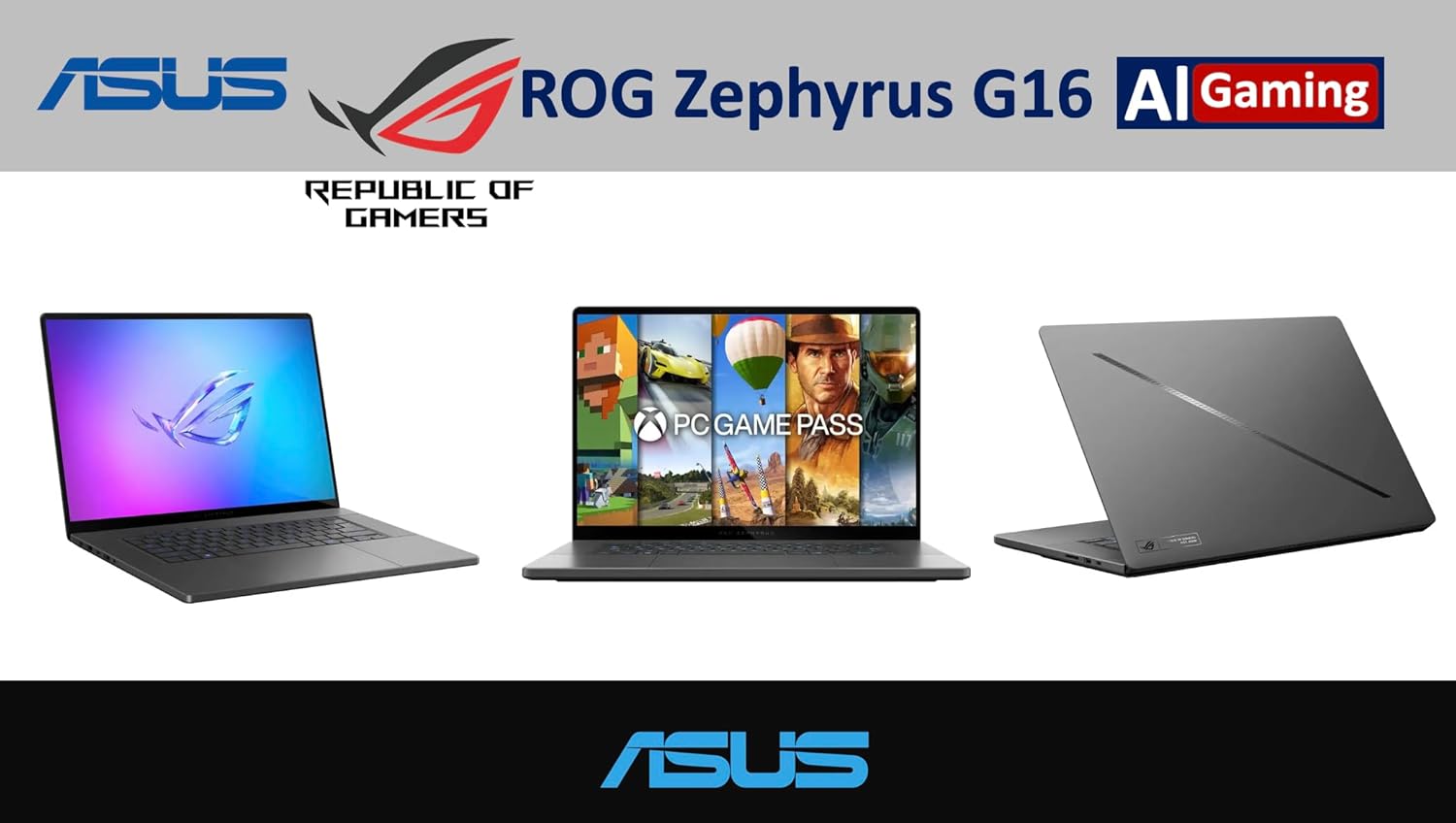
The ROG Zephyrus G16 represents a dramatic and highly necessary course correction from previous generational attempts. Market analysts and popular hardware reviewers noted that the 2024 and 2025 iterations were heavily flawed.
While those older models were aesthetically beautiful, they were plagued by severe thermal throttling and wildly inconsistent frame pacing under heavy gaming loads. The 2026 comprehensive redesign addresses these fundamental engineering flaws directly.
This strict power limit left massive amounts of rendering performance completely untapped. The newfound ability to push the RTX 5080 near its maximum voltage curve within a slim chassis elevates the Zephyrus G16 from a simple lifestyle product to a legitimate high frame rate gaming station.
Furthermore, the 16 inch 2.5K OLED panel provides absolute true black levels and an instantaneous 0.2 millisecond response time. This incredible panel speed effectively eliminates ghosting and motion blur in fast paced competitive esports titles.
| Feature | ROG Zephyrus G16 Details |
|---|---|
| Processor | Intel Ultra 9-285H |
| Graphics | NVIDIA GeForce RTX 5080 |
| Display | 16-inch 2.5K OLED, 240Hz, 0.2ms |
| Price | Starts at $3,999.00 |
Check Out the ROG Zephyrus G16 on Amazon
2. Best Enthusiast Desktop Replacement: ROG Strix Scar 18 G835
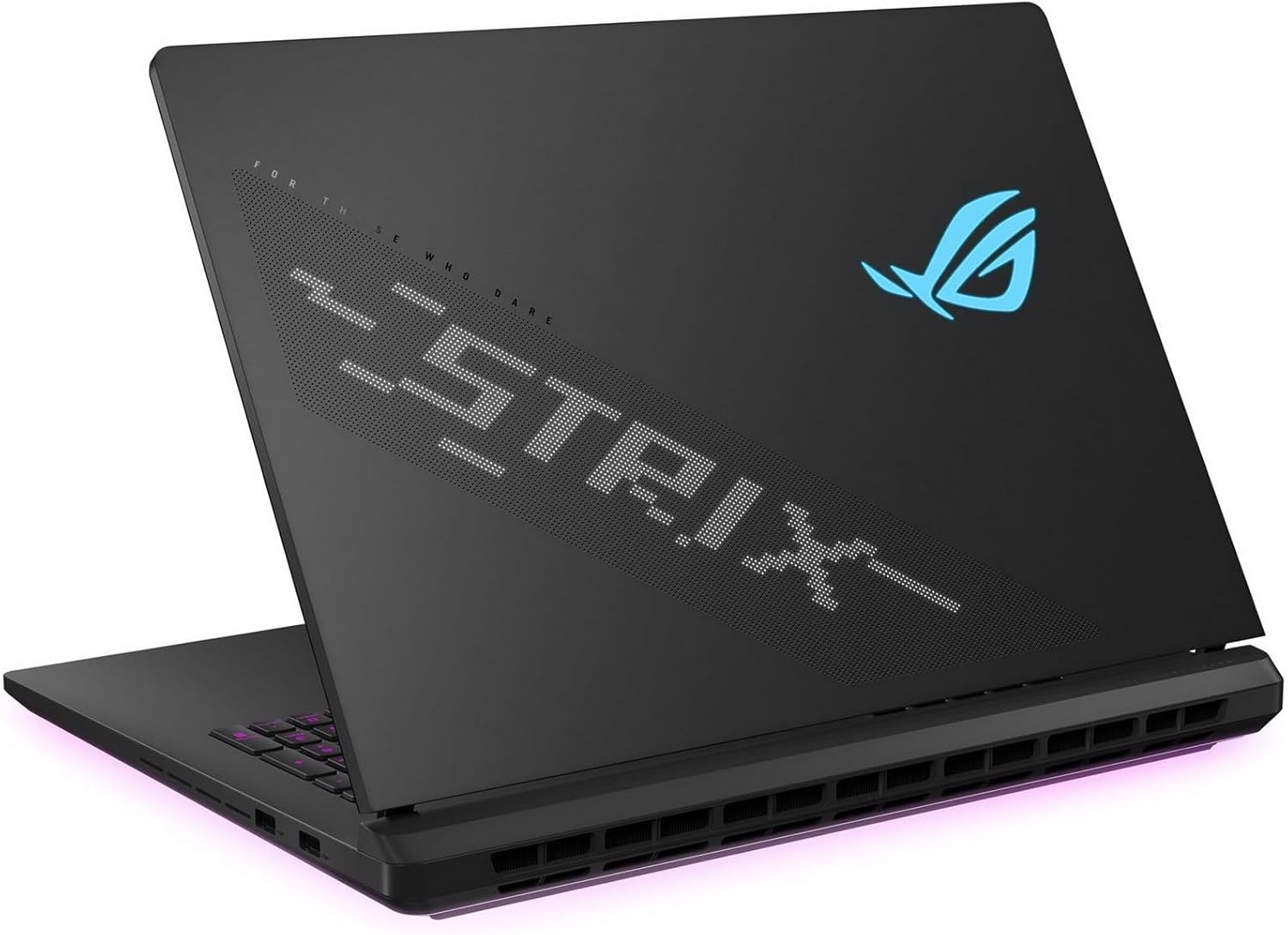
For hardcore users who view physical portability as a secondary concern, the ROG Strix Scar 18 G835 stands as the ultimate performance behemoth. Priced at a staggering 4499 USD, this machine houses the most powerful mobile components currently available.
The massive chassis encloses the NVIDIA GeForce RTX 5090 with a ridiculous 24GB of GDDR7 video memory. Processing duties are handled by the top tier Intel Core Ultra 9 275HX processor.
The 18 inch display utilizes cutting edge Mini LED technology featuring over 2000 independent dimming zones. While OLED panels offer superior pixel response times, Mini LED technology achieves significantly higher full screen sustained brightness.
This immense brightness makes the Scar 18 ideal for brightly lit environments and aggressive High Dynamic Range content presentation. The Scar 18 further distinguishes itself through its exceptional upgradeability features.
The bottom of the chassis features a tool free panel design and a convenient Q Latch mounting system. This allows users to effortlessly swap out dual PCIe Gen 5 solid state drives and install up to 64GB of DDR5 5600MHz memory without needing a single screwdriver.
However, aggressive retail pricing trends have generated significant consumer friction and online outrage. Major retailers such as Micro Center have been observed listing the 64GB RAM variant of the Scar 18 for an exorbitant markup.
These retail stores are sometimes charging 1000 USD more than the practically identical 32GB model. Savvy consumers are heavily advised to purchase the 32GB configuration at the standard 4499 USD Manufacturer Suggested Retail Price.
Buyers can then manually upgrade the system memory using affordable aftermarket memory kits, easily saving hundreds of dollars in the process. The Scar 18 is undeniably brilliant, but buyers must remain vigilant against price gouging.
| Feature | ROG Strix Scar 18 Details |
|---|---|
| Processor | Intel Core Ultra 9 275HX |
| Graphics | NVIDIA GeForce RTX 5090 (24GB GDDR7) |
| Display | 18-inch Mini LED, 2000+ Dimming Zones, 240Hz |
| Price | $4,499.00 |
Check Out the ROG Strix Scar 18 on Amazon
3. Best Value and Extreme Durability: TUF Gaming A16
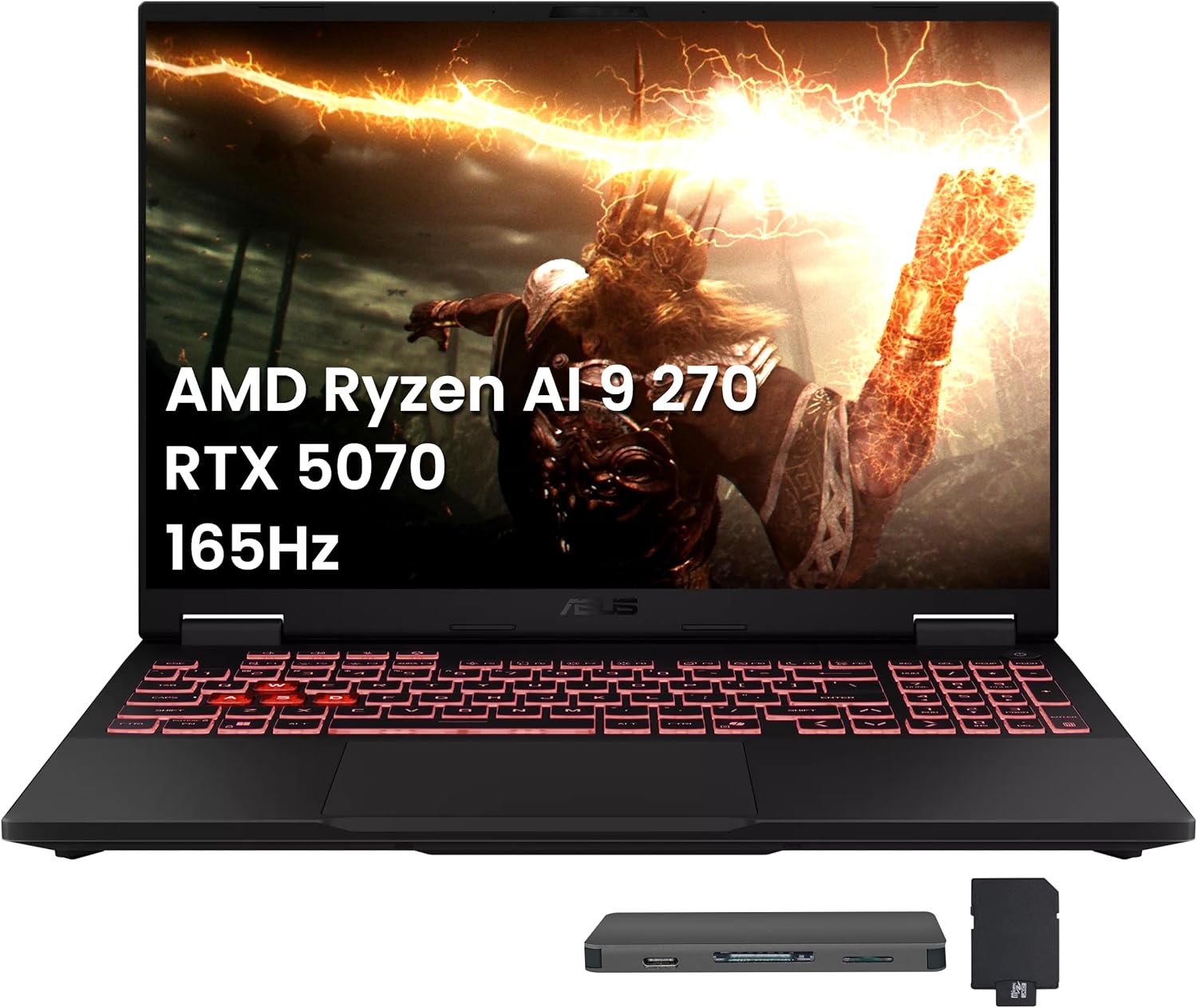
The budget gaming sector is fiercely contested by every major brand, yet the TUF Gaming A14 and A16 models consistently provide superior price to performance ratios. The TUF A16 is frequently available between 879 USD and 1699 USD depending on the chosen GPU configuration.
These machines intelligently pair powerful AMD Ryzen silicon with efficient NVIDIA RTX graphics. The entry level configurations utilizing the RTX 4050 and 5050 GPUs are perfectly suited for smooth 1080p gaming at high graphical settings.
Meanwhile, the upgraded RTX 5070 variants absolutely excel at crisp 1440p resolutions. The newly introduced TUF A14 FA401 model is particularly noteworthy within the budget space.
Despite utilizing a plastic and aluminum composite shell to save manufacturing costs, the chassis feels incredibly rigid. It is an impressive 27 percent lighter and 72 percent thinner than previous TUF iterations.
The system includes a large 73Wh battery supporting extremely fast charging via USB Type C connections. It also features a dedicated Windows Copilot key and a smooth glass topped touchpad.
The deep integration of the AMD Ryzen AI 9 465 processor ensures outstanding battery efficiency during light productivity tasks. This incredible battery life makes the A14 a prime candidate for university students who require all day endurance in the lecture hall and highly competent gaming performance in the dormitory.
| Feature | TUF Gaming A16 Details |
|---|---|
| Processor | AMD Ryzen 7 7445HS / Ryzen AI 9 |
| Graphics | RTX 4050 to RTX 5070 |
| Durability | MIL-STD-810H Certified |
| Price | $879.00 - $1,799.00 |
Check Out the TUF Gaming Series on Amazon
4. Best Ultraportable Gaming Laptop: ROG Zephyrus G14
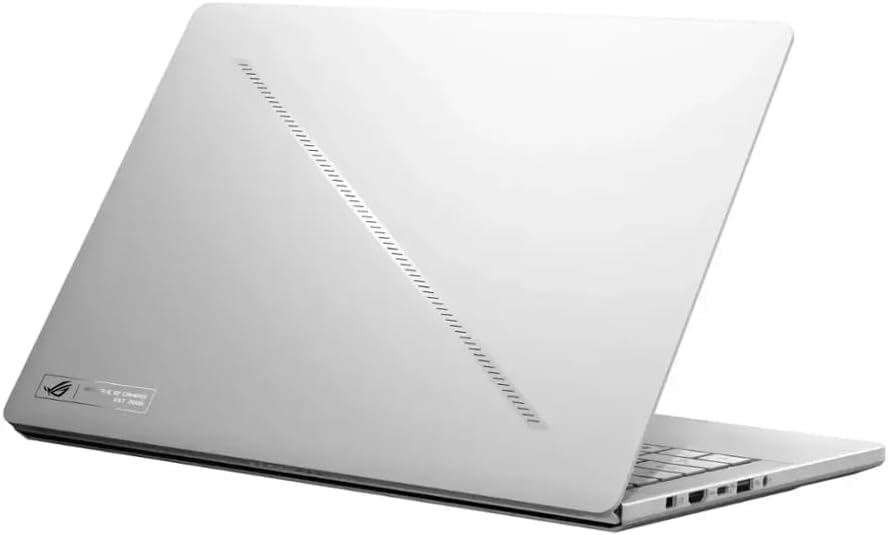
The ROG Zephyrus G14 continues to dominate the highly specific 14 inch form factor category. Finding extreme graphics power inside a chassis this tiny is incredibly rare.
This model manages to house an Ryzen AI 9 HX 370 and an NVIDIA RTX 5070 Ti laptop GPU without melting the internal components. Pricing spans from 2049 USD for base models up to 3699 USD for the fully maximized configurations available on Amazon and Newegg.
The 14 inch 3K OLED display operates at a buttery smooth 120Hz refresh rate, providing incredible visual clarity for both gaming and creative software suites. This machine is the ultimate companion for frequent travelers, professional photographers, and digital nomads who refuse to compromise on hardware acceleration.
The sheer engineering prowess required to properly cool an RTX 5070 Ti inside a 14 inch footprint cannot be overstated. While fan noise can become noticeable during extremely heavy gaming sessions, the portability factor vastly outweighs the acoustic compromises for the target demographic.
| Feature | ROG Zephyrus G14 Details |
|---|---|
| Processor | Intel Core Ultra 9 386H |
| Graphics | NVIDIA GeForce RTX 5070 Ti |
| Display | 14-inch 3K OLED, 120Hz |
| Weight | Ultra-portable chassis |
| Price | $2,049.00 - $3,699.00 |
Check Out the ROG Zephyrus G14 on Amazon
Pros and Cons
An objective technical evaluation requires acknowledging the inherent engineering compromises engineered into each machine. While ASUS currently completely dominates mobile display technology and aggressive chassis aesthetics, certain software and operational realities must be considered before purchasing.
Republic of Gamers Ecosystem Advantages
Pros: Class-leading visual fidelity with Nebula HDR Display technology (OLED and Mini LED); Conductonaut Extreme liquid metal for superior thermals; cutting-edge Thunderbolt 5 ports for massive bandwidth; industry-leading display brightness (up to 1100 nits).
The deep integration of custom Nebula HDR display technology across the premium tier guarantees a class leading visual fidelity experience. Whether consumers opt for the absolute infinite contrast of the Zephyrus OLED panels or the blinding peak brightness of the Scar Mini LED screens, the visual output is entirely uncompromised.
Furthermore, ASUS remains one of the very few global manufacturers to actively apply Conductonaut Extreme liquid metal directly on the factory assembly line. Liquid metal offers a thermal conductivity rating vastly superior to traditional silicone thermal paste.
This advanced interface material directly results in lower operational temperatures and sustained high frequency boost clocks across the entire motherboard. The inclusion of cutting edge Thunderbolt 5 ports on the high end Intel machines provides staggering 120Gbps data transfer rates.
This incredible bandwidth effectively future proofs the devices for next generation external storage arrays and extremely high resolution multi monitor setups. The hardware engineering team has truly pushed the boundaries of mobile computing capabilities.
Republic of Gamers Ecosystem Disadvantages
Cons: Resource-intensive Armoury Crate software can cause instability; premium pricing strategy limits accessibility; liquid metal introduces long-term maintenance complexities; potential short-circuit risk if subjected to severe impact.
The primary detractor within the entire ASUS ecosystem is software reliability, specifically regarding the proprietary Armoury Crate management software. Enthusiast communities frequently cite Armoury Crate as unnecessarily resource intensive.
This bloated software often causes severe background system instability and unwanted battery drain. Many advanced users simply resort to uninstalling the official software entirely immediately after purchasing the laptop.
These power users replace it with highly optimized open source lightweight alternatives like G Helper to seamlessly manage fan curves and system power profiles. Furthermore, the premium pricing strategy significantly limits overall consumer accessibility.
Flagship models equipped with RTX 5080 and 5090 GPUs frequently exceed the 3500 USD financial threshold. This exorbitant pricing pushes the best hardware completely out of reach for average consumers and younger gamers.
Additionally, while liquid metal cooling is highly effective at reducing component temperatures, it introduces long term maintenance complexities. If the laptop is subjected to severe physical impact or dropping, the highly conductive liquid metal can theoretically migrate across the motherboard.
This migration poses a catastrophic short circuit risk to the internal components. However, ASUS utilizes highly specialized internal sponge containment barriers around the processor dies to heavily mitigate this specific hardware hazard.
Who Should Buy
Aligning specific hardware specifications with dedicated use cases ensures the absolute maximum return on financial investment. The diverse ASUS lineup caters to highly specific consumer profiles and professional workflows.
Purchasing a massive Scar 18 for taking notes in a coffee shop is a terrible idea. Purchasing a TUF A14 for professional 3D rendering will result in missed deadlines. Understanding target demographics is essential.
The Mobile Creative Professional
Content creators, professional video editors, and 3D animators should default exclusively to the ROG Zephyrus G16. The Pantone Validated OLED display boasting 100 percent DCI P3 color gamut coverage ensures absolute color accuracy for intense color grading workflows.
The highly requested inclusion of a full sized SD card reader facilitates extremely rapid media ingestion from professional camera bodies. The 1.85 kilogram chassis allows the machine to be comfortably carried between studio environments and client meetings without inducing back pain.
The powerful RTX 5080 GPU significantly accelerates timeline rendering times in complex software like Adobe Premiere Pro and DaVinci Resolve. It is the ultimate creative workstation disguised as a gaming laptop.
The Competitive Gamers
Professional gamers and hardcore mechanical enthusiasts who demand absolute maximum frame rates in titles like Counter Strike 2, Valorant, and Apex Legends should invest heavily in the ROG Strix Scar 16 or 18. The brutal combination of the Intel Core Ultra 9 275HX processor and the 175W RTX 5090 guarantees absolute maximum performance metrics.
The blistering 240Hz refresh rate paired with NVIDIA Advanced Optimus and a dedicated hardware MUX switch ensures that rendered frames bypass the integrated graphics directly to the display. This direct connection minimizes input latency to an imperceptible degree, providing a true competitive advantage.
The massive chassis dimensions and robust internal cooling apparatus allow these huge machines to sustain peak frequencies for hours without encountering thermal throttling limits.
The Engineering Student and Casual Gamer
University students studying computer science, civil engineering, or architecture, who also engage in casual evening gaming, are the absolute ideal demographic for the TUF Gaming A14 and A16. The AMD Ryzen AI 9 processors provide exceptional power efficiency away from the wall outlet.
This efficiency guarantees enough battery life to easily endure a full day of lengthy lectures and coding sessions without constantly hunting for an available power plug. When returning to a desk, the RTX 5060 GPUs provide ample compute power to run local machine learning models, compile complex codebases, or enjoy modern AAA games at respectable graphical settings.
The rigorous MIL STD 810H military durability certification provides immense peace of mind when constantly transporting the device in a densely packed backpack. It is the ultimate sensible purchase.
What to Look for When Buying a Gaming Laptop (2026 Buyers Guide)
The gaming laptop market right now is an absolute minefield. Find out what you need to look for when buying a gaming laptop in 2026.
Read article →
Brand Comparisons
To establish objective market context and realistic expectations, the ASUS 2026 lineup must be heavily evaluated against its primary high end competitors. The Lenovo Legion series and the MSI Raider series frequently challenge ASUS for market dominance.
Community testing and real world thermal logs often reveal significant operational nuances that highly polished marketing spec sheets completely obscure. Hardware behaves differently under real world stress.
ASUS ROG Strix Scar 16 Versus Lenovo Legion Pro 7 Gen 10
The highly acclaimed Lenovo Legion Pro 7 Gen 10 is widely considered the direct retail rival to the ROG Strix Scar 16. On paper, both of these premium machines share identical core specifications.
They both frequently utilize the Intel Core Ultra 9 275HX processor paired with the NVIDIA RTX 5090 graphics card. However, daily user experiences heavily dictate the community preference between the two specific brands.
The Legion Pro 7 is universally praised on hardware forums for its raw, unrestricted sustained performance and incredibly rock solid cooling architecture. Lenovo engineers graciously provide users with extensive granular control over power limits through their Lenovo Vantage software suite.
Conversely, ASUS has faced severe ongoing criticism regarding incredibly strict BIOS limitations permanently imposed on the Strix and Scar series. Enthusiast communities conducting rigorous forensic deep dives discovered a massive flaw.
Recent ASUS BIOS updates artificially capped the central processor power limit to approximately 65W while the graphics processor was pulling 140W. In a system with a total thermal budget heavily exceeding 240W, this artificial limitation leaves significant cooling headroom completely unutilized.
This severe power starvation introduces massive CPU bottlenecking. This forced limitation has caused highly documented micro stutters in heavily multi threaded games.
This issue is actively driving many power users to abandon the ASUS ecosystem entirely in favor of the unrestricted raw performance provided by Lenovo. Furthermore, Lenovo utilizes a fully metallic chassis for the Legion Pro 7.
Many users find this metal construction far more premium and rigid compared to the heavy use of translucent plastics on the Strix chassis. However, ASUS maintains a distinct and undeniable advantage in display technology.
The Legion Pro 7 relies heavily on standard IPS panels with blooming issues. The Scar 16 utilizes cutting edge Mini LED Nebula HDR displays, resulting in vastly superior contrast ratios and brilliant High Dynamic Range performance.
Additionally, the Scar 16 features dual PCIe Gen 5 solid state drive slots. The Legion severely limits its secondary slot to slower Gen 4 speeds, making the ASUS a slightly better option for future proofing fast storage arrays.
ASUS ROG Strix Scar 16 Versus MSI Raider 16 Max HX
The MSI Raider 16 Max HX occupies the exact same premium enthusiast tier, but heavily differentiates itself through strategic processor alliances. While ASUS heavily favors Intel silicon for its flagship 16 inch and 18 inch desktop replacements, MSI takes a different path.
MSI offers the Raider 16 Max HX configured with the highly coveted AMD Ryzen 9 9955 HX3D processor. The inclusion of AMD 3D V Cache technology gives the massive MSI Raider a distinct competitive advantage in cache sensitive applications.
Heavily unoptimized simulation games greatly benefit from this massive cache. Titles like Microsoft Flight Simulator, Stellaris, and complex role playing games like Baldur Gate 3 see massive frame rate improvements when utilizing processors equipped with 3D V Cache technology.
For users whose massive gaming libraries consist entirely of these specific simulation genres, the MSI Raider undeniably offers superior raw processing power. ASUS fiercely counters this distinct processor advantage through overall build refinement and vast customer support structures.
The MSI Raider series is frequently criticized online for maintaining bulky aesthetics and having highly inconsistent customer service response times depending on the global region. The ASUS ROG Strix Scar 16 provides a significantly sleeker design language that appeals to modern aesthetics.
The ASUS cooling system also maintains quieter fan acoustics under medium load profiles, and features a vastly superior speaker system featuring Dolby Atmos and Smart Amplifier Technology. Furthermore, the brilliant ASUS Q Latch system makes routine hardware maintenance and component upgrades vastly simpler than the highly complex chassis disassembly required by many MSI models.
Final Recommendation
For demanding consumers requiring the absolute pinnacle of technological achievement in a portable format, the ROG Zephyrus G16 easily stands as the crowning achievement of the entire year. By successfully mitigating the severe thermal constraints that plagued previous hardware generations, ASUS has delivered a true masterpiece.
This thin and light machine is fully capable of unleashing the entire 160W potential of the RTX 5080 without melting. It is entirely wrapped in a premium CNC aluminum chassis and features a class leading OLED display. It represents the absolute ultimate convergence of portability and raw power.
Conversely, for younger users restricted by stringent financial budgets, the newly engineered TUF Gaming A14 FA401 provide an astonishing level of physical portability and battery efficiency. This level of endurance was previously reserved exclusively for premium business ultrabooks.
Hardcore performance purists may find the strict BIOS power limitations of the Strix Scar series incredibly frustrating when directly compared to unrestricted competitors like the Lenovo Legion Pro 7. However, the overall package remains incredibly compelling.
The inclusion of superior display technology, highly effective liquid metal thermal interfaces, and aggressive physical aesthetics ensures that ASUS remains a completely dominant driving force in the 2026 mobile hardware landscape.
Careful consideration of highly specific use cases, a healthy tolerance for proprietary management software, and strict adherence to manufacturer suggested retail pricing will ensure that buyers extract the absolute maximum possible value from this incredible generation of portable hardware.
5 Best 14-Inch Gaming Laptops in 2026 (Ultra-Portable but Powerful)
In 2026, 14-inch gaming laptops have become the ultimate balance of power and portability. We feature 5 top picks from Asus, Razer, HP, MSI, and Acer.
Read article →
Frequently Asked Questions
Does the ROG Zephyrus series overheat during intense gaming sessions?
Historically, incredibly thin and light gaming laptops severely suffer from high surface temperatures. The older 2024 and 2025 Zephyrus models were frequently and heavily criticized for radiating excessive amounts of heat directly through the keyboard deck.
However, the new 2026 Zephyrus G16 completely utilizes a redesigned chassis with vastly improved ambient cooling channels and a significantly larger internal vapor chamber. While the internal central processor may still reach temperatures up to 95 degrees Celsius under synthetic benchmark testing, this is perfectly normal.
This specific temperature sits well within the safe 105 degree thermal limit strictly designated by the silicon manufacturers. To easily mitigate high surface temperatures on the keyboard, users are strongly advised to utilize the manual fan curve adjustments.
Adjusting these settings within the system software, or utilizing excellent third party utilities like G Helper, allows users to disable aggressive CPU boost behaviors during GPU bound gaming sessions. This single software tweak drastically reduces heat output without negatively impacting game frame rates.
Are OLED gaming laptop displays susceptible to permanent image retention or burn in?
The integration of stunning OLED technology in the Zephyrus G14 and G16 naturally introduces valid concerns regarding permanent pixel degradation, commonly referred to as screen burn in. Modern ASUS Nebula HDR OLED panels incorporate highly sophisticated pixel shifting algorithms to combat this.
The displays also utilize intelligent localized dimming protocols and dedicated custom screensavers to prevent static user interface elements from resting on the display for extended periods. While the absolute risk of burn in is never mathematically zero on organic light emitting diodes, standard daily gaming and media consumption habits pose minimal actual threat.
Users who primarily utilize their laptops for viewing static excel spreadsheets or leaving static web browsers open for twelve hours a day should exercise caution. These specific users should strongly consider purchasing the Mini LED panels found on the Strix Scar series instead, as Mini LED technology is completely immune to organic pixel degradation.
Is the 64GB RAM upgrade on the ROG Strix Scar 18 worth the massive price premium?
Absolutely not. Exhaustive retail analysis indicates that certain vendors are attempting to charge up to a ridiculous 1000 USD premium for the 64GB DDR5 configuration.
This insane markup is applied when comparing it to the practically identical model equipped with 32GB of RAM. The Strix Scar 18 conveniently features fully user accessible SO DIMM slots.
A high performance 64GB DDR5 5600MHz memory kit can easily be purchased on the open aftermarket for a tiny fraction of that retail markup. Consumers possess the simple ability to purchase the standard 32GB model directly at MSRP.
They can then manually install the 64GB aftermarket kit themselves using a standard philips head screwdriver, easily saving hundreds of dollars. Paying the retail markup for factory installed RAM on this specific model is a massive waste of finances.
What is the specific issue with coil whine on the TUF Gaming A16?
Coil whine is a highly annoying, high pitched acoustic resonance generated by internal electrical components vibrating violently under heavy electrical load. Some unlucky consumers have reported highly noticeable coil whine on specific batches of the TUF Gaming A16 FA series laptops.
While coil whine absolutely does not indicate impending hardware failure or negatively impact physical rendering performance, it can be extremely acoustically distracting in quiet library environments. The severity of the noise is entirely dependent on manufacturing variances.
Swapping a noisy laptop unit for an identical replacement model at the retail store may completely resolve the acoustic issue. The annoying phenomenon is highly specific to individual motherboard components rather than an inherent, unfixable design flaw across the entire ASUS product line.
MSI Gaming Laptop Guide 2026: Titan vs Raider vs Stealth vs Katana Explained
MSI has completely overhauled their 2026 lineup, pruning the chaos to focus on Titan, Raider, Stealth, and Katana. This guide cuts through the marketing fluff to reveal the raw performance hubs.
Read article →
Lenovo Gaming Laptop Guide 2026: Legion vs LOQ Explained + Best Models for Every Gamer
Lenovo continues to absolutely dominate the gaming laptop space in 2026. We break down the differences between the Legion Pro, Legion, and LOQ series to help you find the perfect rig.
Read article →
The Ultimate Gaming Laptop Buyers Guide 2026
Buying a gaming laptop in 2026 is a completely different experience than it was just two years ago. This guide covers everything from Blackwell GPUs to 3D V-Cache processors.
Read article →
Disclosure: Some of the links in this post are affiliate links. This means if you click on them and make a purchase, we may earn a small commission at no extra cost to you. As an Amazon Associate, I earn from qualifying purchases.
You May Also Like
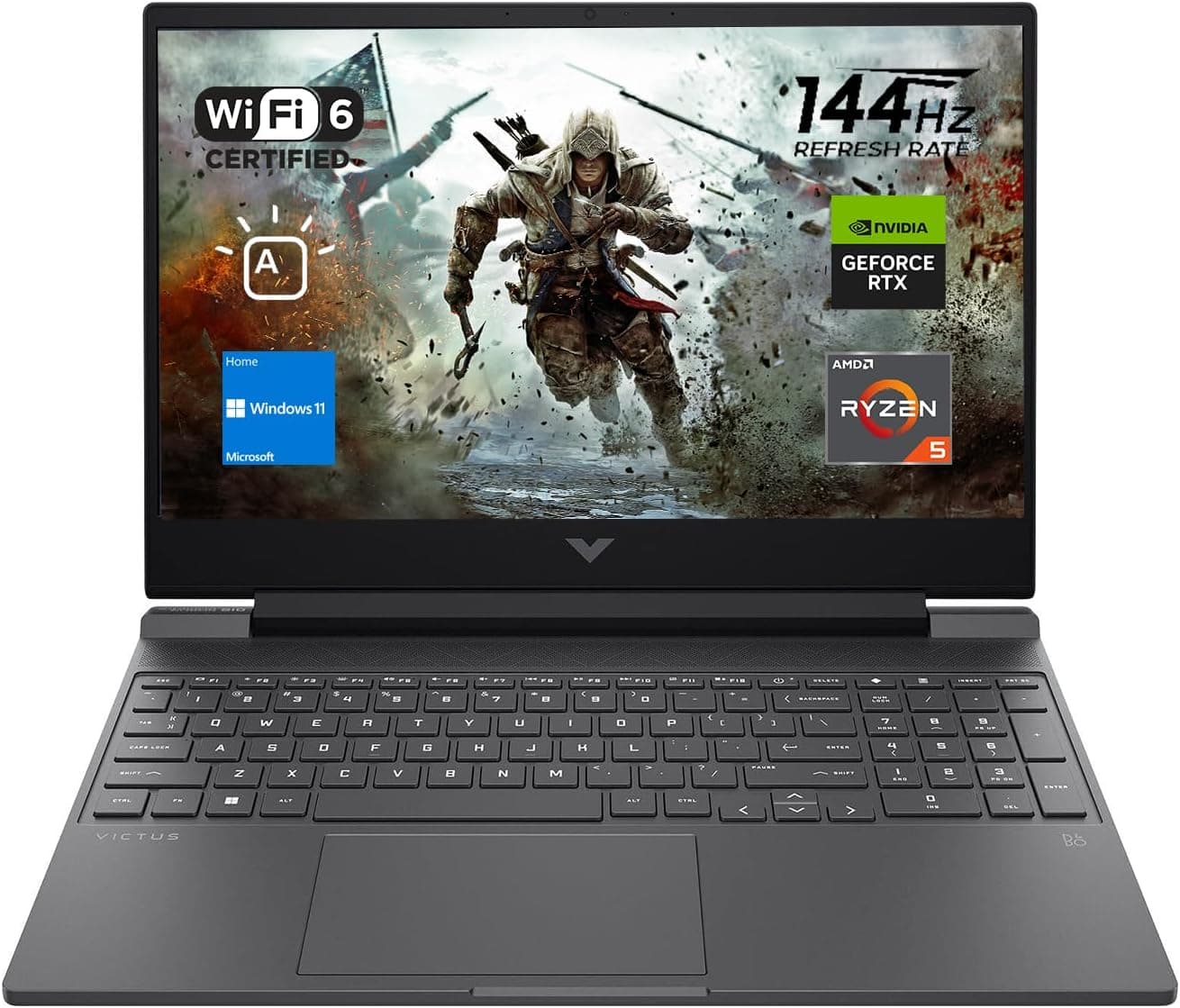
Best Gaming Laptops for College Students Under $1000 in 2026
Buying a gaming laptop for college is different from buying one purely for gaming. A college laptop needs to handle lectures, assignments, research, video calls, and productivity software during the day while still delivering solid gaming performance at night.

Best Games on Steam to Play While Working From Home
Best games on Steam to play while working from home, from cozy builders to smart card games that fit short breaks, easy pauses, and low stress sessions.
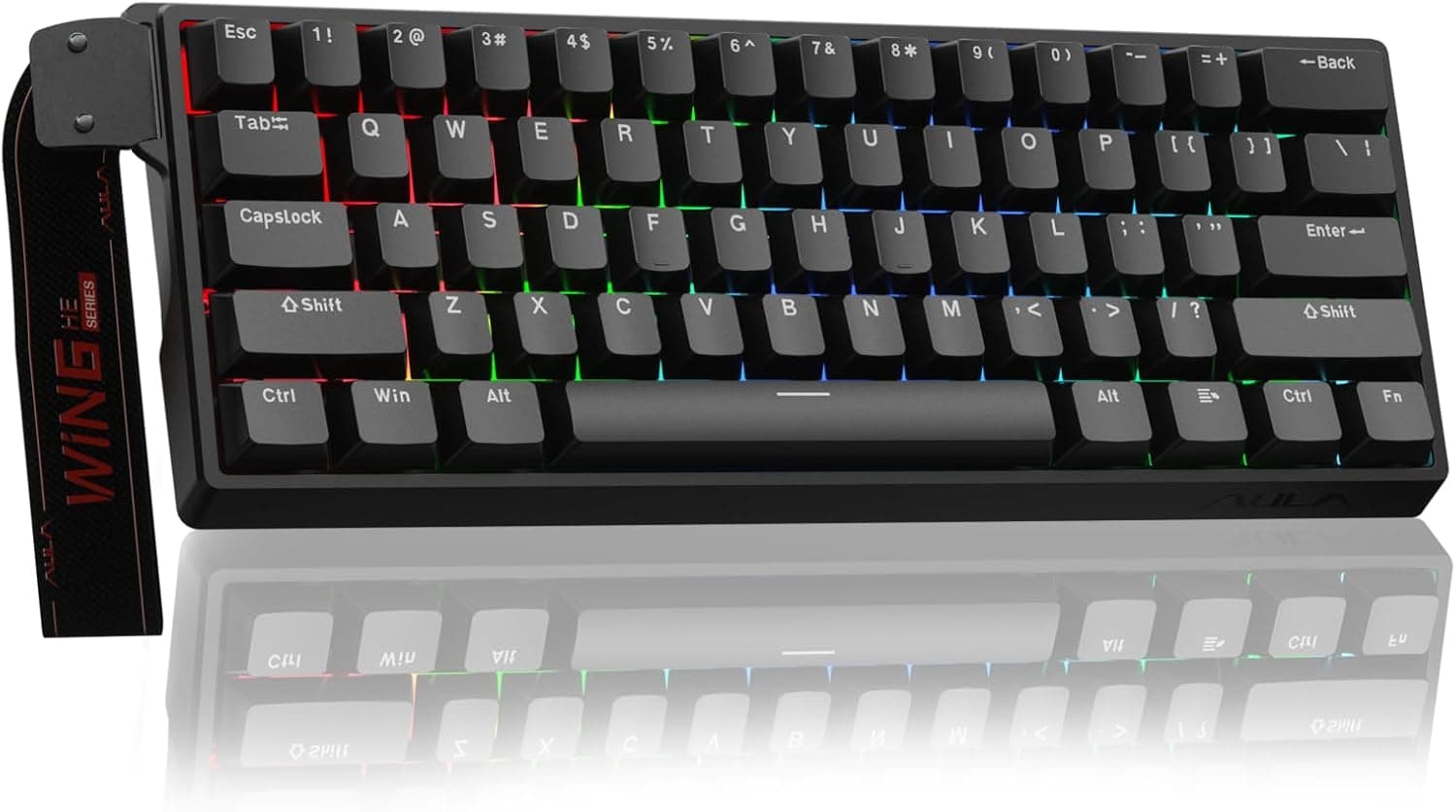
Best Budget Hall Effect Keyboards in 2026 (Under $50)
Discover the best budget Hall Effect keyboards under fifty dollars in 2026. Read our honest, in depth analysis of performance, build quality, and software features of the top six magnetic switch boards.