
Navigate this article
Introduction
For players engaged in tactical first person shooters like Valorant or Counter Strike 2, equipment truly matters. These titles require pixel perfect precision, rapid crosshair placement, and extreme consistency under pressure. Players in these games overwhelmingly favor low sensitivity settings, which demand large arm sweeps across extended cloth pads. This specific playstyle places unique mechanical demands on a mouse. It must be exceptionally light to reduce wrist fatigue, it must have a flawless sensor that will never spin out during rapid flicks, and it must have a highly adjustable lift off distance.
You can easily secure a top tier competitive advantage for under 50 USD if you know exactly where to look and what specifications to prioritize. This deep dive evaluates the absolute best lightweight gaming mice available right now, breaking down their sensor technology, shape profiles, build quality, and long term reliability.
Quick Picks
| Category | Recommended Model | Key Specifications | Amazon | Price |
|---|---|---|---|---|
| Best Overall Value | VXE Dragonfly R1 Pro | PAW3395, 48g, Huano Switches | Buy | $49 |
| Best Spec Monster | Ajazz AJ159 Apex | PAW3950, 8K Polling, 56g, Charging Dock with Screen | Buy | $45 |
| Best Ultra-Budget | Attack Shark X3 | PAW3395, 49g, Kailh GM8.0 Switches, Safe Shape | Buy | $35-40 |
| Best "Safe" Purchase | Keychron M3 Mini | PAW3395, 64g, Web-based Software, Trusted Brand | Buy | $49 |
| Best for Large Hands | Darmoshark M3 Pro Max | PAW3950, 54g, Nordic Chipset, TTC QingLog Switches | Buy | 50$ |
1. VXE Dragonfly R1 Pro
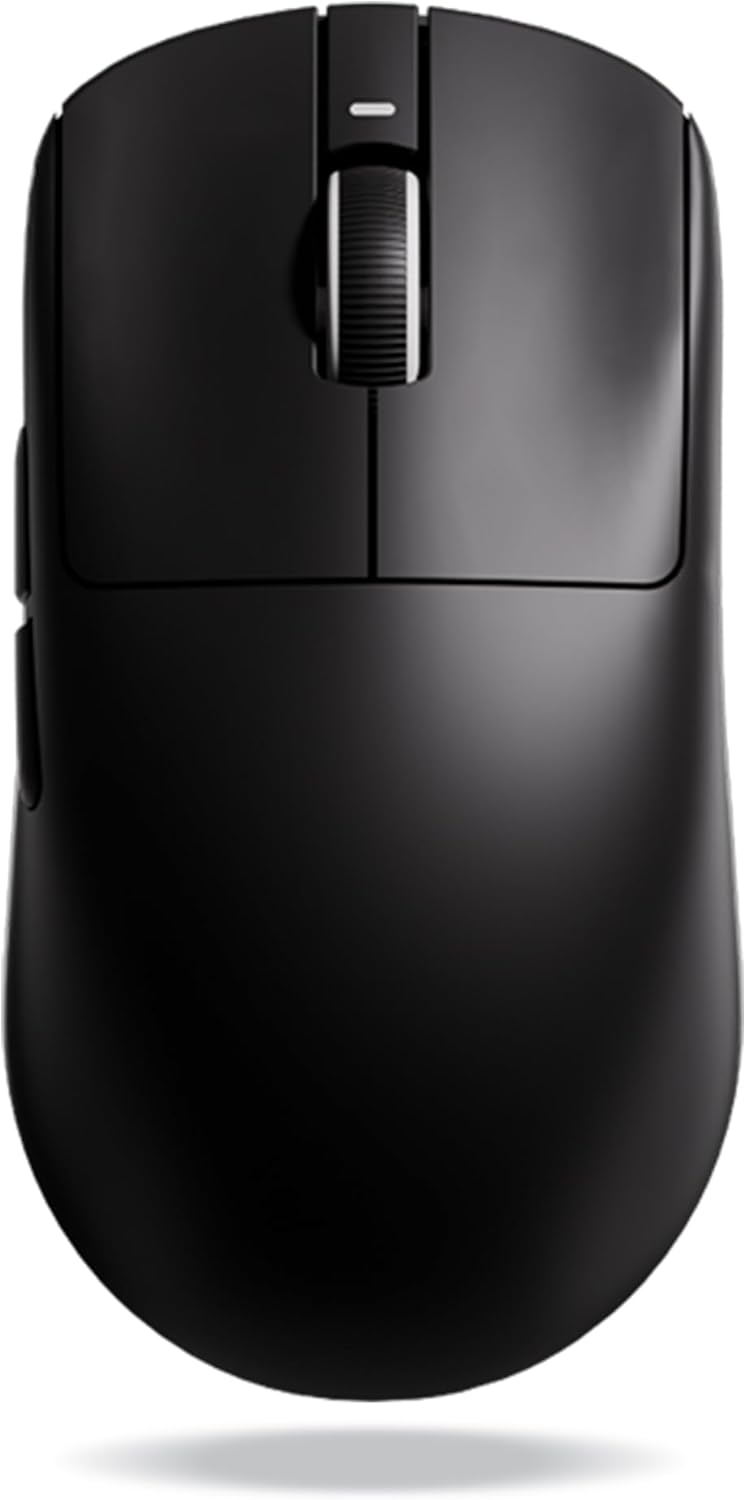
When discussing the best overall value in the gaming peripheral space right now, the VXE Dragonfly R1 Pro completely dominates the conversation. Priced very aggressively around 40 to 50 USD depending on the current retailer sales, this device offers a level of build quality and raw performance that completely shames legacy brands. If you are looking for the absolute safest blind buy on the market, this is the mouse you want sitting on your desk.
The physical shape is heavily inspired by symmetrical ambidextrous designs favored by professional esports athletes. It features relatively flat sides and a moderate rear hump that provides excellent support for claw grip and relaxed fingertip grip styles. The total weight sits at a remarkably light 48 grams without resorting to ugly structural holes in the plastic shell. It feels incredibly solid in the hand, with zero creaking or side flex when squeezed.
Internally, the VXE R1 Pro is powered by the flawless PAW3395 sensor and utilizes a premium Nordic microcontroller unit. The inclusion of the Nordic MCU is a massive advantage in this specific price tier. It ensures pristine wireless stability, excellent battery efficiency, and allows the mouse to be compatible with 4000Hz polling rate wireless dongles if purchased separately. Many cheaper mice use inferior microcontrollers that lead to skipped frames, but the R1 Pro performs identically to mice triple its price.
The main clicks utilize Huano switches, which provide a highly tactile, snappy, and deeply satisfying click response. These specific switches are famous in the enthusiast community for their longevity and are highly resistant to the dreaded double click issues that plague traditional mechanical switches used by bigger brands.
| Component | Specification |
|---|---|
| Sensor | PixArt PAW3395 (26,000 DPI) |
| Weight | 48 grams |
| Switches | Huano Blue Shell Pink Dot |
| Polling Rate | 1,000Hz (4K Ready) |
View on Amazon
2. Ajazz AJ159 Apex
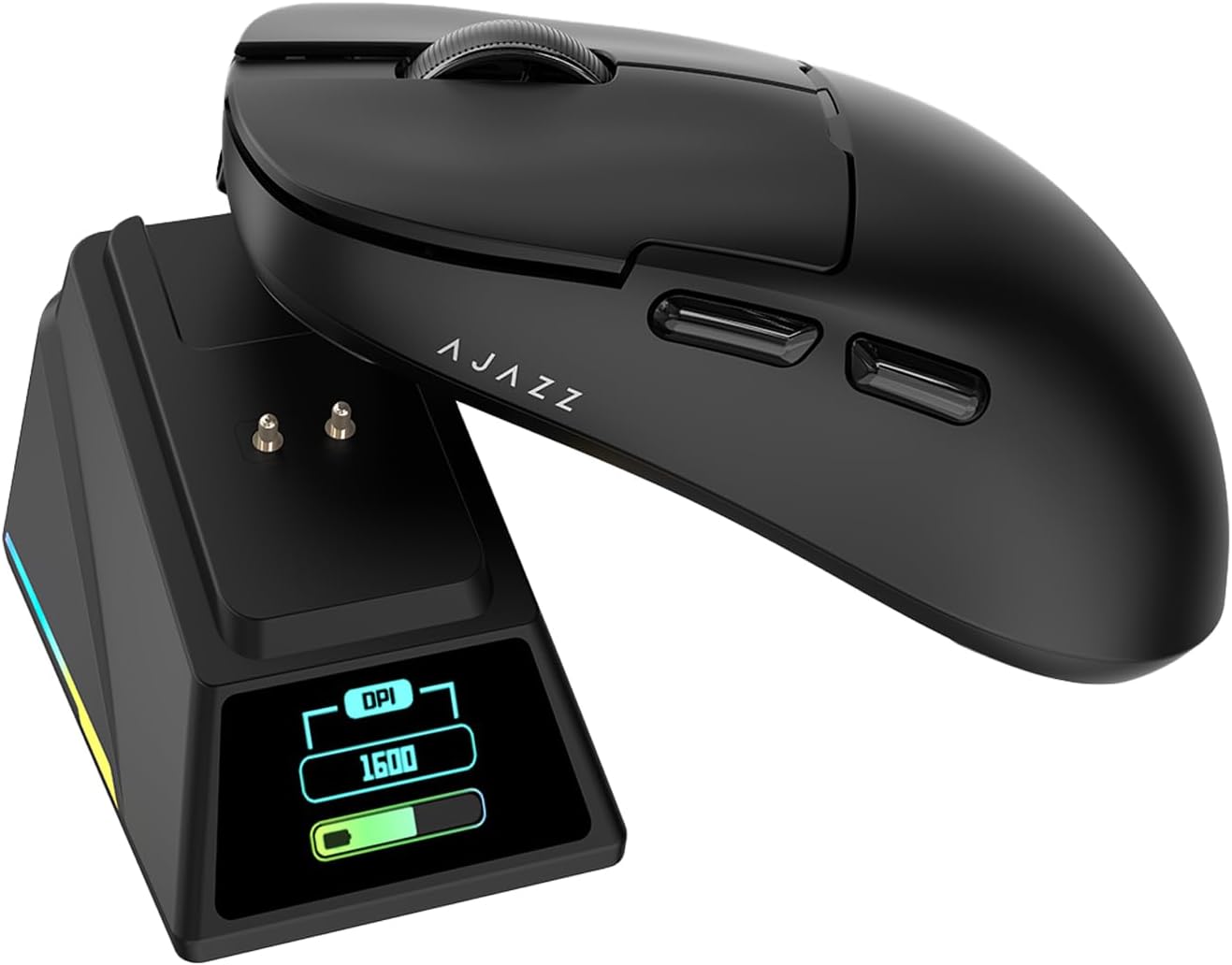
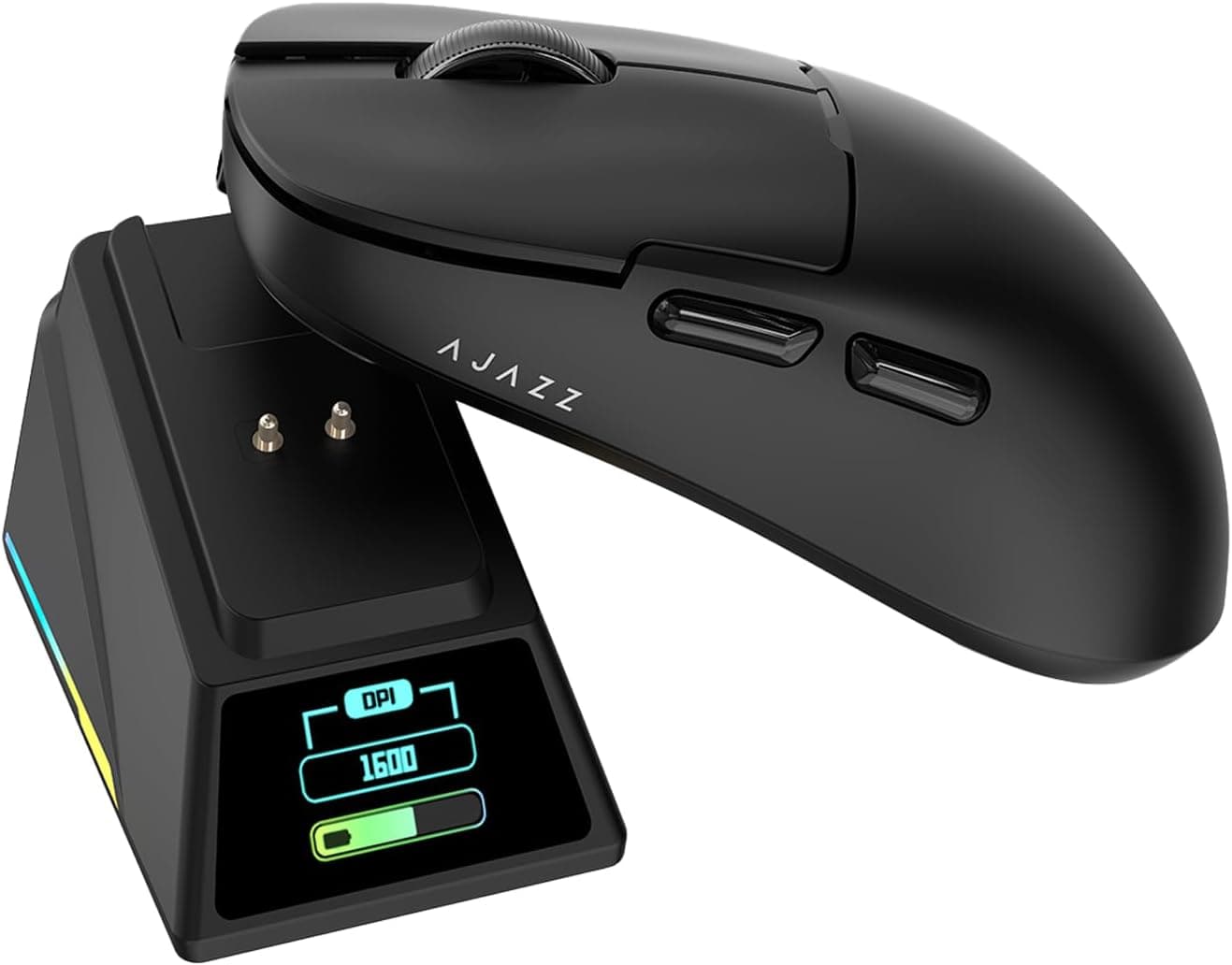
For buyers deeply obsessed with obtaining the absolute latest technology regardless of the brand name, the Ajazz AJ159 Apex presents a fascinating proposition. Sitting right at the 50 USD threshold, this mouse attempts to cram an unbelievable list of flagship tier features into a single affordable package.
It is one of the very few budget mice to feature the bleeding edge PAW3950 sensor, allowing for that highly coveted 0.7 millimeter lift off distance and native 8000Hz wireless polling rates. It weighs a very respectable 56 grams and utilizes Huano Green Shell White Dot transparent switches rated for an absurd 100 million clicks.
The absolute standout feature of the AJ159 Apex is its inclusion of a magnetic charging dock directly in the retail box. This dock not only charges the mouse flawlessly but also houses an integrated RGB color display screen. This tiny screen can be fully customized through the software to display the local time, current date, or animated GIF files of your choosing. On paper, this device offers vastly better specifications than mice costing four times as much money.
| Component | Specification |
|---|---|
| Sensor | PixArt PAW3950 (30,000 DPI) |
| Weight | 56 grams |
| Switches | Huano Green Shell White Dot (100M) |
| Polling Rate | 8,000Hz Wireless (Native) |
| Extra | Magnetic Charging Dock with OLED Screen |
View on Amazon
3. Attack Shark X3
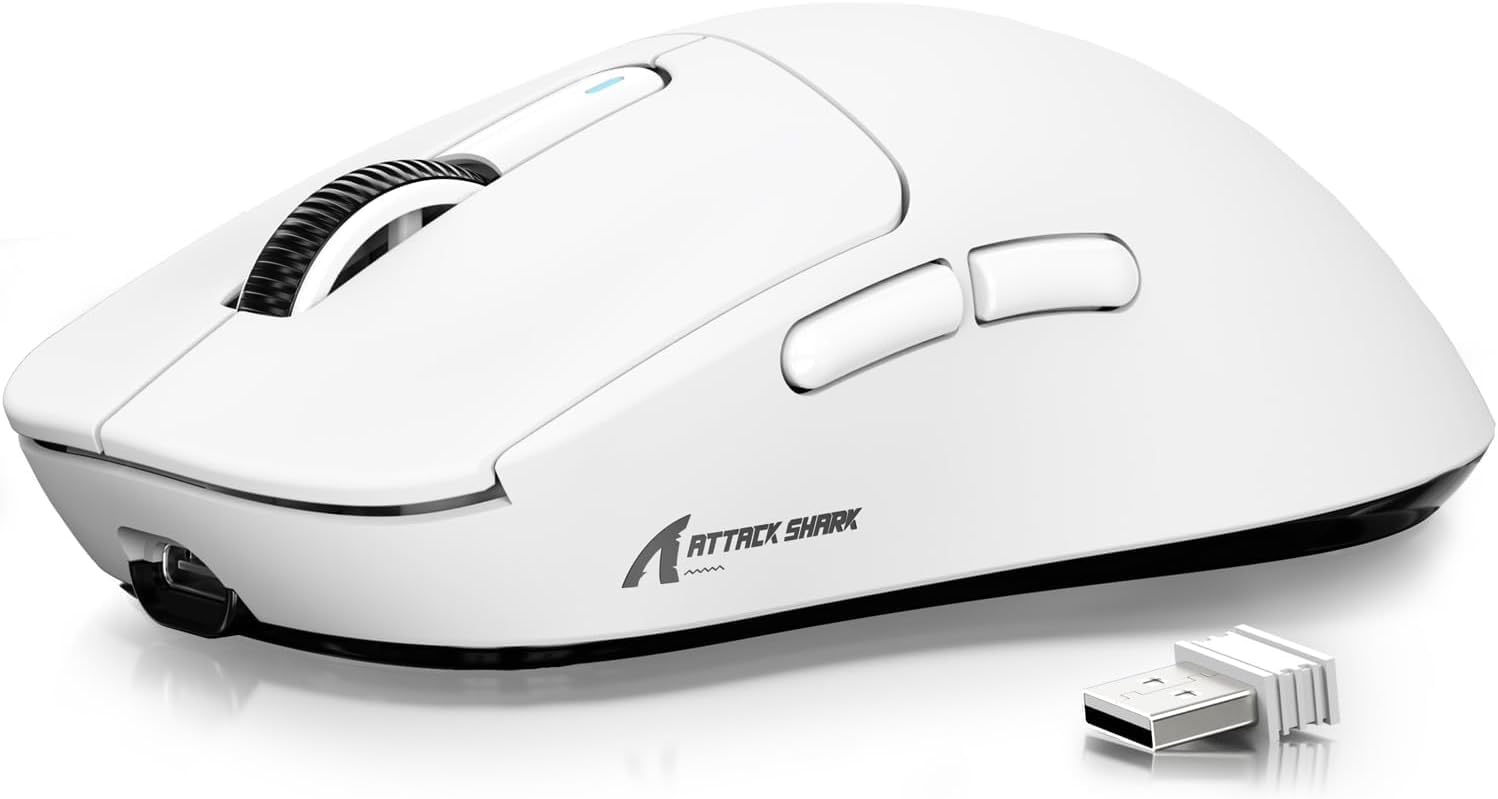
If your personal budget is exceptionally tight and every single dollar truly matters, the Attack Shark X3 is widely available for well under 40 USD on various retail platforms. It utilizes the standard PAW3395 sensor, weighs just 49 grams, and features Kailh GM8.0 mechanical switches.
The physical shape is incredibly safe and universally praised. It closely mimics the contours of industry staples like the Logitech Superlight series but is scaled down slightly in overall volume. This makes it highly versatile for palm, claw, or fingertip grip styles regardless of your hand size.
| Component | Specification |
|---|---|
| Sensor | PixArt PAW3395 |
| Weight | 49 grams |
| Switches | Kailh GM8.0 |
| Polling Rate | 1,000Hz |
View on Amazon
4. Keychron M3 Mini
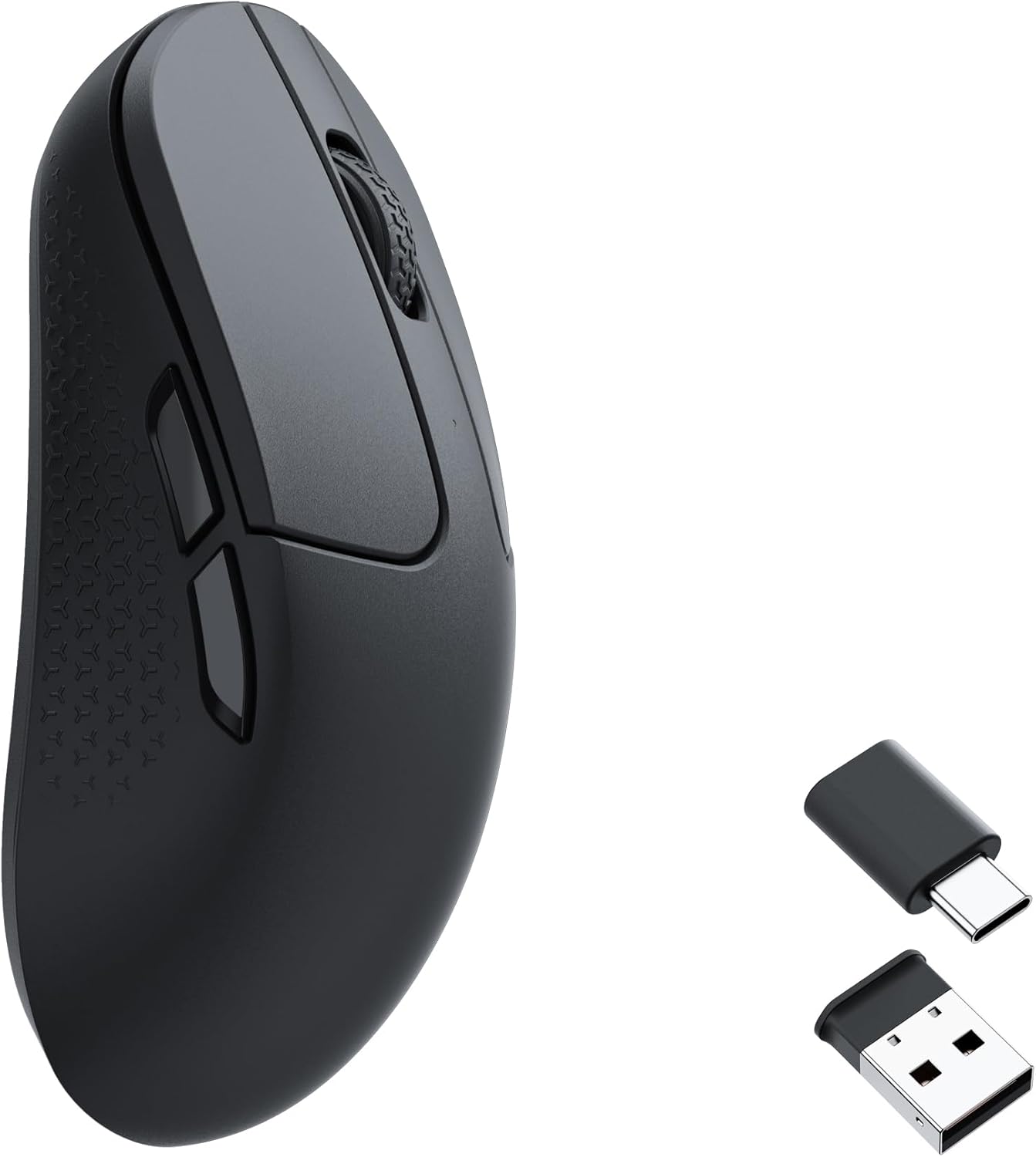
Keychron is globally recognized for producing exceptionally high quality mechanical keyboards for enthusiasts and professionals alike. Recently, they expanded their manufacturing expertise into the gaming mouse sector with the Keychron M3 Mini. Priced right around 50 USD depending on the chosen retailer, this device offers a much safer purchasing path for buyers who absolutely do not want to order unbranded hardware from overseas marketplaces.
The M3 Mini utilizes the trusted PAW3395 sensor and weighs exactly 55 grams. While 55 grams is slightly heavier than the 48 gram competition mentioned earlier, it still falls firmly into the ultralightweight category and performs beautifully for low sensitivity sweeping motions. It features a highly comfortable, balanced shell design adorned with textured side grips integrated directly into the plastic mold. These grips perfectly prevent the mouse from slipping during intense sweaty gaming sessions.
Reviewers consistently praise the excellent battery life and the rock solid stability of its wireless connection. Keychron also offers a dedicated web based launcher for configuration. This means users do not need to install bloated proprietary software onto their operating systems just to change their DPI steps or polling rate settings. You simply visit a webpage, change your settings, and save them directly to the onboard memory of the mouse.
| Component | Specification |
|---|---|
| Sensor | PixArt PAW3395 |
| Weight | 55 grams |
| Software | Web-based Launcher (No Install) |
| Connectivity | 2.4GHz / Bluetooth / Wired |
View on Amazon
5. Darmoshark M3 Pro Max
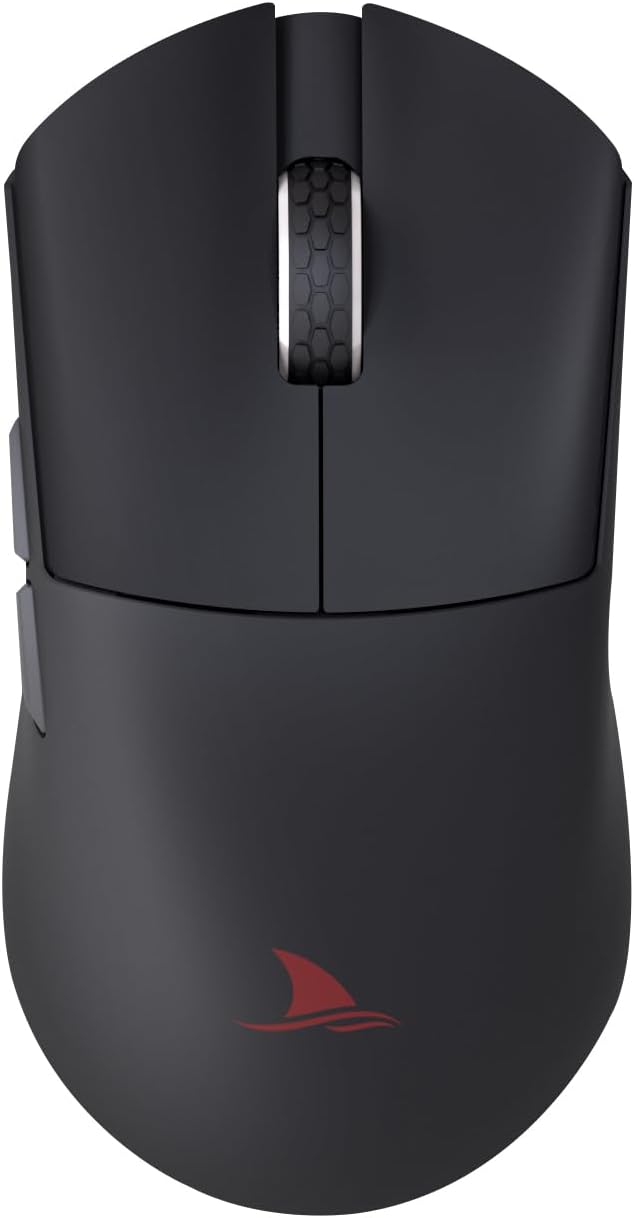
This mouse features a significantly longer and wider profile than the VXE R1 Pro, making it incredibly suitable for palm grip players with larger hand dimensions. Despite its larger physical footprint, it maintains a highly competitive weight of just 54 grams.
Internally, it boasts the premium PAW3950 sensor and the highly coveted Nordic 52840 chipset. This guarantees flawless tracking and exceptional battery efficiency. The primary clicks utilize TTC QingLog micro switches, which provide a very unique and premium tactile feedback compared to the standard Huano or Kailh implementations.
While the name is an absolute mouthful, the Darmoshark M3 Pro Max delivers an incredibly premium experience. The soft paracord charging cable is excellent, the PTFE feet are incredibly smooth right out of the box, and the non slippery coating rivals top tier flagship devices. For anyone who finds typical budget mice too small for comfortable gripping, this is the definitive answer under 50 USD.
| Component | Specification |
|---|---|
| Sensor | PixArt PAW3950 |
| MCU | Nordic 52840 |
| Weight | 54 grams |
| Switches | TTC QingLog |
View on Amazon
Polling Rates Explained: 1K Versus 4K and 8K
When shopping for any modern gaming mouse, buyers will be completely bombarded with aggressive marketing terms regarding polling rates. The polling rate is simply the frequency at which the mouse reports its physical position to the computer, measured in Hertz.
For the past decade, 1000Hz was the strict industry standard, equating to one location report every single millisecond. Recently, advanced microcontrollers have allowed wireless mice to push this technical limit to 4000Hz and even 8000Hz, reducing the reporting delay to a microscopic 0.25 milliseconds and 0.125 milliseconds respectively.
On paper, faster reporting times sound universally better for competitive gaming. However, the harsh reality of high polling rates involves severe diminishing returns and significant hardware performance penalties.
Firstly, to visually perceive the smoothness of a 4000Hz or 8000Hz polling rate, the player must be using a top tier gaming monitor with a refresh rate of at least 240Hz, and preferably 360Hz or higher. On a standard 144Hz monitor, the difference between 1000Hz and 4000Hz is physically invisible to the human eye.
Secondly, high polling rates consume massive amounts of computer processing power. An 8000Hz mouse floods your computer processor with eight times as much peripheral data. In older game engines that lack optimized input rendering, this massive data flood can actually lower your in game frame rates or cause severe engine stuttering.
Finally, polling at these extreme speeds absolutely destroys internal battery life. A budget mouse that easily lasts 80 hours on a single charge at 1000Hz might completely die in less than 15 hours when set to 4000Hz. For low sensitivity players, consistency is the absolute key to building muscle memory. A stable 1000Hz connection paired with a flawless PixArt sensor will never be the limiting factor in your human aiming potential. It is highly recommended to run these budget mice at 1000Hz to ensure maximum battery longevity and rock solid wireless signal stability. Do not fall for the aggressive 8K marketing hype unless your entire computer rig is built to handle it.
The Optical Sensor War: PAW3395 Versus PAW3950
The entire budget mouse revolution is built upon the wide availability of top tier optical sensors from PixArt. In 2026, the market is completely dominated by two specific chips. Understanding the difference between them is vital for making an informed purchasing decision and avoiding unnecessary marketing hype.
The PAW3395 is widely considered the undisputed golden standard of modern wireless mice. It provides a maximum resolution of 26000 DPI, a maximum tracking speed of 650 inches per second, and can handle 50G of acceleration without missing a single beat. More importantly, it features Motion Sync technology. This brilliant feature aligns the polling events of the sensor with the polling events of the computer USB host. This creates incredibly smooth and consistent tracking paths, eliminating the micro stutters that plagued older budget sensors. For anything under 50 USD, the PAW3395 is the benchmark you should actively seek out.
The PAW3950 is the newer flagship successor to that golden standard. Initially reserved for premium esports mice costing well over 150 USD, this chip has finally trickled down to the budget price bracket through aggressive overseas manufacturing. It pushes the maximum resolution to a staggering 30000 DPI, increases the tracking speed to 750 inches per second, and vastly improves tracking performance on transparent glass mousepads.
While the raw numbers of the PAW3950 look far superior on paper, the practical differences in a tactical shooter are incredibly subtle. The human hand cannot physically exceed 650 inches per second of movement speed, meaning neither sensor will ever spin out during a fast flick. The most tangible benefit of the newer PAW3950 is its ability to achieve a lower 0.7 millimeter lift off distance, compared to the 1.0 millimeter floor of the PAW3395.
| Sensor Specification | PixArt PAW3395 | PixArt PAW3950 |
|---|---|---|
| Maximum Resolution | 26000 DPI | 30000 to 42000 DPI |
| Maximum Tracking Speed | 650 IPS | 750 IPS |
| Maximum Acceleration | 50G | 70G |
| Minimum Lift Off Distance | 1.0 millimeter | 0.7 millimeter |
| Glass Tracking Optimization | Standard Performance | Highly Optimized Performance |
For the vast majority of competitive players, the PAW3395 offers entirely flawless performance. Buyers should absolutely prioritize the physical shape of the mouse and the reliability of its wireless connection over chasing the absolute newest sensor chip on the market.
Critical Software Tuning and Windows Settings
To extract the absolute maximum performance from a low sensitivity configuration, players must dive deeply into their software settings and bypass hidden operating system bottlenecks that ruin aim.
The very first step upon unboxing a new gaming mouse is to immediately disable enhanced pointer precision in the Windows operating system settings. This terrible legacy feature artificially accelerates your cursor based on exactly how fast the physical mouse is moved. In a competitive shooter, muscle memory relies entirely on a perfect one to one ratio between physical hand movement and on screen camera rotation. Any artificial acceleration will permanently destroy your aim consistency.
Next, users must open the proprietary mouse software or web based configuration tool to verify their DPI and lift off distance. A DPI of 800 or 1600 is the mathematical sweet spot for modern PixArt sensors. These values offer the absolute lowest motion latency without introducing unwanted tracking jitter that occurs at insanely high DPI levels.
Calibrating the lift off distance requires a very methodical approach. Set the LOD to 1.0 millimeter in the software. Open a simple drawing program on your computer. Perform a very slow horizontal sweep across your mousepad while slowly lifting the mouse into the air. Observe exactly when the cursor stops drawing a line. If the cursor stutters or continues to draw while hovering significantly above the pad, the LOD needs adjustment.
If a player uses a highly squishy plush cloth mousepad like the SteelSeries QcK Heavy, the mouse will naturally sink deep into the fabric during heavy downward pressure. If the LOD is set to the absolute minimum of 0.7 millimeters on a squishy pad, the sensor might occasionally lose track of the surface weave during fast panicked flicks. In this specific scenario, increasing the LOD to a highly stable 2.0 millimeters provides the necessary sensor headroom to maintain flawless tracking regardless of how hard the mouse is pressed into the foam base.
Finally, ensure that all aggressive power saving features are fully disabled in the mouse configuration software. While features like deep auto sleep can marginally preserve battery life over a month, they introduce a massive latency penalty when the mouse attempts to wake up mid round. You want the sensor completely active and ready the instant your hand touches the plastic.
Making The Final Decision
The entire era of paying outrageous premiums for competent wireless technology is officially over. The massive democratization of hardware, spearheaded by PixArt optical sensors and highly efficient microcontrollers, has completely leveled the playing field for gamers on a budget.
For a low sensitivity first person shooter player, the purchasing priorities are incredibly clear. You desperately need a device weighing under 60 grams to stop on a dime, a sensor that tracks flawlessly at incredibly high speeds, and a shape that locks perfectly into your specific natural grip style.
The VXE Dragonfly R1 Pro currently stands as the undisputed champion of the under 50 USD category. It offers zero compromises in build quality, extreme weight reduction, flawless Nordic MCU wireless performance, and highly durable Huano switches. It is the easiest recommendation for anyone looking to instantly upgrade their setup.
For those who strictly prefer smaller egg shaped profiles, the Zaopin Z1 Pro delivers the exact same flagship internal specifications wrapped in a highly maneuverable and customizable shell.
While spec monsters like the Ajazz AJ159 Apex look incredibly tempting on paper with their 8K polling rates and magnetic charging screens, the associated software instability and physical base flaws make them a risky gamble for serious competitive play.
Stick to highly reliable 1000Hz polling rates, perfectly dial in your lift off distance, pair your new lightweight mouse with quality aftermarket PTFE skates, and your highly affordable setup will easily out aim players spending triple the amount on legacy brands.
Best Budget Gaming Mouse 2026 Edition: Find The Perfect Mouse For Your Needs
A deep 2026 buyer’s guide to the best budget gaming mice under $70, covering top sensors, polling rates, switch technology, and the best value picks for competitive FPS and everyday gaming.
Read article →10 PC Hardware Terms Every New PC Gamer Needs to Know Before Buying Anything
New to PC gaming? These 10 hardware terms will save you from bad upgrades, weak builds, and wasted cash. Learn what actually impacts performance before you buy anything.
Read article →The Absolute Best 1080p 240Hz Gaming Monitors Under $300 for Competitive FPS in 2026
Upgrade your competitive gaming setup with the best 1080p 240Hz monitors under $300. We break down the top picks from ViewSonic, MSI, Dell, ASUS, and Samsung for 2026.
Read article →
Frequently Asked Questions
Does an 8000Hz polling rate actually improve my aim?
For the vast majority of players, an 8000Hz polling rate will not yield any measurable improvement in aiming performance. The mathematical difference in latency between 1000Hz and 8000Hz is less than a single millisecond. Unless you are playing on a top tier 360Hz or 540Hz monitor, you literally cannot physically see this update speed. Furthermore, extremely high polling rates cause severe battery drain and can actually lower your game performance by overloading your computer processor. A highly stable 1000Hz connection is always preferred for consistent low sensitivity tracking.
Why does my crosshair move diagonally when I lift my mouse?
This tracking anomaly is caused by a high Lift Off Distance setting. When the internal sensor is set to a high LOD, it continues to track the fabric fibers of your mousepad even while hovering in the air during a large swipe reset. To permanently fix this issue, download your specific mouse configuration software and locate the sensor performance tab. Reduce the LOD setting to 1.0 millimeter or 0.7 millimeters. This perfectly forces the sensor to cut tracking power immediately upon leaving the surface, keeping your crosshair perfectly still.
Is the PAW3950 sensor noticeably better than the older PAW3395?
In raw technical engineering specifications, the PAW3950 is absolutely superior. It offers a higher maximum DPI, higher tracking speed, and much better performance on transparent glass mousepads. However, in real world tactical shooter scenarios, the performance gap is practically invisible to human senses. The human hand physically cannot outpace the 650 inches per second tracking limit of the older PAW3395. The only highly noticeable upgrade for competitors is the lower 0.7 millimeter lift off distance available on the PAW3950.
Are optical switches vastly better than mechanical switches?
Optical switches use an internal beam of light to register a click, meaning they are completely immune to the physical metal degradation that causes mechanical switches to accidentally double click over time. However, many professional players feel that optical switches lack the crisp satisfying tactile feedback of traditional mechanical switches. Budget mice heavily utilize premium mechanical switches like the Huano transparent pink dots or Kailh GM8.0 models, which offer incredible tactile feel and are heavily rated for up to 80 million clicks before failure.
How do I easily fix sensor stuttering on my Attack Shark X3?
Early production units of the Attack Shark X3 suffered from incredibly aggressive sleep timer firmware, causing the mouse to stutter terribly when waking up from tiny pauses in hand movement. Because the internal motherboard is completely identical to the Kysona M600 mouse, users can safely download the Kysona software suite and install their firmware instead. This completely overrides the faulty Attack Shark programming and eliminates all stuttering issues, transforming it into a highly capable budget device.
What is NearLink technology and why should I care?
NearLink is a highly advanced wireless communication protocol designed to combine the massive data bandwidth of standard 2.4GHz wireless with the extreme low power consumption of modern Bluetooth. It utilizes multiple frequency bands simultaneously to ensure your mouse signal never drops due to local environmental interference from routers or cell phones. This ensures flawless wired like latency in a completely wireless package, and it is rapidly becoming the new standard for budget gaming peripherals.
Disclosure: The links in this post are affiliate links. This means if you click on them and make a purchase, we may earn a small commission at no extra cost to you. As an Amazon Associate, We earn from qualifying purchases.
You May Also Like
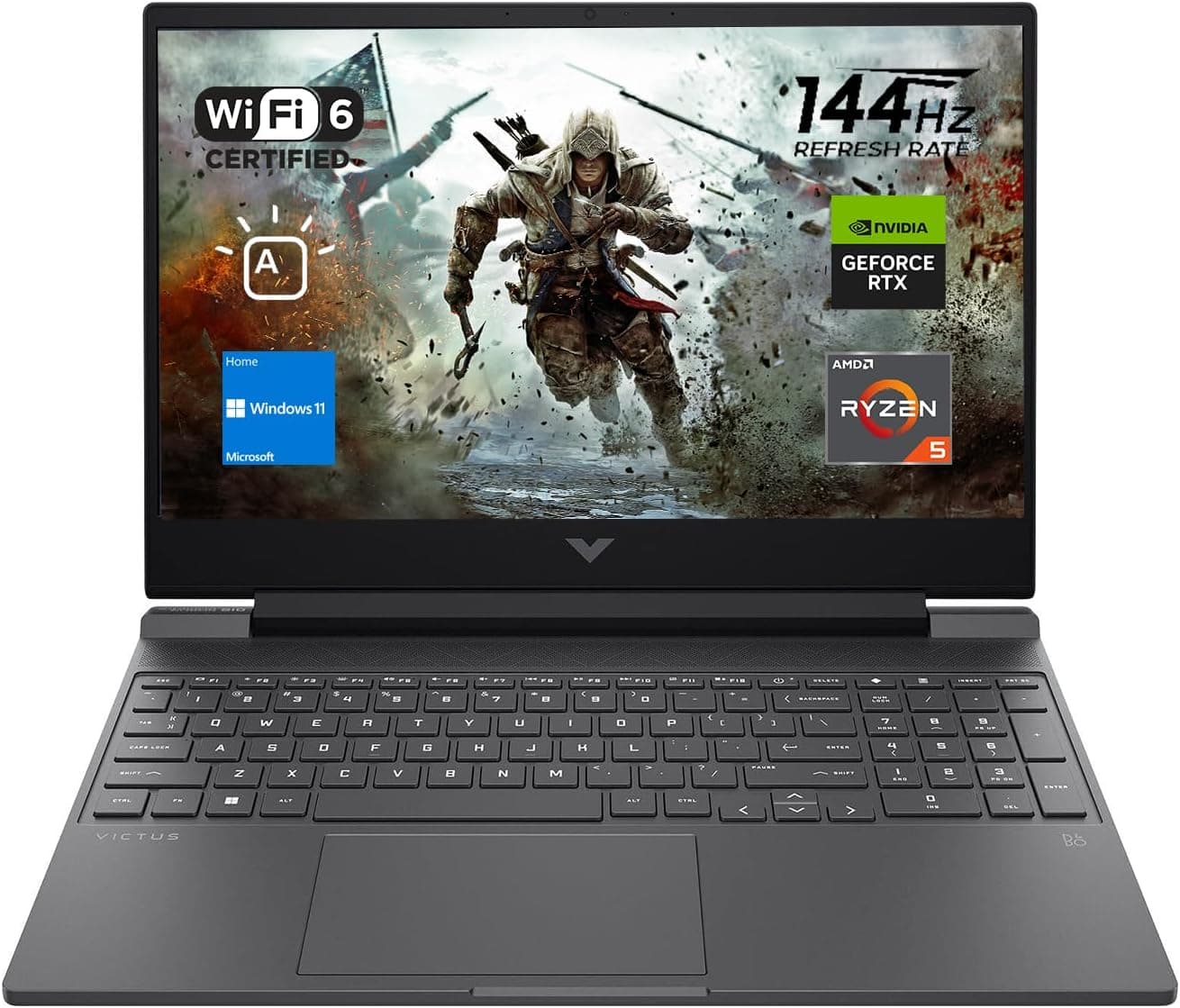
Best Gaming Laptops for College Students Under $1000 in 2026
Buying a gaming laptop for college is different from buying one purely for gaming. A college laptop needs to handle lectures, assignments, research, video calls, and productivity software during the day while still delivering solid gaming performance at night.

Best Games on Steam to Play While Working From Home
Best games on Steam to play while working from home, from cozy builders to smart card games that fit short breaks, easy pauses, and low stress sessions.
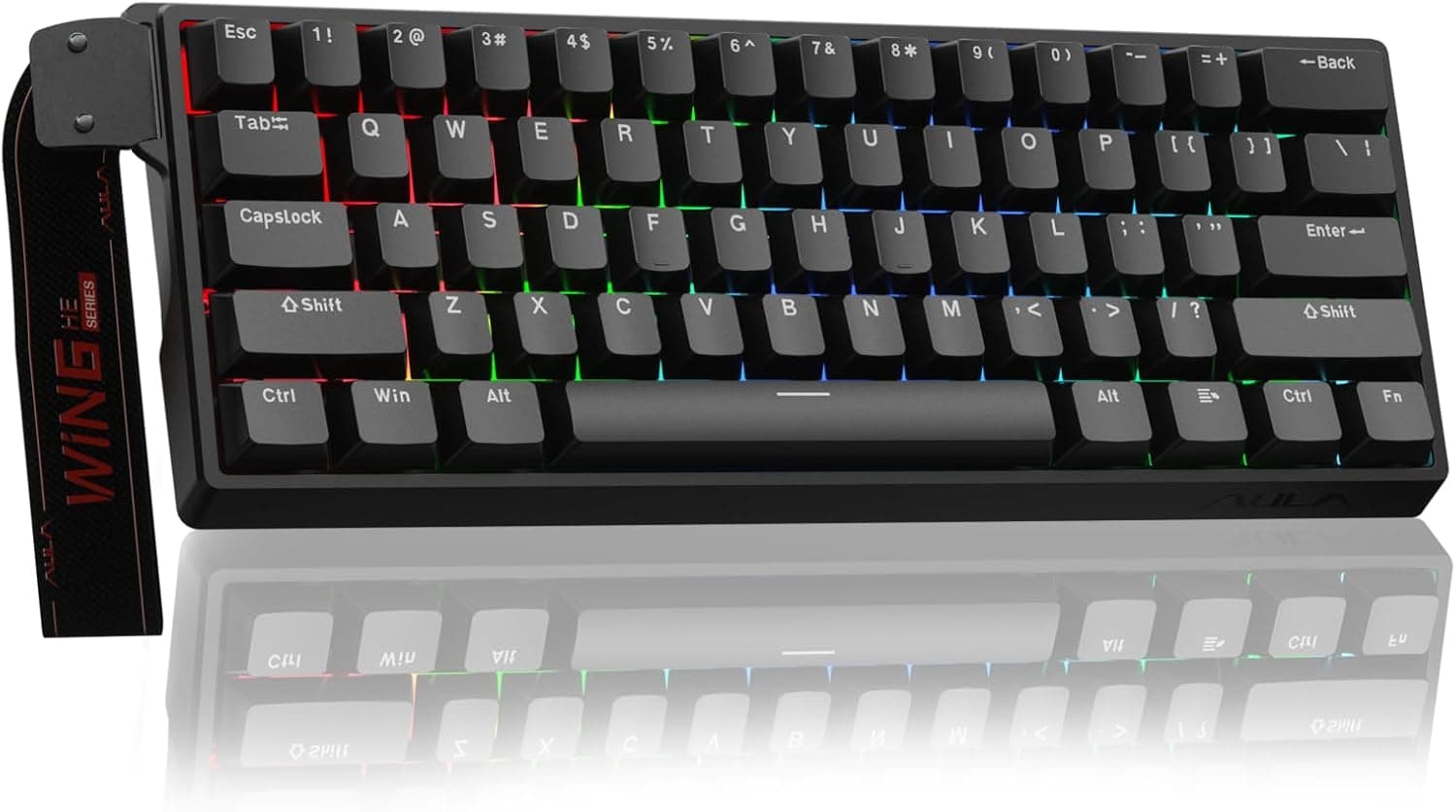
Best Budget Hall Effect Keyboards in 2026 (Under $50)
Discover the best budget Hall Effect keyboards under fifty dollars in 2026. Read our honest, in depth analysis of performance, build quality, and software features of the top six magnetic switch boards.