
Introduction
The gaming peripheral market in 2026 stands at a fascinating intersection of technological maturity and aggressive economic disruption. Historically, the dichotomy in gaming mice was stark: consumers could either purchase "flagship" devices priced between $100 and $150, which offered the latest sensors, lowest latency, and lightest weights, or they could settle for "budget" devices marked by tangible compromises spun out sensors, rigid cables, and heavy, unbalanced shells. This era has unequivocally ended.
The current market landscape is defined by the commoditization of what was once considered "professional grade" technology. The proliferation of the PixArt PAW3395 sensor, the standardization of Nordic microcontrollers (MCUs), and the widespread adoption of optical switching mechanisms have flattened the performance hierarchy. Today, a $45 mouse from an emerging manufacturer can, on paper and often in practice, match the tracking performance and latency of a $160 unit from a legacy brand. This shift has forced a re evaluation of what "budget" means. It is no longer synonymous with "entry level" or "starter"; rather, it represents a segment where value efficiency is maximized, often stripping away marketing fluff (excessive RGB, OLED screens, wireless charging docks) to focus purely on performance metrics that impact competitive gameplay.
This report provides an exhaustive analysis of the budget gaming mouse sector as of early 2026. We define "budget" as devices retailing under the $70 USD threshold, with a significant concentration on the sub $50 "sweet spot." Our analysis integrates technical scrutiny of internal components, ergonomic evaluations based on hand anthropometry, and a critical assessment of manufacturing consistency and software ecosystems. By examining the current offerings from established giants like Razer and Logitech alongside the disruptive "Chi Fi" (Chinese High Fidelity) wave led by brands like VXE, Zaopin, and Keychron, we aim to provide a definitive guide for the discerning buyer looking to maximize their competitive potential without diminishing their wallet.
The Sensor Revolution: From PixArt 3370 to 3950
The heart of any gaming mouse is its optical sensor. In the budget sector of 2026, the baseline expectation has shifted dramatically upwards.
- PixArt PAW3395: This sensor, introduced widely in 2023 2024, remains the gold standard for high value peripherals in 2026. It features a resolution of 26,000 DPI, tracking speeds of 650 IPS (Inches Per Second), and 50G acceleration. Crucially, it introduced "Motion Sync" to the masses a technology that synchronizes the sensor's internal polling rate with the USB polling interval of the computer, ensuring that the positional data sent to the PC is as fresh as possible.5 While this introduces a negligible latency penalty (~0.5ms), the resulting smoothness of tracking is preferred by many high level aimers.
- PixArt PAW3950: Formerly a Razer exclusive (labeled as the Focus Pro 30K), this sensor has begun to trickle down into wider availability. It improves upon the 3395 by offering tracking on difficult surfaces, including clear glass, which was previously a weakness of optical sensors. It also allows for more granular control over Lift Off Distance (LOD), enabling users to set the cut off point for tracking with millimeter precision.
- Logitech HERO 12K/25K: Logitech’s proprietary High Efficiency Rated Optical (HERO) sensor prioritizes power management. While it lacks the aggressive Motion Sync implementation of the latest PixArt units, its power draw is a fraction of its competitors. This architecture is the sole reason devices like the G305 can operate for 250+ hours on a single AA battery, a feat yet to be replicated by the PAW3395 architecture.
Microcontrollers and the Polling Rate Wars
If the sensor is the heart, the Microcontroller Unit (MCU) is the brain. The MCU processes sensor data, click inputs, and RGB lighting before sending packets to the PC. In 2026, the MCU is often the bottleneck for performance, particularly regarding polling rates.
- Standard 1000Hz (1K): The industry standard for two decades. The mouse sends data every 1 millisecond. For 99% of gamers, this is sufficient.
- High Polling (4K/8K): A dominant trend in 2026 is the push for 4000Hz (0.25ms) and 8000Hz (0.125ms) polling rates.5 Achieving this requires robust MCUs, typically from Nordic Semiconductor (e.g., nRF52840). Budget brands like VXE and Zaopin have democratized this technology, offering "4K Ready" mice where the user can purchase a separate dongle to unlock higher speeds.
- Wired 8K: Interestingly, the most stable implementation of high polling rates in the budget sector is found in wired mice. The Razer DeathAdder V3 Wired utilizes a high speed USB microcontroller to deliver true 8000Hz polling without the battery drain or interference issues inherent to wireless 4K solutions.
Switch Mechanisms: The Reliability Crisis and Solution
The primary failure point of gaming mice remains the left and right click switches.
- Mechanical Switches: Utilizing physical metal contacts (gold or silver alloy), these switches create a circuit when pressed. They offer a crisp, tactile feel beloved by enthusiasts. However, they are prone to contact bounce a physical phenomenon where the metal vibrates upon closure, creating false signals. To combat this, "debounce delay" is added to the firmware, adding latency. Over time, as contacts oxidize, this logic fails, leading to the dreaded "double click" issue. The Logitech G305, utilizing Omron mechanical switches, is historically notorious for this failure mode.
- Optical Switches: These switches use an infrared light beam and a shutter mechanism. When the button is pressed, the shutter opens, the light hits a receiver, and the click is registered. Since there is no physical contact bouncing, debounce delay is virtually zero, and the mechanism is immune to oxidation based double clicking. Razer’s Gen 3 Optical switches, found in the DeathAdder V3 Wired and Cobra, represent a massive durability advantage for the budget buyer.
Ergonomics and Biomechanics: Matching Mouse to Hand
A mouse with flawless specifications is useless if it causes pain or prevents proper aiming mechanics. In 2026, the understanding of mouse ergonomics has evolved beyond simple "small vs. large" labels into a nuanced categorization of grip styles and shape geometries. Grip Styles Defined
- Palm Grip: The entire hand creates contact with the mouse, from the base of the palm to the fingertips. This grip maximizes stability and comfort but limits vertical range of motion (fingers cannot pull the mouse down). It requires a mouse with a high, posterior hump and a large surface area (e.g., Razer DeathAdder V3).
- Claw Grip: The base of the palm rests on the back of the mouse, while the fingers arch to strike the buttons at a steeper angle. This strikes a balance between stability (palm contact) and agility (finger arch allows for micro adjustments). Symmetrical shapes with a rear biased hump (e.g., VXE R1 Pro, XM1 clones) are ideal here.
- Fingertip Grip: Only the fingertips touch the mouse; the palm hovers completely. This allows for extreme range of motion, utilizing the fingers to pull the mouse into the palm for vertical aiming. This requires very small, short, and lightweight mice (e.g., Zaopin Z1 Pro, Razer Cobra) to prevent the back of the mouse from hitting the palm during retraction.
In Depth Product Reviews: The Best Budget Gaming Mice of 2026
The following sections provide detailed breakdowns of the top contenders in the budget space. Each product is evaluated on performance, build quality, feature set, and value proposition.
The Wireless Disruptor: VXE R1 Pro / Pro Max
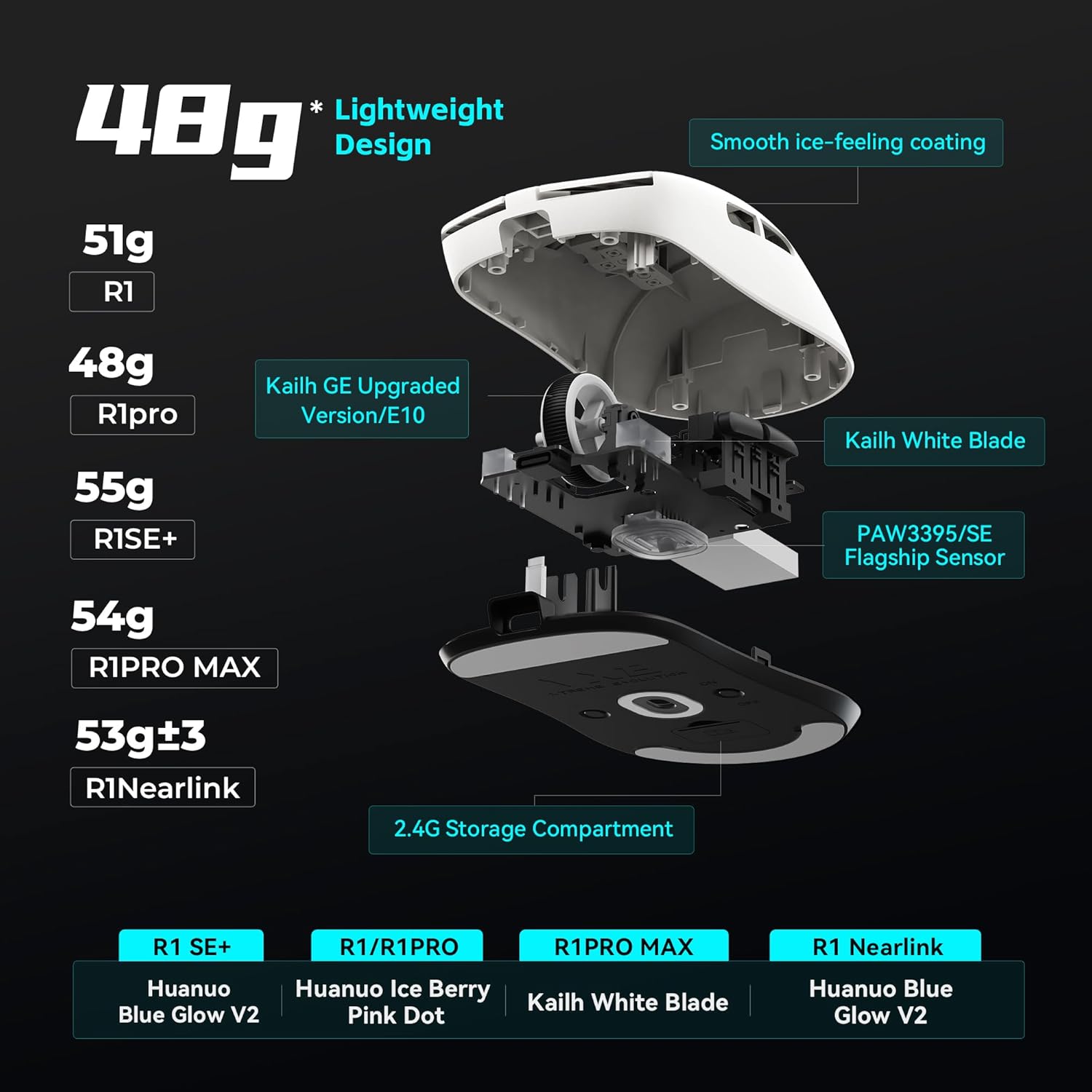
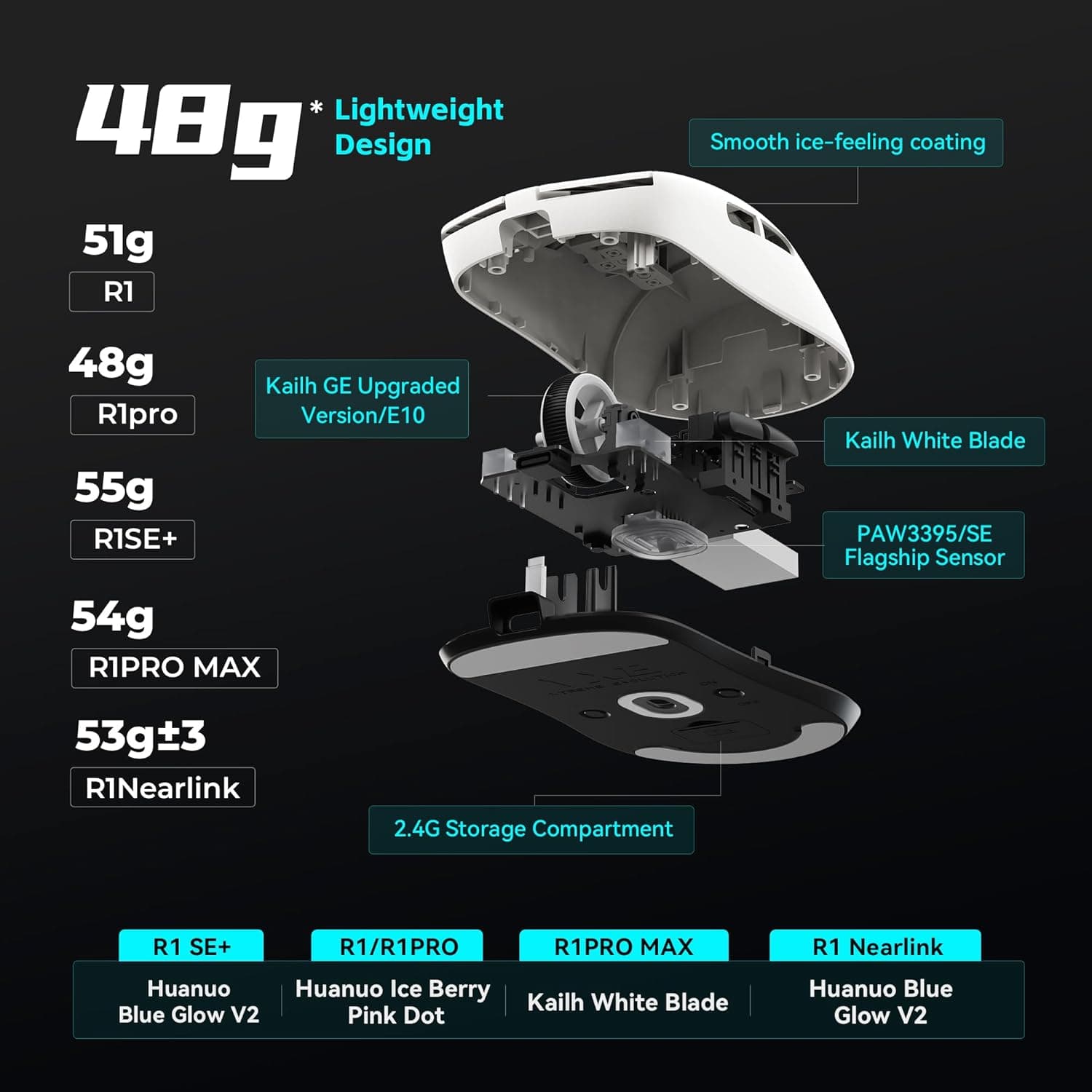
The VXE R1 Pro series (including the SE, Pro, and Pro Max variants) has become the defining "Chi Fi" mouse of the mid 2020s. Born from the manufacturing lines of VGN, the VXE brand targets the premium budget segment, offering a shape heavily inspired by the Pulsar X2 and Endgame Gear XM1 but at a fraction of the cost.
Specifications:
- Sensor: PixArt PAW3395 (SE uses PAW3395 SE).
- MCU: Nordic 52840 (Pro/Max) / Broadcom (SE).
- Weight: ~48g (Pro) / ~54g (Pro Max).
- Switches: Huano Blue Shell Pink Dot.
- Polling: 1000Hz (4000Hz capable with separate dongle).
- Price: ~$45 to $55 USD.
Performance Analysis:
- The R1 Pro is widely celebrated for offering a "no compromise" wireless experience.The implementation of the Nordic MCU ensures that wireless latency is on par with top tier Logitech and Razer mice. The shape is a safe, symmetrical design with flat sides, making it universally adaptable for claw and fingertip grippers. The Huano switches provide a crisp, satisfying tactile click that is heavier and more defined than Omron equivalents, reducing accidental clicks.
The "Chi Fi" Caveats:
- While the specs are impeccable, the ownership experience carries risks. Quality Control (QC) is the primary concern. User reports frequently highlight variability in main button feel (one side crisper than the other), side wall flex, and scroll wheel rattling.Furthermore, the coating on the black version acts as a magnet for fingerprints and oils, becoming slippery during intense sessions a stark contrast to the premium coatings found on Razer’s Pro line.
Value Proposition:
- At roughly $50, the R1 Pro undercuts western flagships by over $100. Even with the additional purchase of a 4K dongle (~$13), the total package remains firmly in the budget tier. It represents the best price to performance ratio for a wireless mouse in 2026, provided the buyer is willing to gamble slightly on QC or purchase from a vendor with a solid return policy (e.g., Amazon over AliExpress).
The Wired King: Razer DeathAdder V3 (Wired)
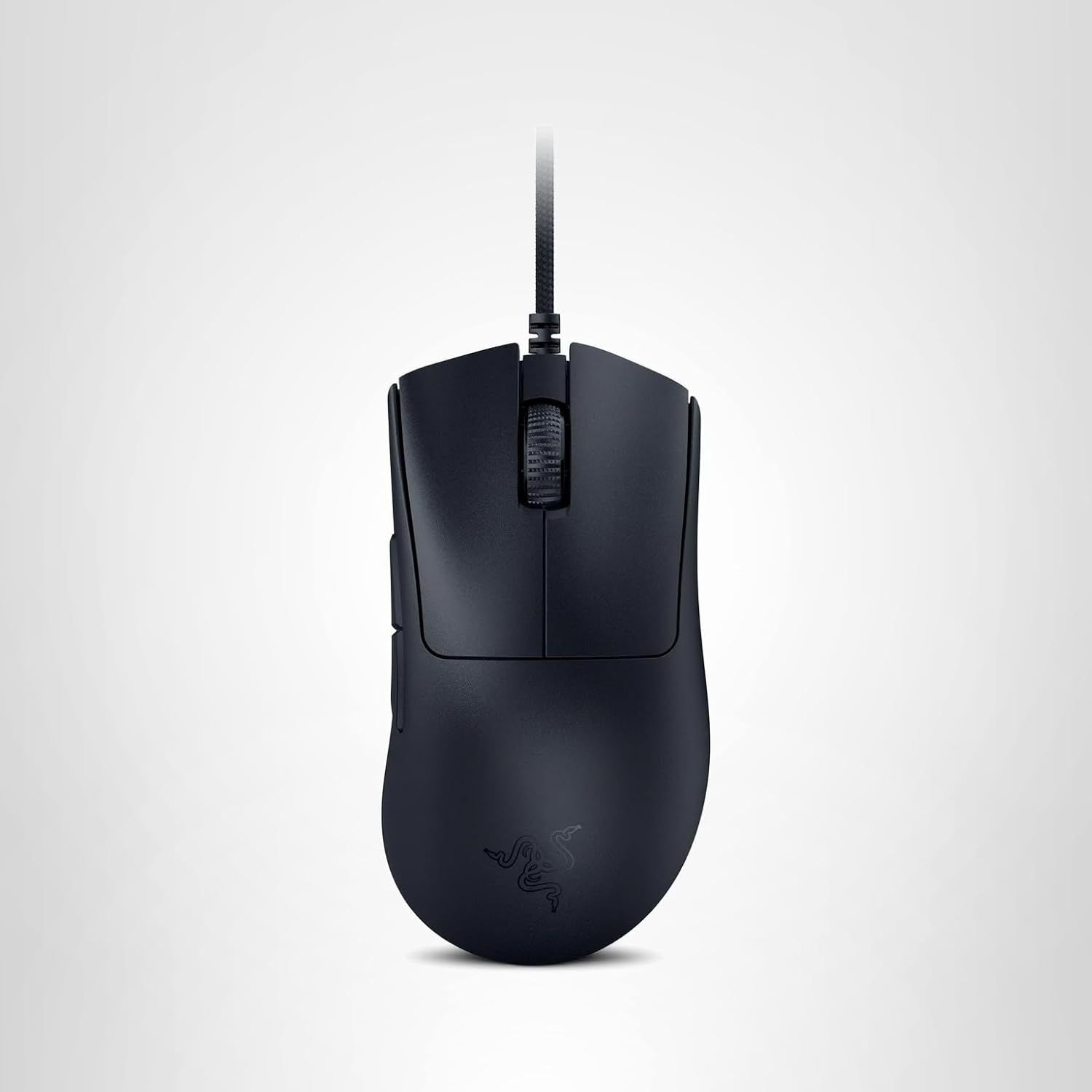
In a market obsessed with wireless, Razer made a bold move by releasing a wired version of their flagship DeathAdder V3 that is technically superior to its wireless counterpart in several metrics. For the pure competitive gamer on a budget, this is arguably the best mouse money can buy.
Specifications:
- Sensor: Razer Focus Pro 30K (PAW3950 based).
- MCU: High Speed USB proprietary.
- Weight: 59g.
- Switches: Razer Optical Gen 3.
- Polling: 8000Hz Native.
- Price: ~$50 USD.
Performance Analysis:
- The DeathAdder V3 Wired is a monster of specifications. It features the Focus Pro 30K sensor, widely regarded as the most accurate sensor on the market, capable of tracking on glass and offering asymmetric cut off for LOD customization. Crucially, it supports 8000Hz polling rate out of the box. While wireless mice struggle to maintain 4K/8K stability due to interference and battery constraints, the wired connection ensures a consistent 0.125ms reporting interval, providing the smoothest cursor movement possible on 240Hz+ monitors.
Ergonomics and Build:
- Weighing in at 59g, it is lighter than the Wireless Pro version (63g). The shape is a refinement of the legendary DeathAdder silhouette less aggressive flares, a higher hump, and split triggers making it the premier ergonomic choice for palm and relaxed claw grippers. Unlike the "grainy" texture of the Pro version, the wired model features a smooth, grippy coating that is widely praised for its premium feel.
The Wired Trade off:
- The only downside is the cable. However, Razer’s "Speedflex" cable is exceptionally pliable and light. When paired with a $10 mouse bungee or simply taped to the monitor edge, the drag is virtually imperceptible. For competitive play where reliability and latency are paramount, the Dav3 Wired offers flagship performance for a third of the flagship price.
The Immortal Workhorse: Logitech G305 Lightspeed
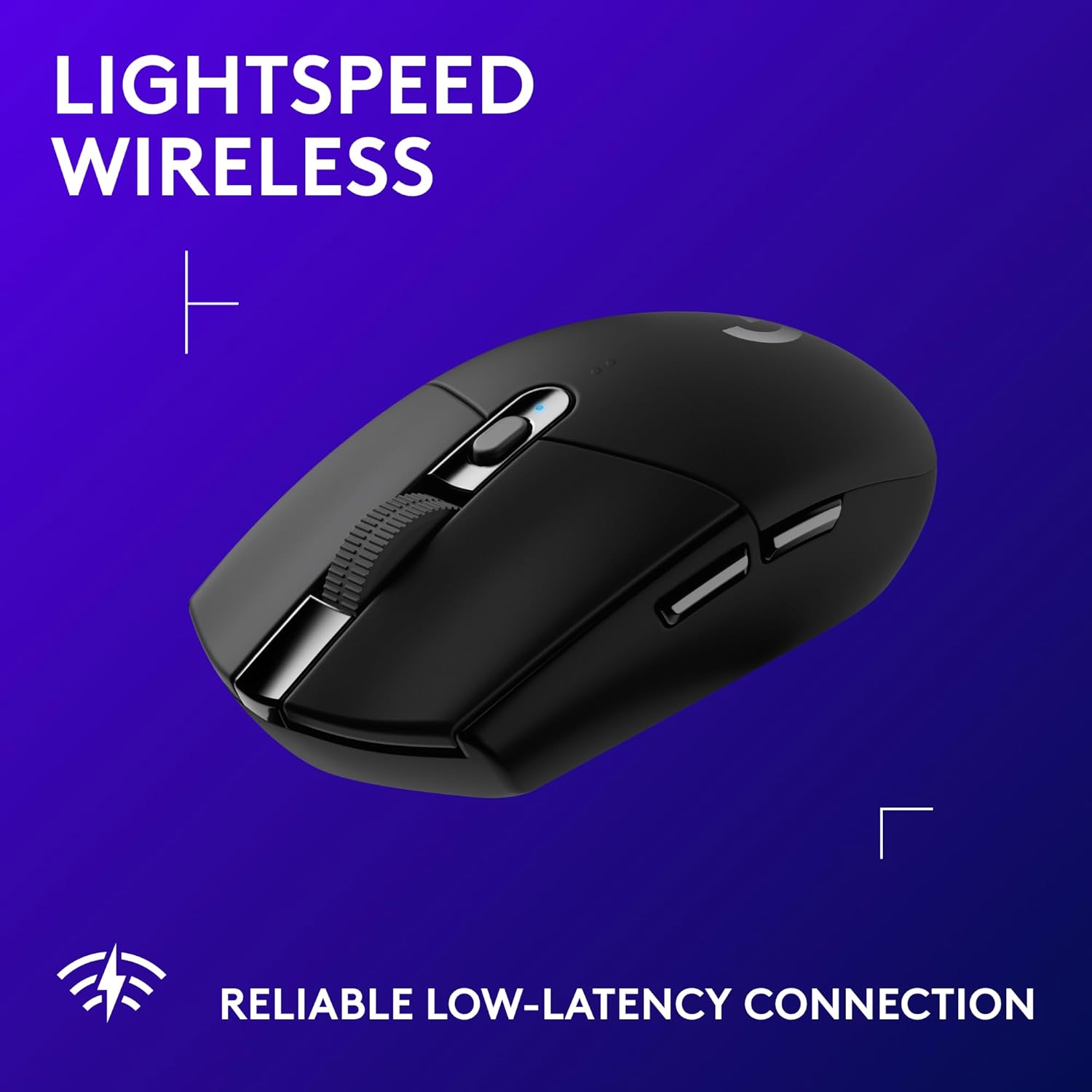
Released in 2018, the fact that the G305 remains a top recommendation in 2026 is a testament to Logitech’s engineering. While it no longer boasts top tier specs, its reliability and unique power system keep it relevant. Specifications:
- Sensor: HERO 12K.
- Weight: ~99g (Stock with AA Alkaline).
- Battery: 1x AA (Replaceable).
- Switches: Omron Mechanical (20M).
- Price: ~$40 USD.
Performance Analysis:
- The G305’s primary selling point is its "infinite" lifespan. Because it uses replaceable AA batteries, it does not suffer from the built in battery degradation that eventually kills all rechargeable mice. The HERO sensor is incredibly efficient, offering 250 hours of continuous gaming on a single battery. In "Endurance Mode" (desktop use), a battery can last 9 months.
The Modding Culture:
- Stock, the G305 is heavy (99g) and unbalanced towards the rear. However, a thriving modding culture has solved this. By using a Lithium AAA battery (which is lighter) and a tinfoil ball or a plastic converter to fit it into the AA slot, the weight drops to ~83g, and the balance is corrected.40 This simple "hack" transforms it into a viable competitive mouse for under $40 total.
Risks:
- The Achilles heel of the G305 is the Omron switches, which are prone to double clicking after 1 2 years of heavy use. Unlike the Razer opticals, these will eventually fail, requiring soldering to replace.
The Small Hand Contender: Razer Cobra Wired
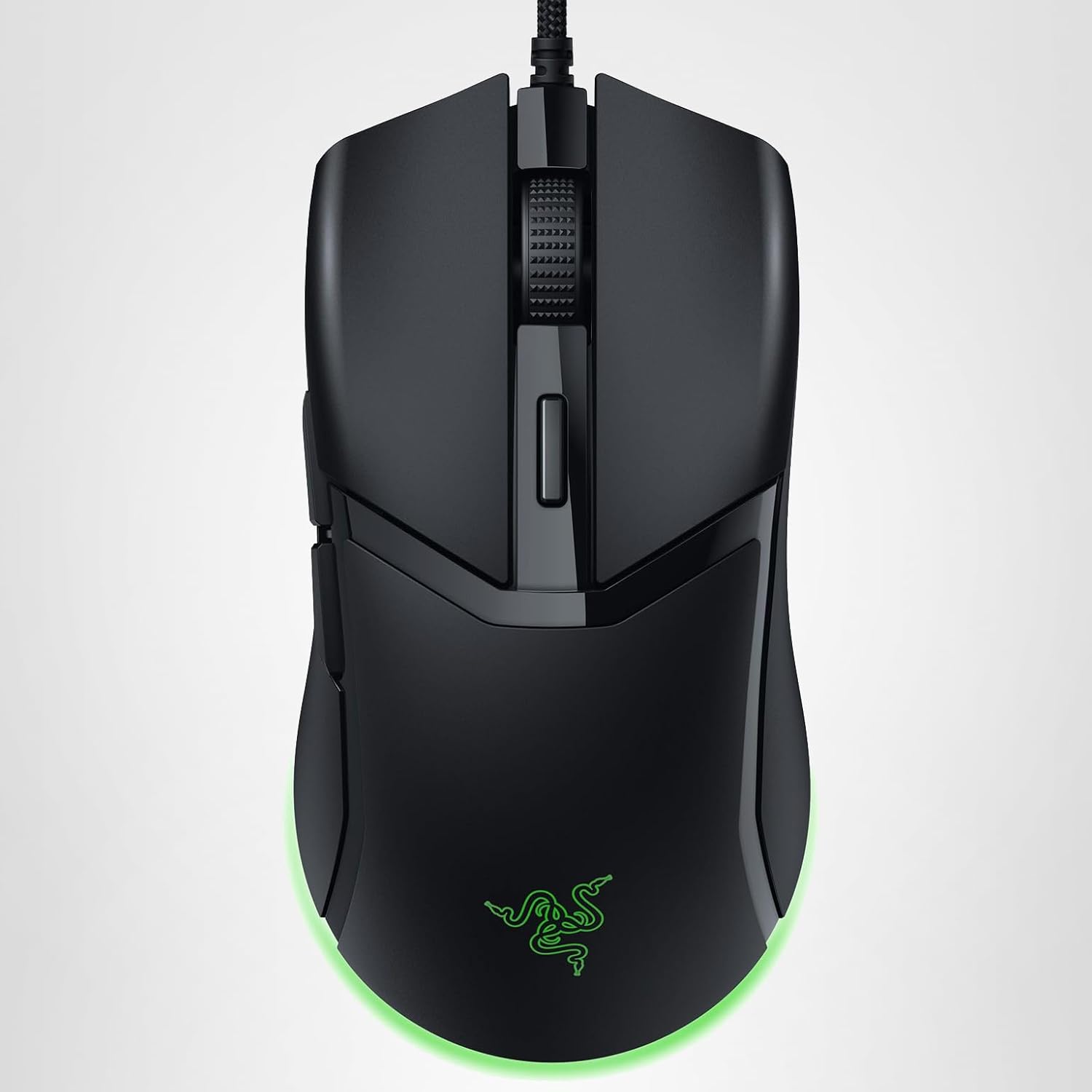
For gamers with small hands, the discontinuation of the Viper Mini was a blow. The Razer Cobra Wired attempts to fill this void. Specifications:
- Sensor: PAW3349 (8500 DPI).
- Weight: 58g.
- Switches: Razer Optical Gen 3.
- Price: ~$35 USD.
Performance Analysis:
- The Cobra retains the excellent small symmetrical shape of the Viper Mini. The upgrade to Gen 3 Optical switches is significant, ensuring the mouse will likely last virtually forever without double clicking. The RGB implementation is also best in class for those who care about aesthetics.
The Sensor Flaw:
- The major criticism of the Cobra Wired is its sensor. The PAW3349 is a budget sensor with a high Lift Off Distance (LOD) that cannot be adjusted in software. This means the cursor may jitter or track when the user lifts the mouse to reposition it, which is detrimental to low sensitivity FPS gaming. While "tape mods" (covering part of the sensor lens) can fix this, it is a flaw that shouldn't exist in 2026.50 For casual gaming, it is excellent; for competitive play, the high LOD makes it inferior to the R1 Pro or Dav3.
The High Speed Alternative: HyperX Pulsefire Haste 2 (Wired)

HyperX enters the conversation with the Haste 2, a mouse that competes directly with the Dav3 Wired in the 8K polling arena.
Specifications:
- Sensor: HyperX 26K.
- Weight: 53g.
- Polling: 8000Hz.
- Switches: TTC Gold (Mechanical).
- Price: ~$59 USD.
Performance Analysis:
- The Haste 2 is notable for its incredibly low weight (53g) without the use of honeycomb holes (solid shell). Its shape is very flat and wide, making it stable for tracking but less supportive for palm grip. It matches the Dav3 with 8000Hz polling, offering elite responsiveness.
Comparison:
- Compared to the Dav3 Wired, the Haste 2 uses mechanical TTC Gold switches. These are crisp and dust proof but lack the double click immunity of Razer's opticals. The shape is the deciding factor: choose Haste 2 for a flat/fingertip profile, and Dav3 for a tall/ergonomic profile.
Strategic Recommendations: Which Mouse is Right for You?
The "Pro" Aspirant
Choice: Razer DeathAdder V3 Wired If your goal is purely competitive ranking in games like Valorant, CS2, or Rainbow Six Siege, this is the choice. The 8K polling, optical switches, and flawless sensor provide a technical ceiling that no wireless budget mouse can match. The wire is a small price to pay for absolute reliability and zero latency.
The Value Wireless Hunter
Choice: VXE R1 Pro For the gamer who wants the "Superlight" experience without the $150 price tag. It is the best all rounder for claw and fingertip grip. Just ensure you buy from a retailer with a good return policy to safeguard against QC issues.
The "Set and Forget" Student
Choice: Logitech G305 Lightspeed If you want a mouse that you can toss in a backpack, use on a library desk, and game with at night without ever worrying about a charging cable, the G305 is undefeated. It is built like a tank and the battery life is legendary.
Conclusion
The "Budget" gaming mouse market of 2026 is a triumph of consumer friendly technology. The gap between spending $50 and $150 has narrowed to the point of irrelevance for performance. Whether through the refined legacy of the Razer DeathAdder V3 Wired, the efficient utility of the Logitech G305, or the disruptive innovation of the VXE R1 Pro, gamers in 2026 have access to professional grade tools at accessible prices. The choice now lies not in "what can I afford," but in "what shape fits my hand." By understanding the technical nuances of sensors, switches, and polling rates outlined in this report, buyers can confidently navigate the market and secure a device that enhances their gameplay without compromising their budget.
Best Budget Lightweight Gaming Mouse Under $50 for Low Sensitivity FPS
Find the absolute best budget lightweight gaming mice under $50. We break down the top picks from VXE, Ajazz, and Keychron that offer flagship performance for a fraction of the price.
10 PC Hardware Terms Every New PC Gamer Needs to Know Before Buying Anything
New to PC gaming? These 10 hardware terms will save you from bad upgrades, weak builds, and wasted cash. Learn what actually impacts performance before you buy anything.
The Absolute Best 1080p 240Hz Gaming Monitors Under $300 for Competitive FPS in 2026
Upgrade your competitive gaming setup with the best 1080p 240Hz monitors under $300. We break down the top picks from ViewSonic, MSI, Dell, ASUS, and Samsung for 2026.
FAQ
What is the best budget gaming mouse in 2026?
For pure performance per dollar, the VXE R1 Pro offers the best wireless value, while the Razer DeathAdder V3 Wired is the top choice for competitive players who want the lowest latency and 8K polling without paying flagship prices.
Is 8000Hz polling rate really worth it?
At 240Hz and above, 8000Hz can slightly improve motion smoothness and click latency, but the difference is subtle. For most players, 1000Hz or 4000Hz is already more than enough. Competitive FPS players may benefit the most.
Are optical switches better than mechanical switches?
Yes for longevity and reliability. Optical switches eliminate double-click issues and reduce debounce delay, making them ideal for long-term competitive use. Mechanical switches still offer a preferred tactile feel for some users.
Is wireless gaming as fast as wired in 2026?
Modern wireless mice using Nordic MCUs and PAW3395 sensors can match wired latency at 1000Hz and even 4000Hz. However, wired mice remain more stable for true 8000Hz polling and zero interference.
What grip style should I use to choose a mouse?
- Palm grip: Ergonomic shapes like DeathAdder V3
- Claw grip: Symmetrical medium-hump mice like VXE R1 Pro
- Fingertip grip: Small lightweight mice like Razer Cobra or Zaopin Z1 Pro
Do expensive sensors improve aim?
Above the PAW3395 level, improvements are mostly technical rather than practical. Shape, weight, and grip comfort affect aim consistency far more than raw DPI numbers.
Are “Chi-Fi” gaming mice safe to buy?
Yes, but quality control can vary. Buying from Amazon or a retailer with easy returns is recommended to avoid issues like uneven clicks or shell flex.
How long do budget gaming mice last?
- Optical switch mice: 5–10 years with heavy use
- Mechanical switch mice: 1–3 years before possible double-clicking
- Replaceable battery mice (like G305): Longest overall lifespan
This report constitutes an independent analysis of the 2026 gaming peripheral market. All technical specifications and pricing data are current as of early 2026.
Disclosure: The links in this post are affiliate links. This means if you click on them and make a purchase, we may earn a small commission at no extra cost to you. As an Amazon Associate, We earn from qualifying purchases.
You May Also Like

Best PC Games for 8GB RAM in 2026 (Low Spec PCs)
Is 8GB of RAM enough for gaming in 2026? Discover the best PC games that run smoothly on 8GB RAM rigs, from indie masterpieces to optimized AAA titles and competitive shooters.
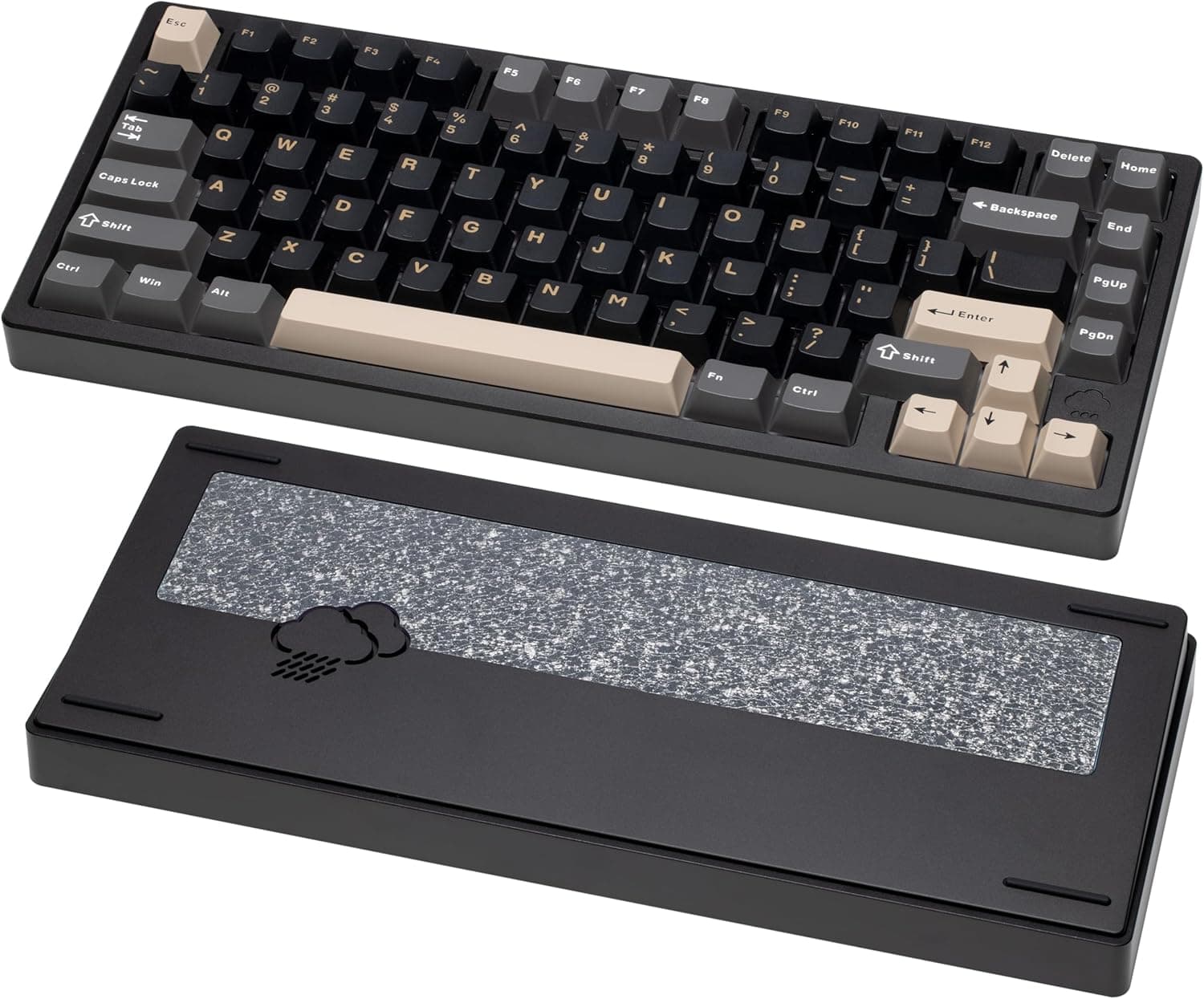
Best Creamy Keyboards in 2026 (From Budget to Premium Picks)
Best creamy keyboards in 2026 ranked from budget to premium. Discover smooth, quiet mechanical keyboards with the best sound, switches, and performance for gaming and typing.
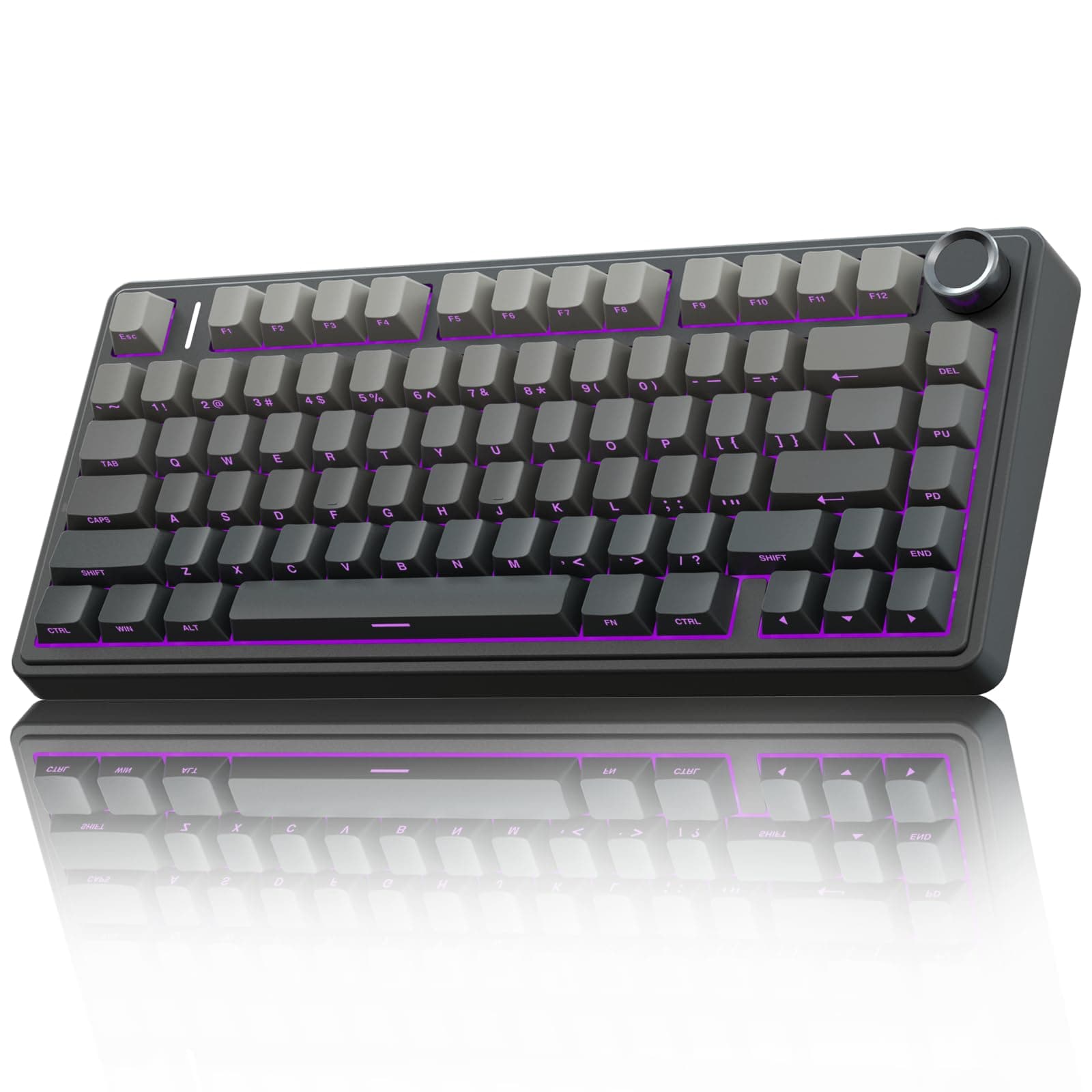
Best Budget "Thocky" Mechanical Keyboards (UNDER 70 $) in 2026
Looking for that deep, satisfying "thock" without spending hundreds? In 2026, budget friendly mechanical keyboards from Aula, Epomaker, Keychron, and Akko deliver premium sound and feel under $70. This guide breaks down the best options, and essential mods to unlock the thockiest experience.